
Blog Post info below the image

How do i achieve 3 icons in to rows for the blog post, im putting content in using the classic editor to show this under the default blog. im using the standard wp blog editor for this. even with code its not showing. what would be the best suggestion
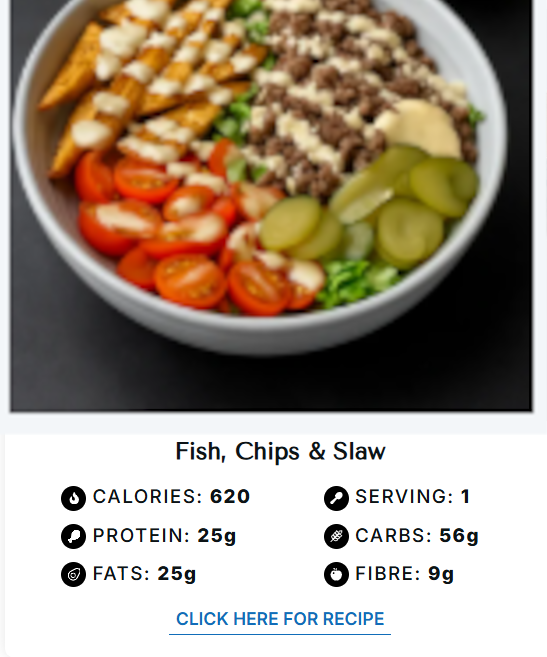
what id like
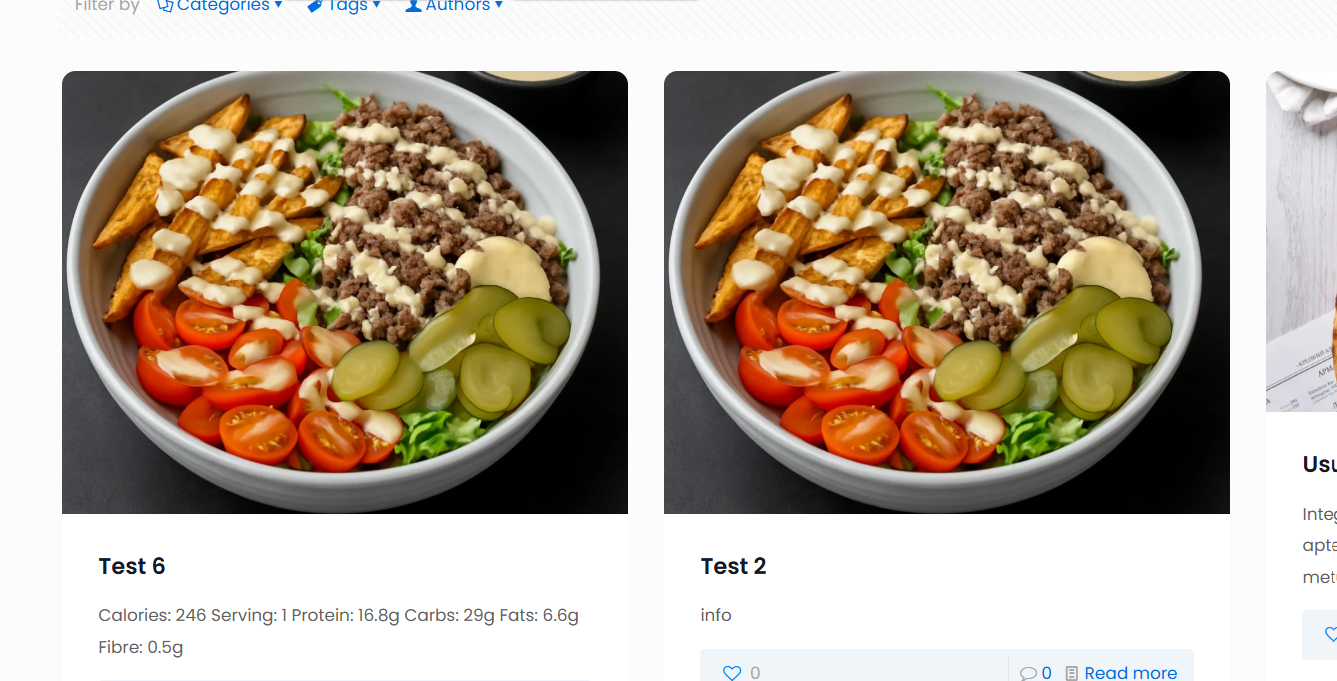
what im getting
code im using
<center><table style="width: 100%; max-width: 500px;">
<tbody>
<tr>
<td style="vertical-align: top; width: 50%; padding-right: 20px;">
<ul>
<li>Calories: 246</li>
<li>Serving: 1</li>
<li>Protein: 16.8g</li>
</ul>
</td>
<td style="vertical-align: top; width: 50%; padding-left: 20px;">
<ul>
<li>Carbs: 29g</li>
<li>Fats: 6.6g</li>
<li>Fibre: 0.5g</li>
</ul>
</td>
</tr>
</tbody>
</table>
</center>
it show correctly on the post at the bottom when u click into it, but not the main blog page

Comments
Hi,
In your place, I would use a template for that, build the list using Query Loop, and display these texts using ACF. With ACF, you can create custom fields for calories, protein, etc., and then display them in Query Loop in Archive with the dynamic data.
See these video tutorials for a better understanding:
https://support.muffingroup.com/video-tutorials/advanced-custom-fields-in-action-with-bebuilder/
https://support.muffingroup.com/video-tutorials/how-to-use-templates-a-step-by-step-guide/
[Links visible only for registered users]
Best regards