
Overlay Menu Background is Transparent – How to Disable Transparency?

Hello
I selected the header style with the Overlay / 1 Level Menu.
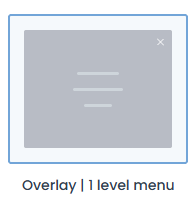
The problem is that when I click the hamburger icon, the overlay mnu opens with a semi-transparent background, so the page content remains visible underneath.

I would like the overlay menu background to be fully opaque (solid color) and not transparent.
I have already checked the Theme Options and Header Builder settings, but I cannot find any option to disable the transparency or set a solid background color for the overlay menu.
Screenshots attached:
- Header layout used
- Current transparent overlay result
Could you please tell me:
- Is there a Theme Option to make the overlay menu background fully opaque?
- If not, what CSS should I use to set a solid background color for the overlay menu?
- Is this behavior related to a specific Header Builder setting?
Thank you for your help.
Best regards
Comments
Hi,
Please always attach a link to your website so we can check it out. If the page is offline(localhost), then our help will be limited. You will have to contact us when the page is online. Also, please make sure that the page is not under maintenance before you provide us with the link.
Thanks