
Topic: Adding Custom Favicons to Profile Page Menu Items

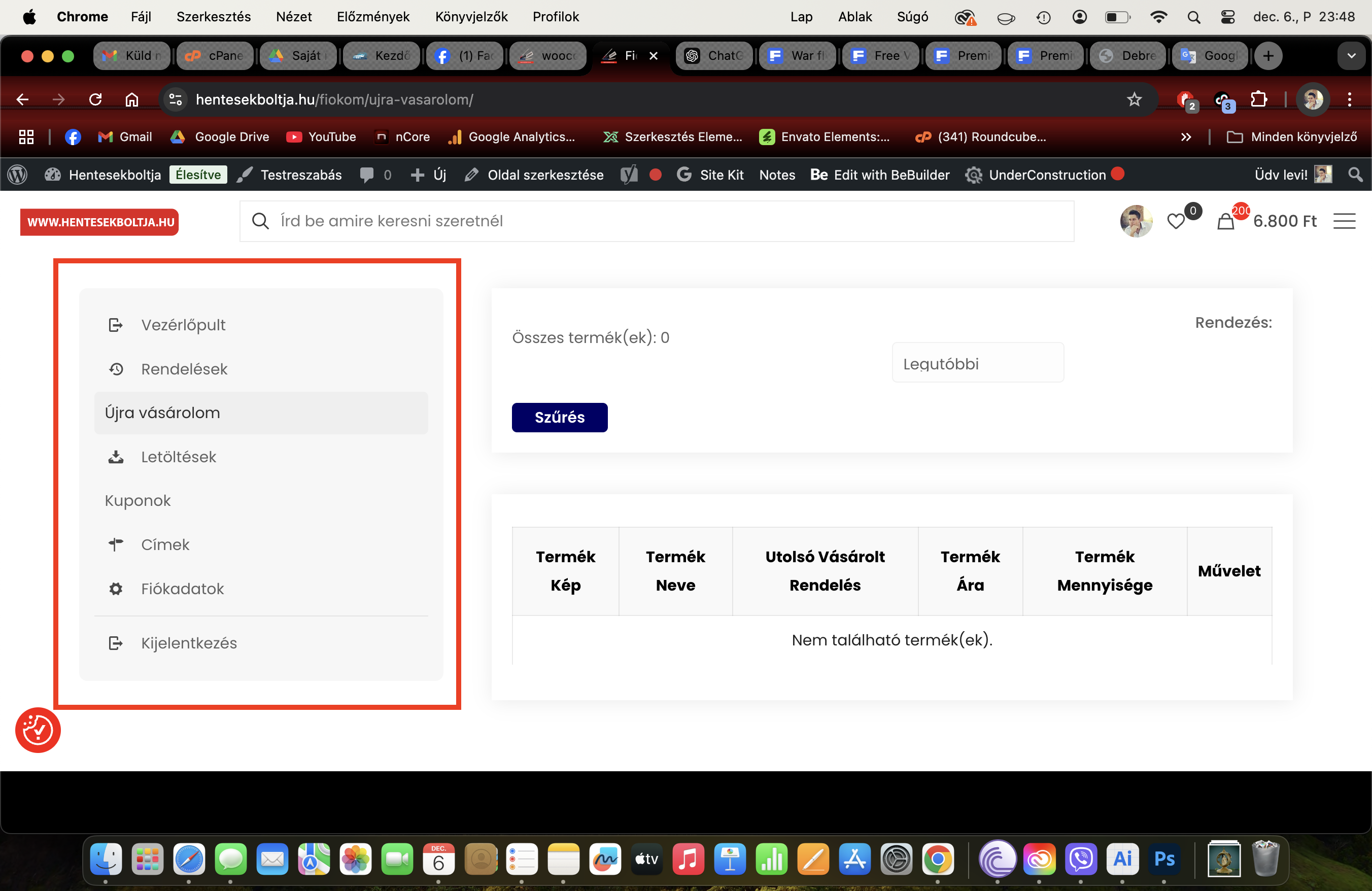
The profile page now includes two new menu items for coupons and reordering. How can I assign similar favicons to these items as the ones that are set by default? If there’s no option available in the editor, could you guide me on where to look in the template files to make these changes? Thank you in advance!
Comments
Hi,
Please always attach a link to your website so we can check it out. If the page is offline(localhost), then our help will be limited. You will have to contact us when the page is online. Also, please make sure that the page is not under maintenance before you provide us with the link.
Also, tell me which icons you want to add there.
Thanks
The webshop is online at [Links visible only for registered users] and if possible I would provide a unique icon, but if not, which toolbar can I choose from?
I forgot that I must be logged to check that.
Please send us the WordPress dashboard access privately through the contact form, which is on the right side at [Links visible only for registered users].
Notice!
Please attach a link to this forum discussion.
Sending incorrect or incomplete data will result in a longer response time.
Therefore, please ensure that the data you send are complete and correct.
If you upload the icon you want to use to your Media library I will check if it will be possible to use it there.
Thanks
Here is your login datas:
[Links visible only for registered users]
It will be expire 7 day!
Note that the forum is public, and others can see your messages. Anyway, no one view it before me and I was able to log in.
Use the following CSS code:
.woocommerce .woocommerce-MyAccount-navigation-link--ujra-vasarolom a::before{
 display: inline-block;
 margin-right: 10px;
  content: url('#');
}
.woocommerce .woocommerce-MyAccount-navigation-link--wc-smart-coupons a::before{
 display: inline-block;
 margin-right: 10px;
  content: url('#');
}
Put it in Betheme -> Theme options -> Custom CSS & JS -> CSS.
To use own icons replace # with the icon URL.
Best regards