
ACF with images

Hi,
I was trying to add an image using ACF {acf:icon} with the image component, but the image is not displaying. Please refer to the attached image for reference.
I would appreciate your assistance with this issue.
Thank you!
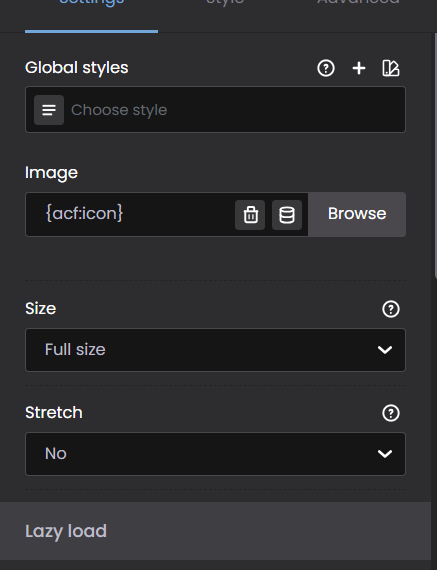

Hi,
I was trying to add an image using ACF {acf:icon} with the image component, but the image is not displaying. Please refer to the attached image for reference.
I would appreciate your assistance with this issue.
Thank you!
Comments
Hey,
Please send us the WordPress dashboard access privately through the contact form, which is on the right side at [Links visible only for registered users] and we will check what might be the reason.
Notice!
Please attach a link to this forum discussion.
Sending incorrect or incomplete data will result in a longer response time.
Therefore, please ensure that the data you send are complete and correct.
Thanks
We need to investigate it further, and we will need FTP access to your website.
Please send it as you did with the WP dashboard access, and remember to attach a link to this forum discussion.
Thanks
Sorry, but the FTP access you sent does not work.
Are you sure that the credentials you sent are correct?
Best regards
Hey phil
I have sent the new login credentials. Hopefully, this will work this time.
Thank you
Now the FTP works, but it leads to an empty catalog:
Please correct that.
Thanks
The new FTP credentials you sent work correctly, thanks.
We are checking this now.
Best regards
We seem to correct this.
Please check it out now.
Best regards
Hey Phil
Thank you, But the image is still not showing - using {acf:icon}
Where are you putting this exactly?
Please attach a link to that page.
Thanks
Hey
here's the page [Links visible only for registered users] , and can I know exactly what are you doing exactly to fix this?
Thank you
Sorry we had to do one more adjustment in the theme files.
Please check it out now.
Thanks
It's working now, thank you! Could you please let me know how you fixed it? That way, I can resolve it myself if I face the same problem again.
But wait, after the last update of the theme , your edits on theme file has been deleted , we're back to the same issue
Theme files adjustments were necessary.
This fix will be included in the next big update (probably its number will be 28.2).
If you just updated the theme, then it surely erased our changes.
Anyway, we edited them back to your website.
Best regards