
Select categories in the blog filter

in Blog
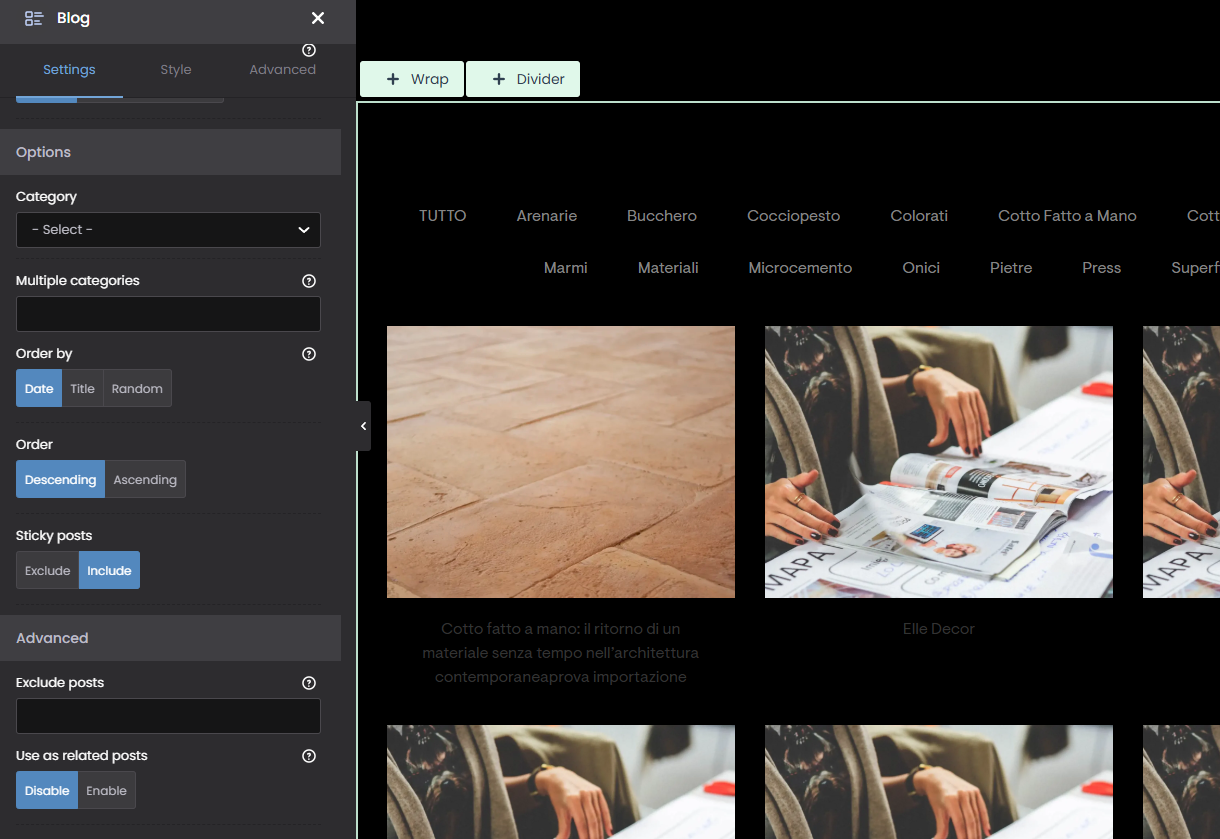
The filters only appear if I don't select any categories.
Instead, I'd like to be able to filter by 4 or 5 specific categories.
Is that possible?
Comments
Hi,
The only option would be to hide some categories using custom CSS, but at the start, all posts from different categories will appear, until you choose the categories at the top.
If you want to try with a custom CSS code, please send a link to your website and tell us which categories should stay.
Best regards
I tried this:
.categories li:not(.reset):not(.close):not(.granite):not(.marble):not(.stone):not(.sandstone):not(.onyx):not(.travertine) {
display: none !important;
}
article.isotope-item:not(.category-19):not(.category-13):not(.category-38):not(.category-23):not(.category-34):not(.category-29) {
display: none !important;
}
The problem is that the filter doesn't seem to work; it doesn't load all the images.
Example:
There are 6 “sandstones” but it displays 2
There are 11 “travertines” but it displays 5
etc.
the website is: [Links visible only for registered users]
thank you!
With jQuery, filtering all posts should be visible at the start. Did you set in the Blog element to show as many posts as you have?
Are you also sure that some posts do not share the same category which are the same that you hide?
Best regards
You were right. The problem is that I didn't enter the correct number of items. Thanks!
I am happy I could help.
If you have any other questions or problems, feel free to ask.
Best regards