
BeTheme Demo Import Issue

Hello,
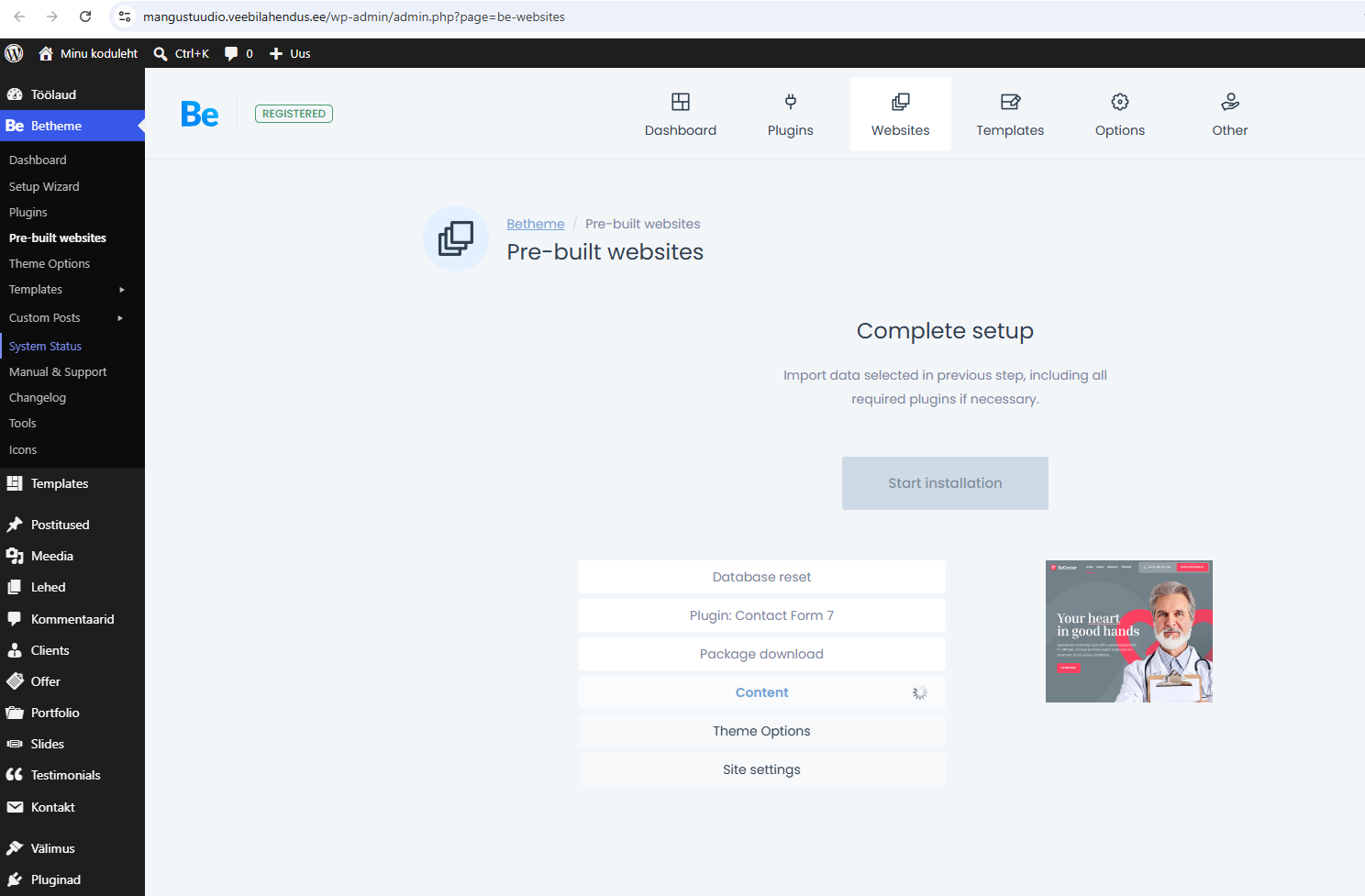
I am experiencing an issue with the BeTheme demo importer on a fresh WordPress installation hosted on your platform.
Website:
[Links visible only for registered users]
Problem:
When I try to import any BeTheme pre-built website, the importer starts loading but never completes. It remains stuck indefinitely without displaying any error message.
What I have already checked:
- WordPress is a fresh installation.
- BeTheme license is activated.
- AJAX is working correctly (
/wp-admin/admin-ajax.phpreturns "0"). - PHP version was changed from 8.4 to 8.3 for testing.
- PHP Memory Limit: 512 MB
- PHP Time Limit: 600 seconds
- PHP Max Input Vars: 5000
- Upload Max Filesize: 128 MB
- cURL is available.
- Imagick is available.
- No significant additional plugins are installed that could cause conflicts.
- BeTheme System Status shows all required settings as OK.
Server Information:
- Web Server: Apache
- PHP Version: 8.3 (also tested with 8.4)
- PHP Memory Limit: 512 MB
- PHP Time Limit: 600
- PHP Max Input Vars: 5000
One thing I noticed in Site Health is that OPcache appears to be full:
- Opcode cache memory usage: 128 MB of 128 MB
- Is the Opcode cache full? Yes
Could you please check the server logs and verify whether any ModSecurity, WAF, firewall, PHP, or server-side restrictions are blocking or interrupting the BeTheme demo import process?
If possible, please review the error logs for this domain during the import attempt and let me know if any errors are being generated.
Credentials:
[Links visible only for registered users]
[removed by moderator]
Thank you in advance.
Best regards,
Steve
Comments
Hi,
Please do not share login credentials here, as others can see them.
To check that FTP access privately through the contact form, which is on the right side at [Links visible only for registered users], and we will check what the reason might be.
Notice!
Please attach a link to this forum discussion.
Sending incorrect or incomplete data will result in a longer response time.
Therefore, please ensure that the data you send are complete and correct.
Thanks
I received your private message, but you did not WP dashboard or FTP access.
Please send another message with all required information.
Best regards
Hi,
Now sent.
Br,
Steve
Hello,
The issue has been resolved.
Initially, the demo import was not completing successfully. While troubleshooting the problem, I deactivated the BeTheme license and attempted to activate it again.
At that point, I discovered that when the hosting account was originally created, the hosting provider had automatically assigned a temporary domain:
dc802174a0.testlink.eeThe theme had been registered to this temporary domain instead of the actual development domain:
[Links visible only for registered users]
As a result, when I tried to reactivate the purchase code, I received the following message:
"Purchase code already used. Please deregister purchase code and remove theme folder on: dc802174a0.testlink.ee"
After removing the old registration associated with the temporary domain and activating the license on the correct domain, the demo import completed successfully without any issues.
Everything is now working as expected.
Thank you for your assistance.
Best regards,
Steve
I am happy to see that you found the culprit, and thanks for the explanation.
Please let me know if I can help with anything else.
Thanks