
Product category filter hides parent categories

Hello,
Betheme + BeBuilder + WooCommerce + WPML.
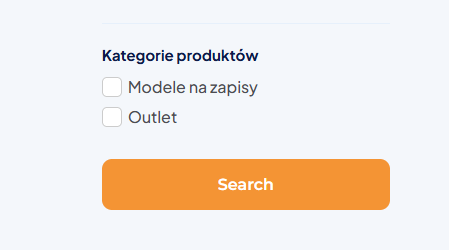
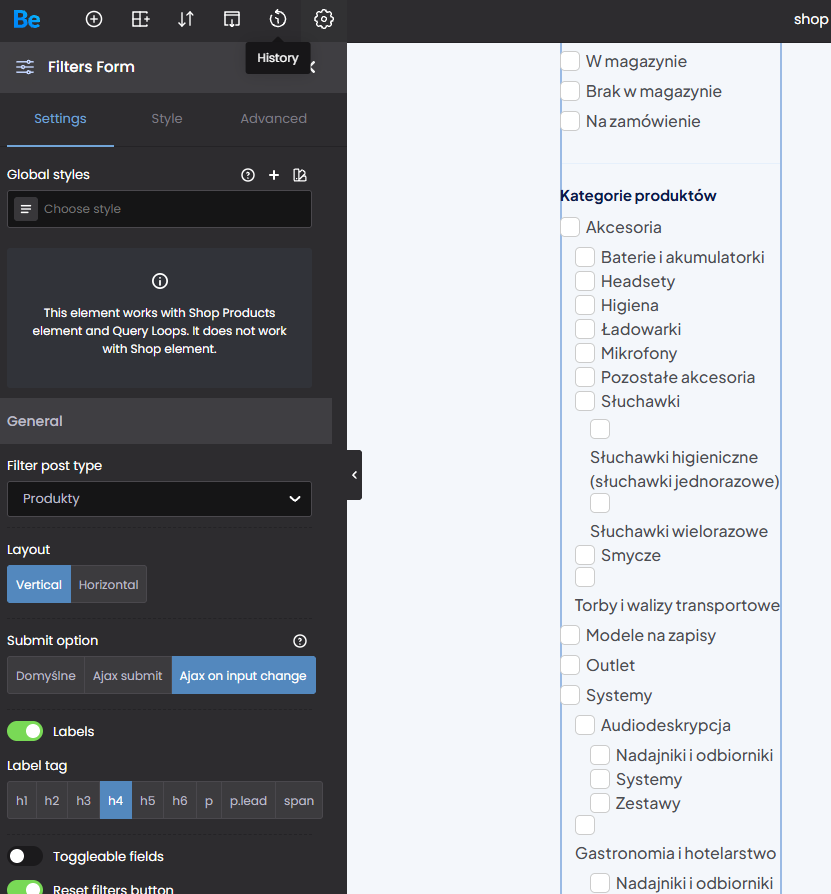
When I add filters through the BeBuilder editor, the product category filter does not display all of my product categories. Only some of them appear - the rest are missing.
IMPORTANT: when I use the standard WooCommerce product categories filter as a WIDGET (in the sidebar), it displays the correct, complete list of categories. So the data itself is fine - the problem seems to be specific to the filter element added via BeBuilder.
MY ASSUMPTION (a guess, not a confirmed fact)
My category tree is hierarchical, for example: Systemy dla turystyki > Dla muzeow > Nadajniki
Products are assigned only to the deepest (leaf) subcategories, which is the recommended WooCommerce practice - no product is assigned directly to a parent category. As a result, parent categories have a product count of 0 in the database.
My suspicion is therefore that the BeBuilder filter element hides "empty" categories (hide_empty), and because it does not sum up the products from child categories, every parent category is treated as empty and removed from the list. But this is only my guess - I may be wrong about the cause.
QUESTIONS
1. Why does the filter added via BeBuilder not display all categories, and how can I make it show the full list?
2. Is it possible to add, through the BeBuilder editor, exactly the same product category filter as the one available in the widgets - the one that displays the complete list of categories correctly? If yes, which element should I use and how should I configure it?
3. Is there any option to manually choose which categories are displayed or hidden in the filter (a selection list, an include/exclude field, or a hook where I could pass specific category IDs or slugs)? I would find this useful regardless of the issue above.
Thank you
Comments
Hey,
1, 2) Please send us the WordPress dashboard and FTP access privately through the contact form, which is on the right side at [Links visible only for registered users] and we will check that.
Notice!
Please attach a link to this forum discussion.
Sending incorrect or incomplete data will result in a longer response time.
Therefore, please ensure that the data you send are complete and correct.
3) There is no option for that at the moment, but we have it on our to-do list.
Best regards
Hi, I just send login info.
Best regards
I did not see categories in your filters, so I added them at the end and it looked like this:
Please check it out by yourself, as the last update corrected this.
Best regards