
Menu needs to be centered

Hello, I tried all of the menu layouts, but none of them adjusted this. When you look at the attached picture, you'll see that the menu is left-aligned. It needs to be centered. I tried to code it (using AI to write the code), but it didn't work. I would like to keep that menu design, but only to center the menu items.
I'm using the "Movie" theme.
Our website is currently parked while I finish building it.
Thanks, JL
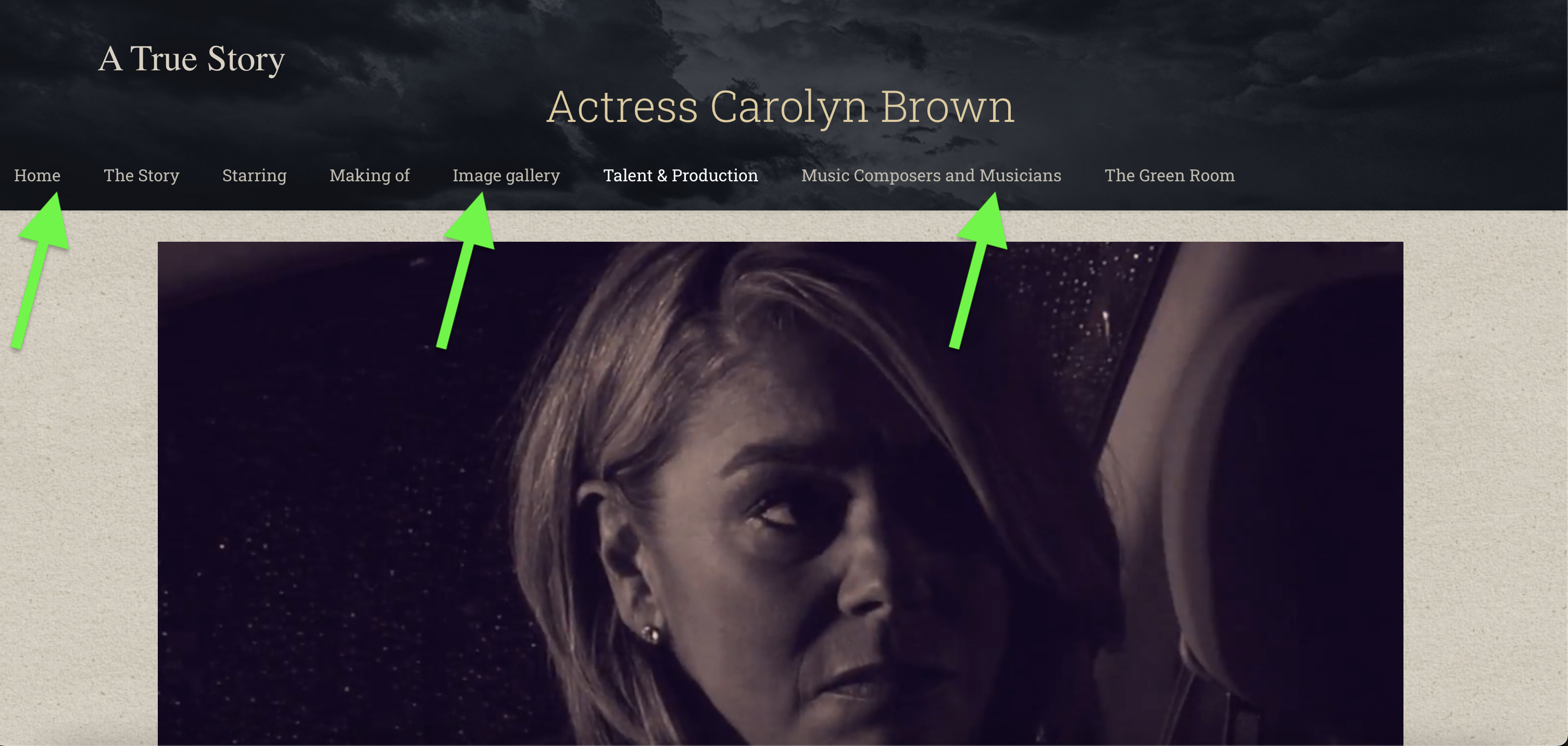
Comments
I have a second question if you don't mind. As you see in the images, there's no background to the menu when you're scrolling, even though the sticky header is set to "Dark." I can attempt to fix this using AI and CSS, but I'd rather not.
I realize you might need to log in to the site. Please let me know. Thanks.
Hi,
1) Did you try using Stack | Center header layout?
2) That’s because of too many menu items inside the website's grid width, and you can get rid of that problem by following steps mentioned in one of the topics in our FAQ from the Support Center. Check the following link:
https://support.muffingroup.com/faq/menu-goes-under-header-does-not-fit/
Thanks
That fixed the problems. Thank you.
Do you want me to start a new thread every time I have a new question? Here's another question: We use your theme for several of our websites. On another website, we placed the shortcode of the contact form (we use Forminator) in the Visual Editor, and the form appears, but when I put the Forminator shortcode in the Visual Editor in this new site I'm building (the same website I mentioned above), the contact form doesn't appear. Nothing does, but when I put the shortcode in the default WordPress Editor text area, it appears. We don't want this. We want to put the shortcode in the Visual Editor so I can have more control of its size. When I put it into the WordPress Editor, the form spans the entire width of the page.
I got a hold of the Forminator developer about this, and here's what he said: "BeBuilder, the builder used by your theme, does not include an Element for forms from Forminator, so the shortcode method is required to place a Forminator form on pages. When the shortcode is pasted into the builder directly, it's treated as text rather than being processed as a shortcode."
Thanks, JL
It is better to create a new thread for different questions, but as you already asked, I will answer you here.
Please put the shortcode in the Plain Text element instead, and enable shortcode parsing for it.
Best regards
Hello,
It still didn't work. Web page:
https://apparitionmovie.com/the-green-room/
Please send us the WordPress dashboard and FTP access privately through the contact form, which is on the right side at https://themeforest.net/user/muffingroup#contact and we will check what the reason might be.
Notice!
Please attach a link to this forum discussion.
Sending incorrect or incomplete data will result in a longer response time.
Therefore, please ensure that the data you send are complete and correct.
Thanks
You used the wrong shortcode.
I placed a correct one, and it displays:
Best regards
Jeepers. I don't know how or why that happened. Thank you for your help.
JL
No worries, I am glad I could help.
Best regards