
Select by Image or Color in Field Type for Attribute

Hi, we tried using the new custom filters in version 28.2. We'd like to use a color filter selecting either the color or the image, but white squares appear instead of the actual image or color, as if the connection is missing. Why?

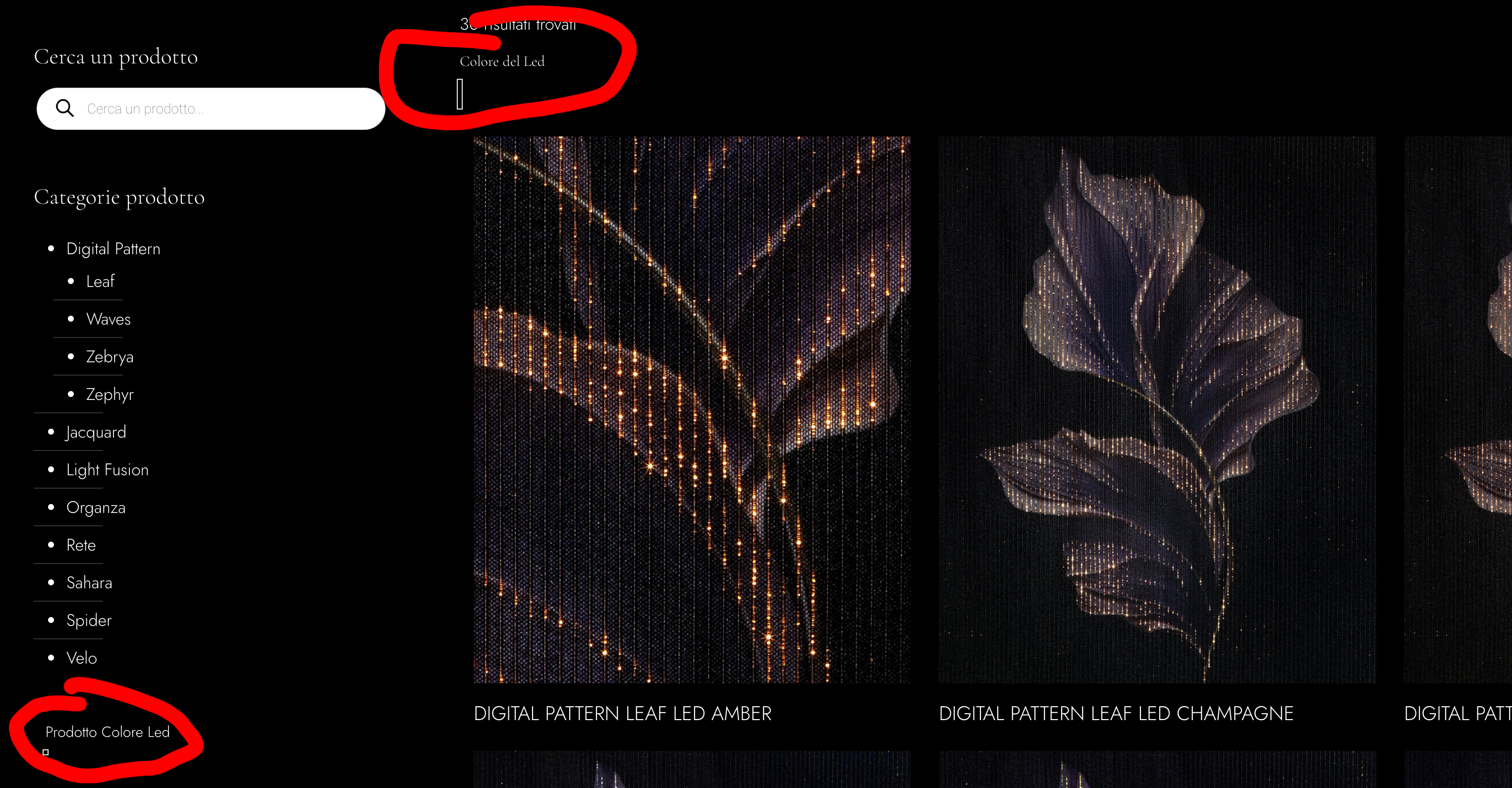
I've attached an image. The color selector is at the top, and the image is at the bottom.
Comments
Hi,
Please always attach a link to your website so we can check it out. If the page is offline(localhost), then our help will be limited. You will have to contact us when the page is online. Also, please make sure that the page is not under maintenance before you provide us with the link.
Thanks
Is here on this demo area [Links visible only for registered users]
Please send us the WordPress dashboard access privately through the contact form, which is on the right side at [Links visible only for registered users] and we will check what might be the reason.
Notice!
Please attach a link to this forum discussion.
Sending incorrect or incomplete data will result in a longer response time.
Therefore, please ensure that the data you send are complete and correct.
Thanks
I have check that, and in your filters you selected Field type: Image, while this attribute is a color:
Anyway, there is some cache on your server that prevents us from checking this further.
Please deactivate it, and let us know when it will be done. If you do not know how to do it, please reach out to your hosting provider.
Thanks
Yes, I tried both, one at the top and one at the bottom. I added the colors to the attributes, but I also tried adding the image. Both don't work. I'm testing both because I'll have multiple filters, some for color and some for image.
Cache disabled.
Please check it out now. An incorrect value was cached for the color size, and that's why it did not display correctly. I reset it, and now the display is correct:
Best regards
Perfect!! Thanks!!