
Choose what type of website I have

When I first installed the theme, it asked me what type of website it is. I skipped that part because I wasn't ready to build the site yet, just install the theme. With that said...
- Where do I choose what type of website it is after I skipped that part when I installed it? As I mentioned, I still haven't told the theme what type of website it is. Note: I've already built the site, so I can't reinstall the theme.
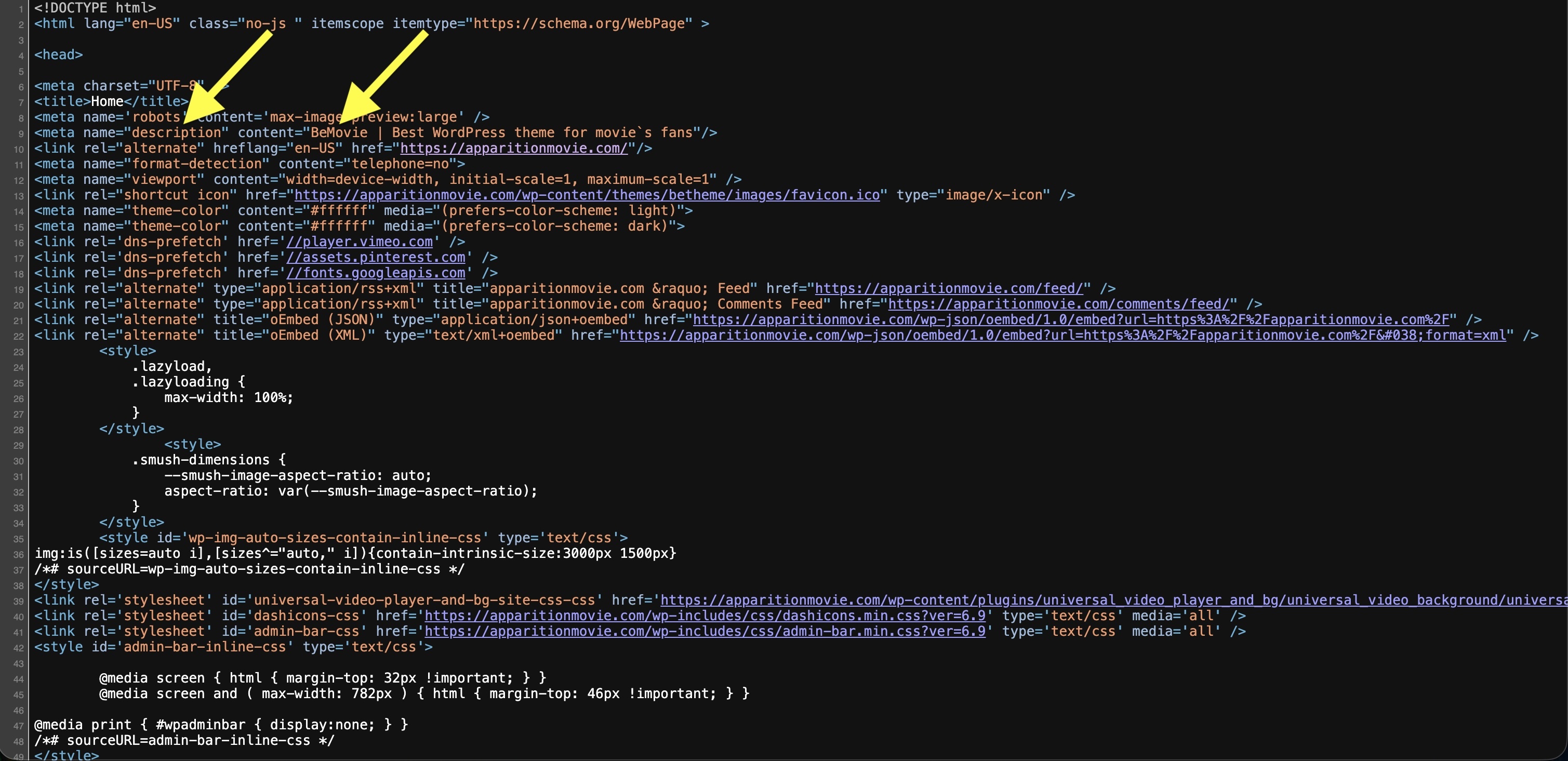
- Where do I change the meta to the home page? Please see below.
Wrong description and content. It's the default text of what the theme put in.
<meta name="description" content="BeMovie | Best WordPress
<link rel="alternate" hreflang="en-US"theme for movie's fans"/>
Image of that wrong description and content:
Thank you, JL
Comments
Hi,
Change it in Betheme -> Theme options -> SEO, in the SEO field area:
Best regards