
Sticky scroll how can I manage the height

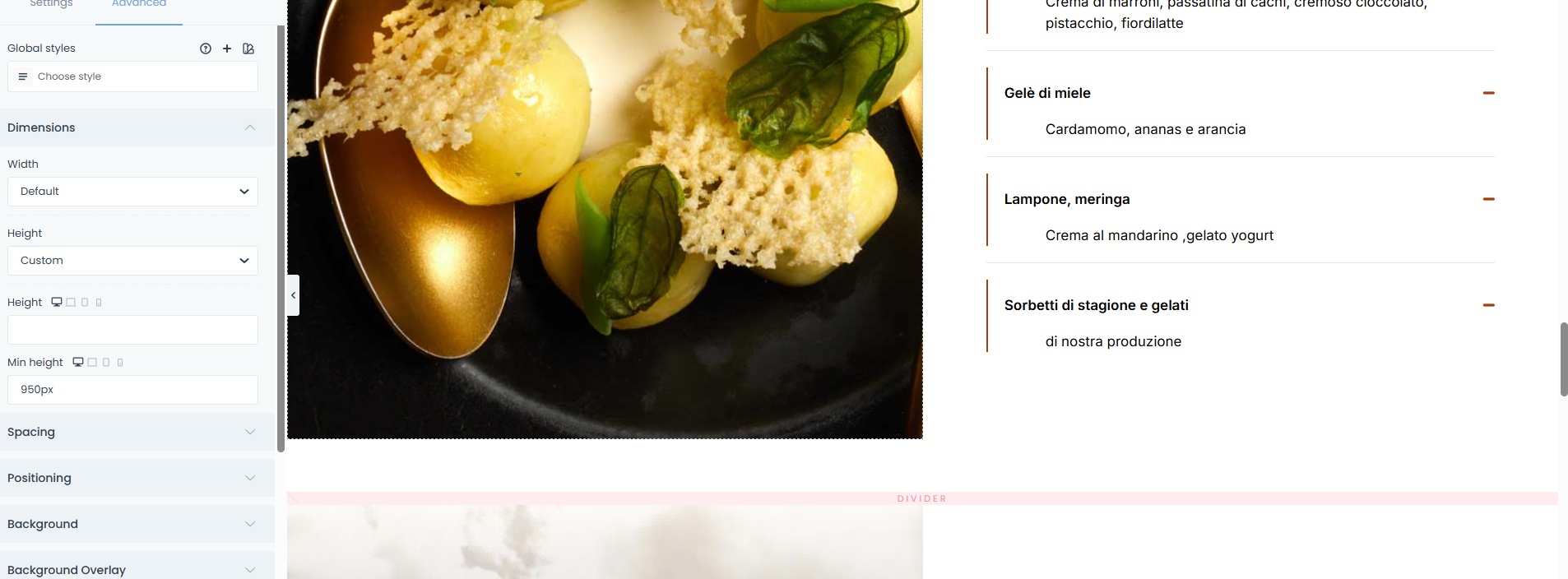
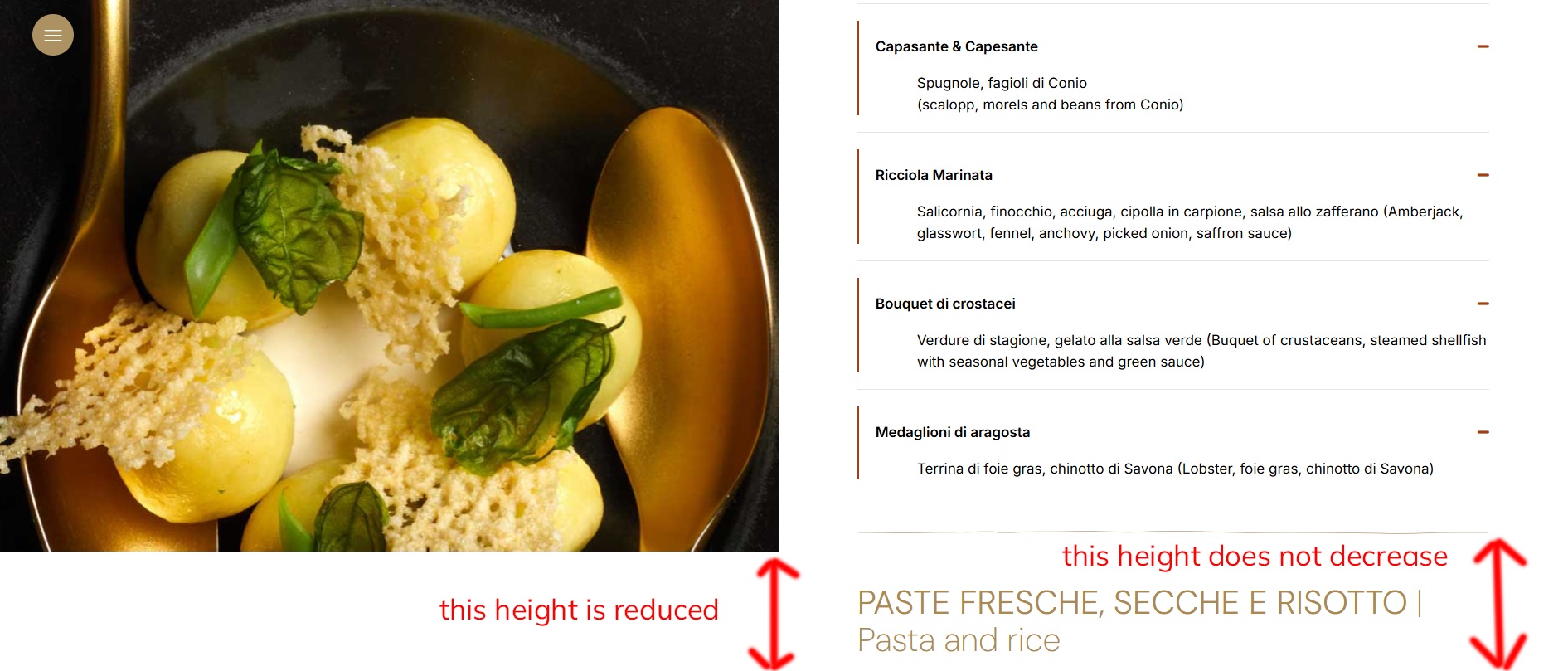
Hi, I need to reduce the height of my scroll space. Let me explain better... in image 01.jpg it is set to 950px but I need to reduce the height to 750px... only that the scroll on the right side always remains longer than my image...image 02.jpg
How can I do it?
Do I make myself clear?
Comments
Hi,
Please always attach a link to your website so we can check it out. If the page is offline(localhost), then our help will be limited. You will have to contact us when the page is online. Also, please make sure that the page is not under maintenance before you provide us with the link.
Thanks
ah sorry I forgot... here's the link...
https://www.demo-pongo.it/sangiorgio-ristorante/menu/
now the left container with the image is set to 950px high... but I would like it to be 750px... as I explained above
thank
I can see that you set it up as a wrap background.
Instead, you can place in the wrap an image element with the height you set.
Best regards
I did as you suggested...but as you can see, the right wrap remains higher...the one I'm asking for can't be the height of the left one?
https://www.demo-pongo.it/sangiorgio-ristorante/menu/
Explained?
I'll post the image for you to explain better, thanks
I must ask a couple of more things, as it is hard for me to imagine what your desired layout is.
So, below the red line from your screenshot, there should be a blank space? What about the browser height? If I understand correctly, the image on the left should remain in place during the scroll, and the content on the right should move, am I right?
Thanks
it should stay like this with the white space and the right part scrolling and the left image fixed... but maybe the height of the right part takes the size of the screen?
Maybe try this. Set exact custom height for the image, and the wrap on the right, but to the wrap also change overflow to auto:
Best regards
I tried what you suggested... the graphics would be fine... but unfortunately, when I go to set the wrap height, the content rises and
it doesn't display correctly... plus, the double scrollbar is added...
https://www.demo-pongo.it/sangiorgio-ristorante/menu/
If what I'm asking isn't possible, it doesn't matter; I'll find another solution.
Thank you very much
If you have a website with an example of the exact design you want to achieve, maybe I would be able to get the context of it all and provide a more direct solution.
Best regards