
edit header account icon hyperlinks

Two questions, relating to the very similar, if not the same topic.
Attached are two screen shots.
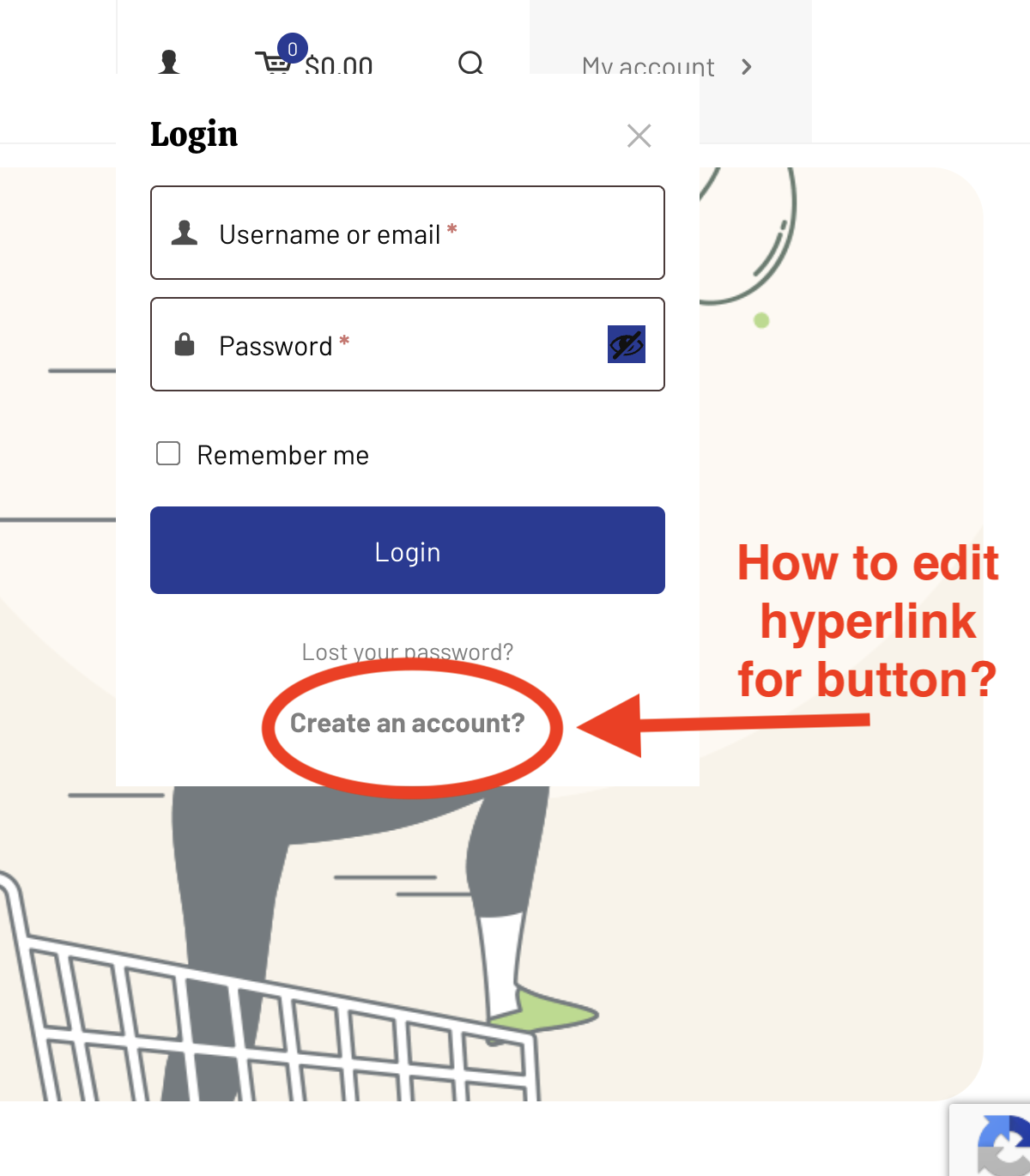
1) Shows a dropdown from the account icon dropdown, and I wish to edit the hyperlink associated with "create account" so that I can direct users to the page of my choice.
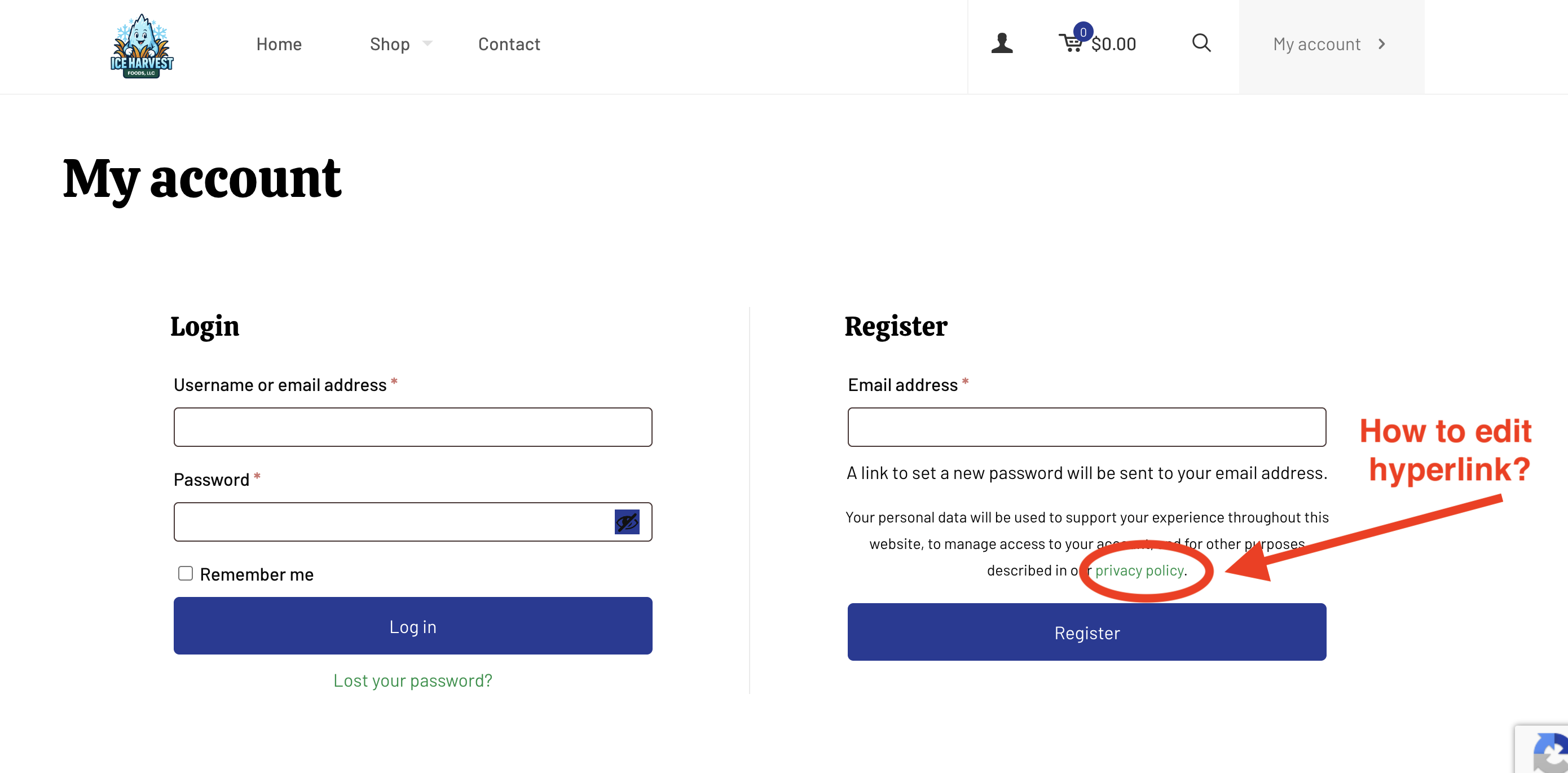
2) After selecting the "my account" action header button, it shows a hyperlink that directs users to the sites Privacy Policy. I wish to change this hyperlink to a page of my choice.
How do I change the hyperlink in both of these situations?
I've seen a lot of documentation for these areas of the website, unfortunately, I haven't been able to find the answer for these specific issues.
Thanks for your anticipated help!
Comments
Hi,
1) There is no option to change the link there.
2) Privacy Policy page can be set in the Settings -> Privacy option:
Best regards
Thanks for the help! The reason I wanted to change #1 was because when that method is selected you are directed to page "account-2", and when using the other method (The action button) you are directed to "account-page"
Is having two different pages required? I was attempting to simplify the process and eliminate any pages that are unneeded for this build.
Please attach a link to your website so we can check it out. If the page is offline(localhost), then our help will be limited. You will have to contact us when the page is online. Also, please make sure that the page is not under maintenance before you provide us with the link.
Thanks
https://www.iceharvestfoods.com - I'm still obviously working on this, don't judge :) -
Also, not sure what happens, but when I go into woocommerce -> settings -> products, and then change the product weight from lbs to oz. the left sidebar filter for the products page deletes, and the product page goes full width with the products. I've left it alone since it isn't a huge deal, but I'm curious what's going on there.
Thanks for your support!
My bad, I just noticed that I explained the issue incorrectly.
The issues are with the attached hyperlinks to the header buttons that direct the user to the account page. I mistakenly said it was with the create account hyperlink.
Please send us the WordPress dashboard access privately through the contact form, which is on the right side at [Links visible only for registered users] and we will check what the reason might be.
Notice!
Please attach a link to this forum discussion.
Sending incorrect or incomplete data will result in a longer response time.
Therefore, please ensure that the data you send are complete and correct.
Thanks
The user you sent access to does not have admin rights, so I could not check anything.
Please change this user privilages.
Thanks
All set! Apologies for the oversight
1) You have duplicated My account page:
I moved to trash the one that was not assigned in the Woo settings, and adjusted the slug of the remaining one:
Now the problem with duplicated account page is gone.
2) For a test I have changed the weight to oz, but I noticed that you do not have shop page assigned:
So I created a new one and set sidebar position in it:
Then I selected the shop page in the woo settings:
Please check it now.
Best regards
Thank you! I am still getting used to Wordpress doing things automatically, and always afraid to delete things until the issue has been fixed. It appears I overlooked some areas as well. I am very thankful for your help! Your theme business is 5 stars... leaving you a review today to reflect the help and support I've received. I will purchase themes from you again.
I am happy I could help, and I am grateful for your kind words.
I hope our theme will streamline many of your future projects.
Best regards