
Connecting custom Portfolio with Ajax Filter

Hi There,
I am working on this website:
Password: 99-Jahre-Strom
I have created a custom Portfolio using Query Loop and ACF (advanced custom fields) contents.
The Query-Loop works fine.
Now I would like to use the new Ajax-Filter to filter the Team-Members.
But for some reason I can´t get the Filter to connect with my Portfolio – see screenshots attached.
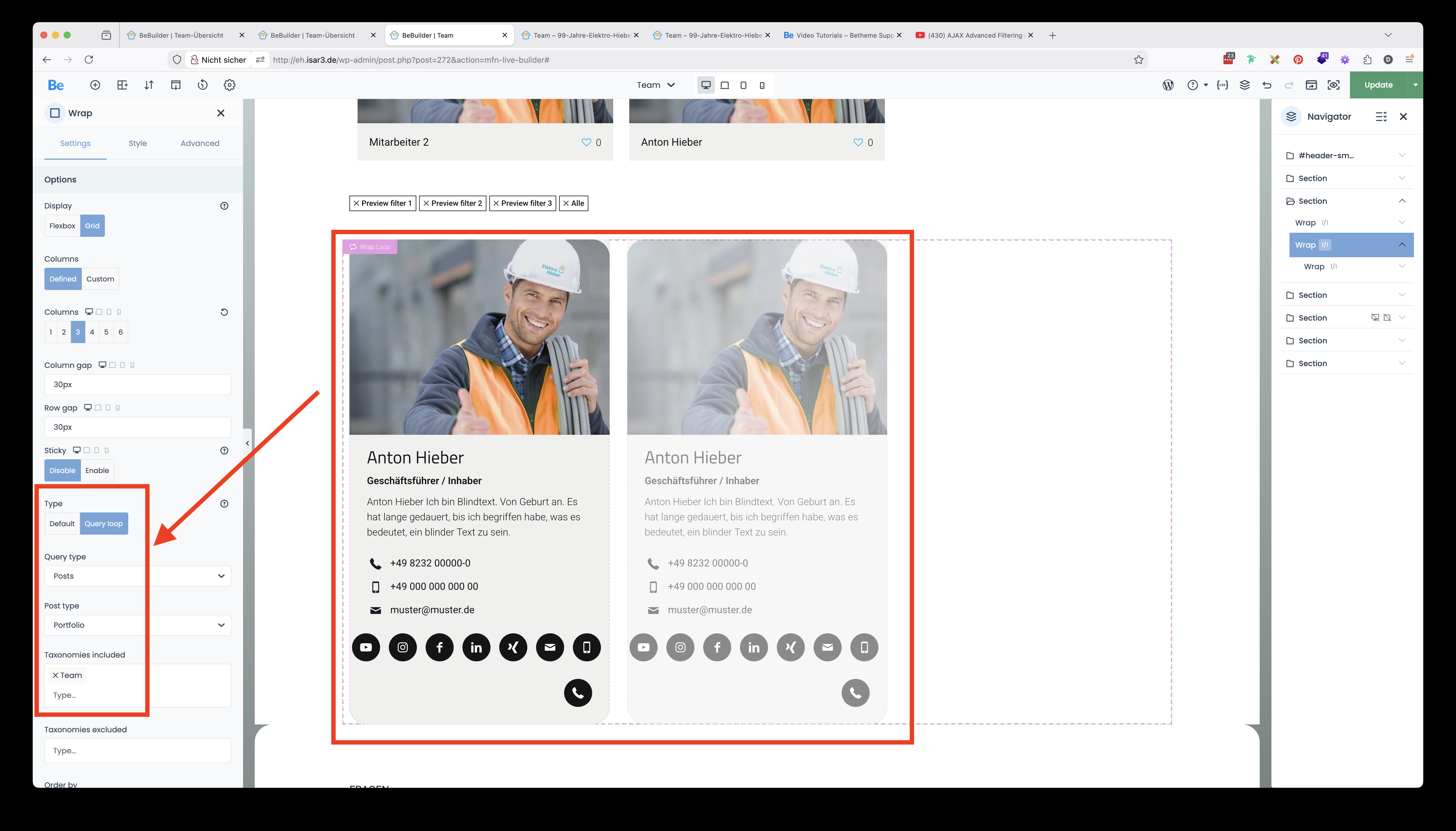
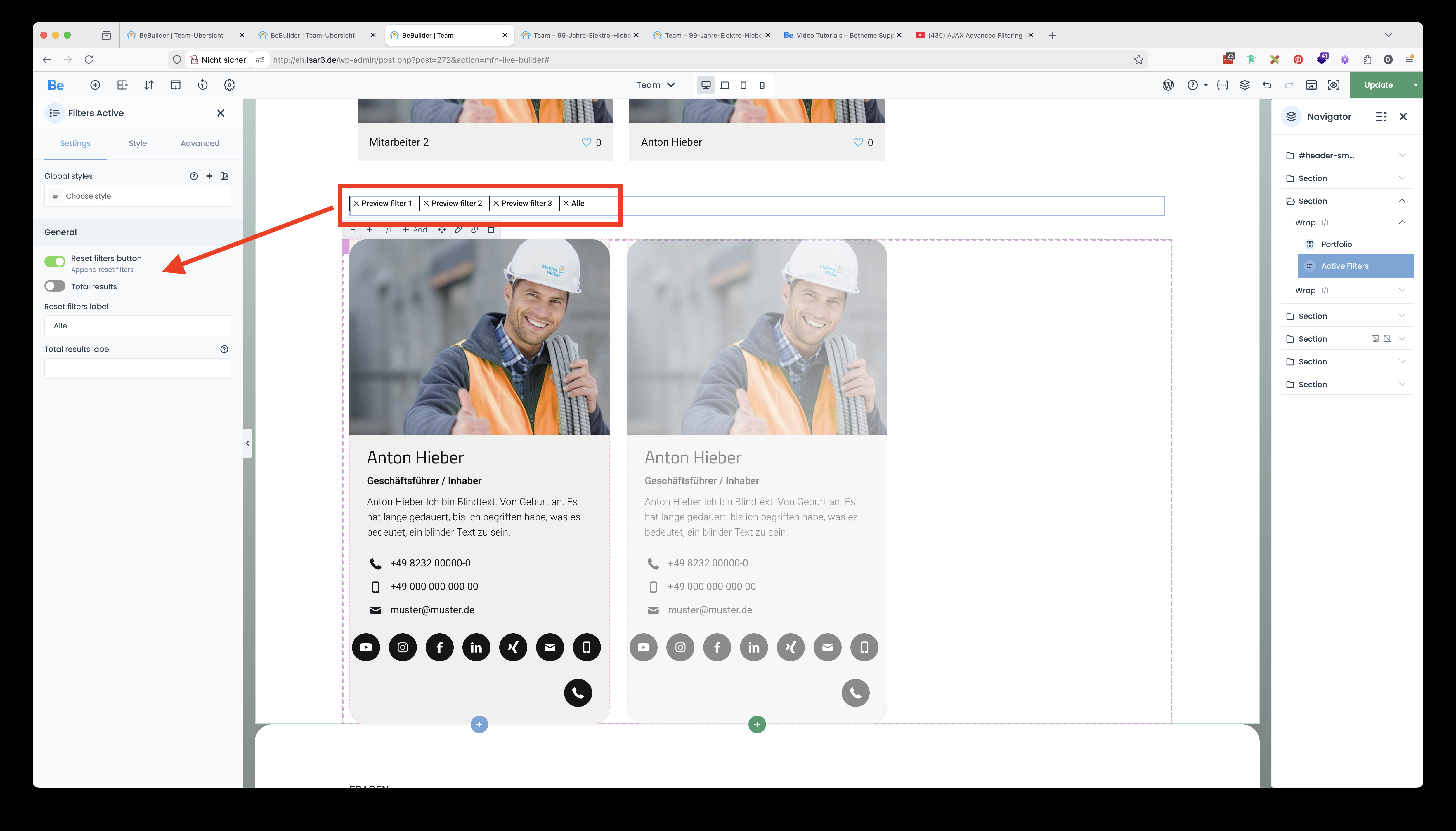
How can I achieve that?
Could you please help me?
Many thanks and
best regards,
Daniel
Comments
Hi,
You used Filters Active element. You should use Filter Froms instead.
https://support.muffingroup.com/video-tutorials/ajax-advanced-filtering-live-product-filters-for-any-post-type/
Best regards
Hi Phil,
Thanks for your help.
Now I (almost) understood how this works – I´ve now setup the Filter Forms as you suggested
But I still can´t get it to connect with the custom portfolio boxes I created using the Querry loop below.
As for now only the filters "Alle", "Geschäftsleitung" and "Smart Home" are being used - through ACF metas.
But everytime I click on them I get a 404 page...
...where am I going wrong? Could you please help me out here?
This are the ADF metas:
My Querry loop Portfolio settings for the Wrap
The setup of the Filter Forms – with the ACF-meta
An then Clicking here ...
.... leads here:
Many thanks and best regards,
Daniel
Do you have a portfolio assigned to the page and set in the theme options?
Best regards
Now I did – but it´s still not working. It still leads to a 404 page.
Also – this should not be my Portfolio Page – I want to use this to display the team. That is why I built the boxes using Query loops and ACF.
Could you please help me find my error?
Many thanks, Daniel
Filters used on a regular page must lead to the post type archive to work properly.
Anyway, please send us the WordPress dashboard and FTP access privately through the contact form, which is on the right side at https://themeforest.net/user/muffingroup#contact and we will check what might be the reason.
Notice!
Please attach a link to this forum discussion.
Sending incorrect or incomplete data will result in a longer response time.
Therefore, please ensure that the data you send are complete and correct.
Thanks
We have received your private message, and we are checking what the reason might be.
Best regards
We have corrected that.
Please check it out.
Best regards
Hi Phil,
Thank you very much for you effort and help.
This feature is really a game changer for me, as I am a big fan of using filtering on the BeThemes websites we have (and we do have more than 15 or so running at the moment).
Would you care to explain / share, where my error was and how to get this done – as I´m sure I will be using this feature on more sites and probably even on another page of this website.
Thanks for the alway awesome support.
Best regards,
Daniel
Hi Phil,
I see now, that the filtering only works with a "Form" and the result takes me direclty to a new page.
This is not very useful, as the visitor may have to switch several times to find the right contact person in the team.
I was hoping for a filtering that works like the normal portfolio filtering – as here: http://eh.isar3.de/alle-referenzen
Is there a possiblity to achieve that wich Query Loop created Elements?
Best regards,
Daniel
Oh, and just a question – did you change anything on the CSS that may also affect the "client slider".
It is now not displaying over the whole width of the content as before. I already took out all my custom CSS and it was still showing like this:
For example here: http://eh.isar3.de/alle-referenzen/
Many thanks and
best regards,
Daniel
No, there is no option for that, because as I mentioned in my earlier messages, filters must lead to the archive page to work properly.
Anyway, if you want, you can create a custom template for that category instead of creating a regular page with that, so the filters will work without redirecting anywhere.
We have corrected the clients slider problem.
Best regards