
CSS to get next buttons closer to the images

Hello,
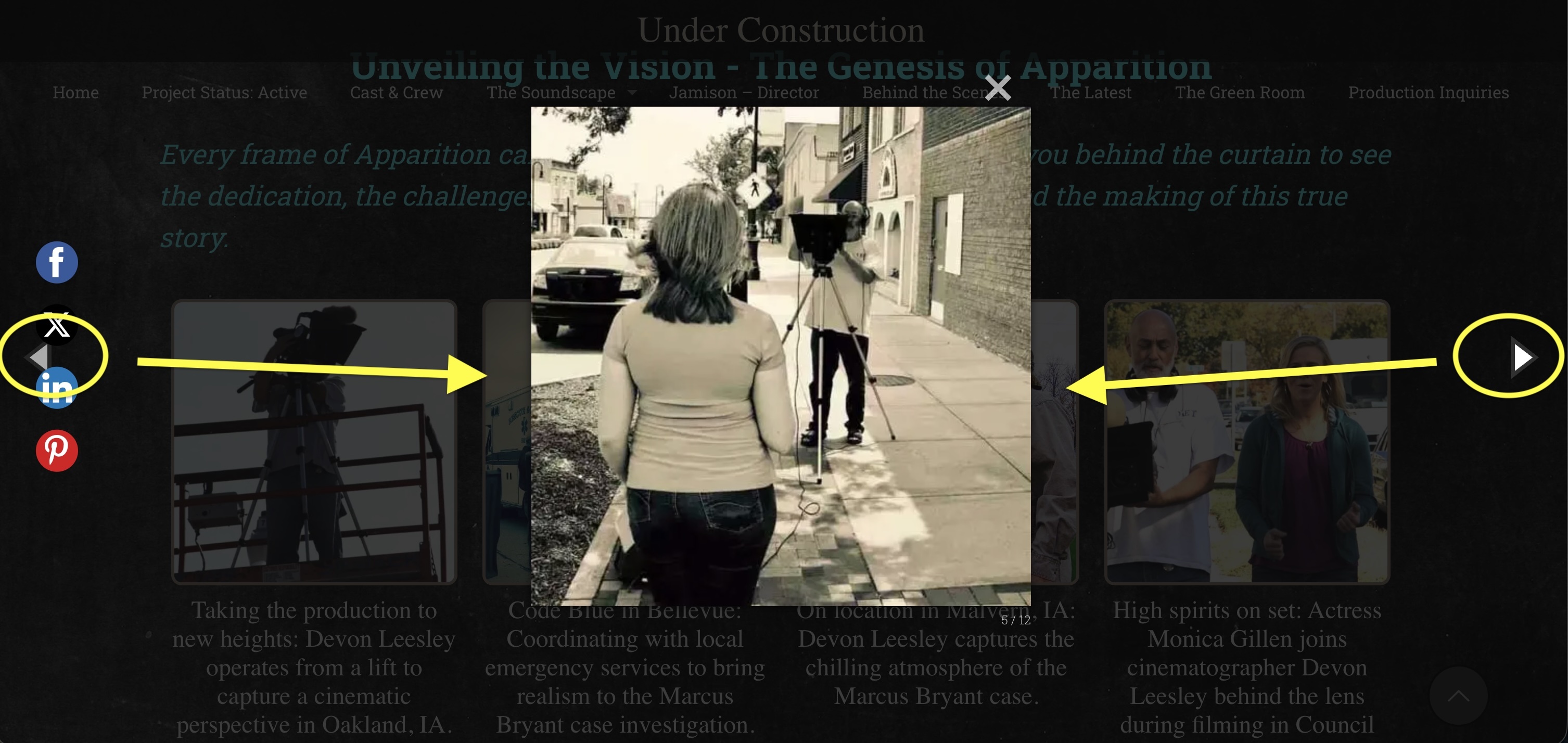
Can you give me the CSS that would make the next and back arrows closer to the images? Please see attached.
Thank you, JL
Hello,
Can you give me the CSS that would make the next and back arrows closer to the images? Please see attached.
Thank you, JL
Comments
Hi,
Please always attach a link to your website so we can check it out. If the page is offline(localhost), then our help will be limited. You will have to contact us when the page is online. Also, please make sure that the page is not under maintenance before you provide us with the link.
Thanks
My apologies. Here's the page.
Thanks, JL
Please use the following CSS code:
.mfp-arrow-right{
 right: 25%!important;
}
.mfp-arrow-left{
 left: 25%!important;
}
Put it in Betheme -> Theme options -> Custom CSS & JS -> CSS.
Best regards
I added that CSS and it looked really good for desktop, but it made the arrows change for the mobile version to be near the middle of the picture, and it doesn't look good. I need to leave the triangles alone for the mobile version of the website, leaving them where they usually sit.
Also, can you tell me the CSS that'll change the color to border to the triangles so I can make them a little darker?
Image: Screenshot taken on my phone. The triangles are now in the middle of the image, and the borders need to be a little darker.
Thank you, JL
Use the following CSS code instead:
@media only screen and (min-width:1240px){
 .mfp-arrow-right{
  right: 25%!important;
 }
 .mfp-arrow-left{
  left: 25%!important;
 }
}
For the color, use this CSS:
.mfp-arrow::before{
 opacity: 1!important;
}
.mfp-arrow-right::before{
 border-left-color: #000!important;
}
.mfp-arrow-left::before{
 border-right-color: #000!important;
}
Best regards