
Several Shop Fixes

Hey, we just launched a new shop and have a few inquieries, where we need your help.
Is it possible to show the PayPal Icon on the right side, as the payment methods?
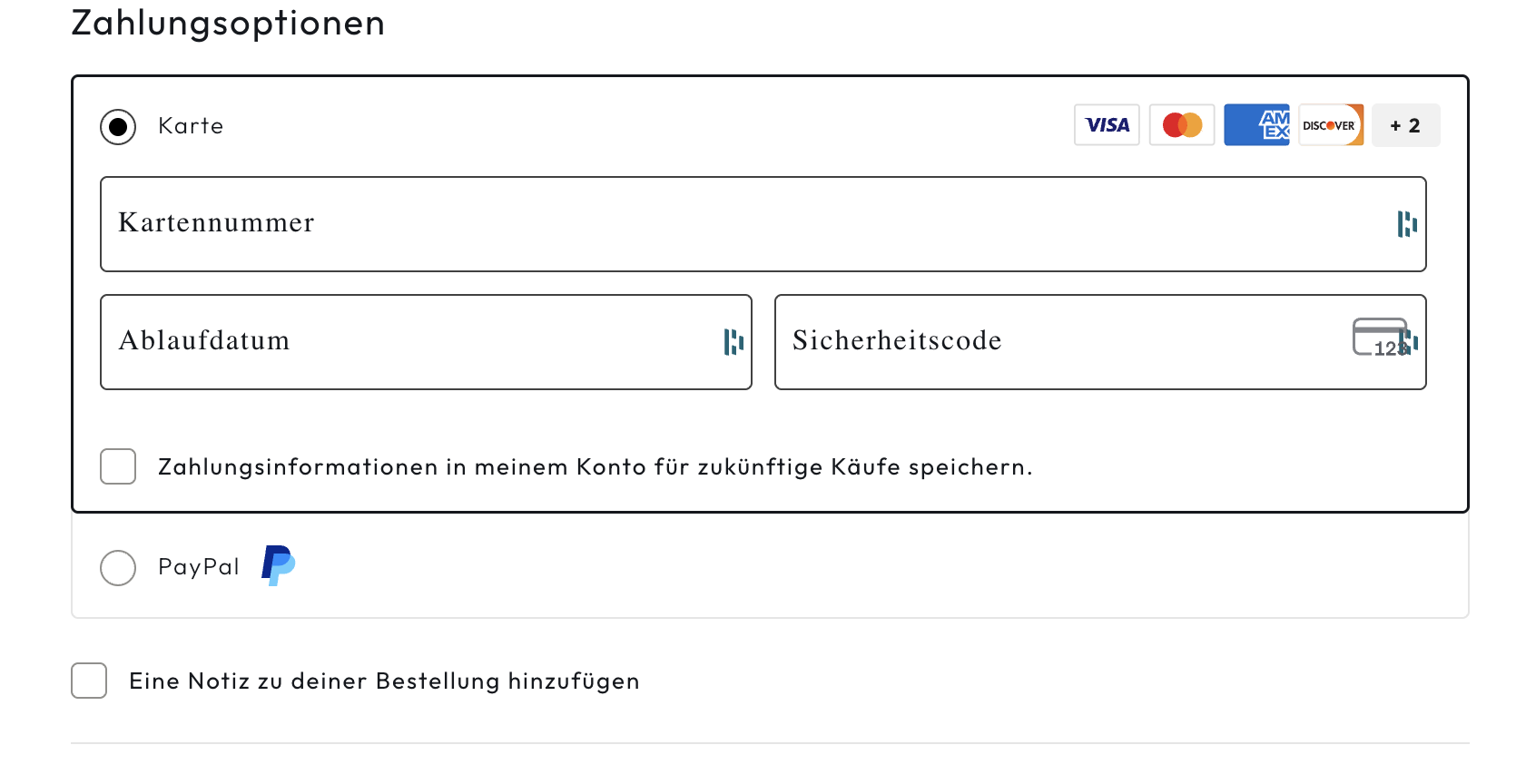
2.
On the categories there is a very small border. We dont know how to turn this off. It is on the general shop page
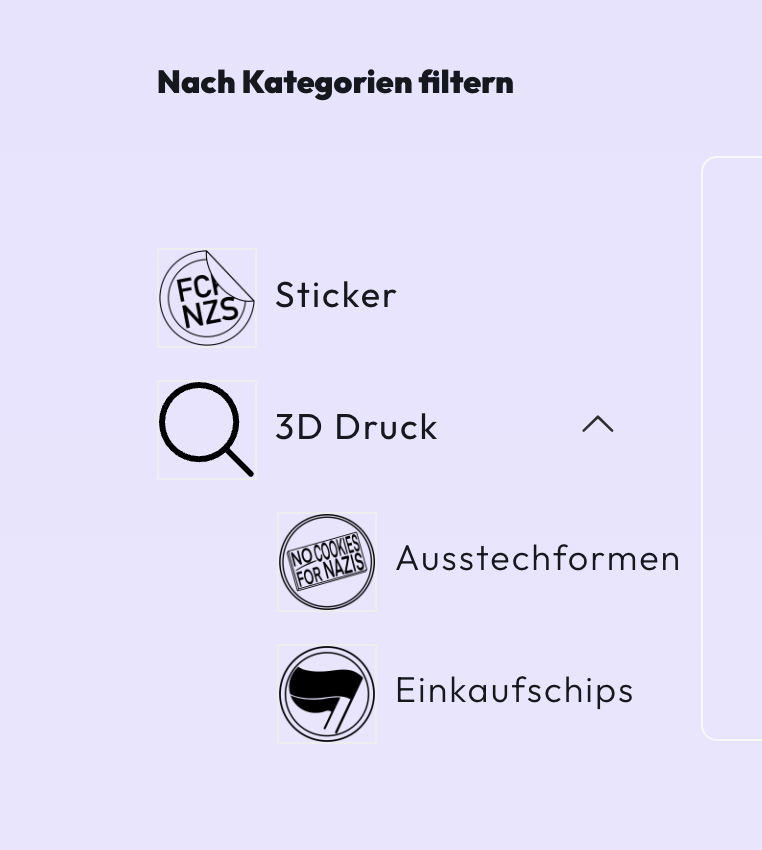
3.
On the single product site, there is a bug regarding the product security advices:
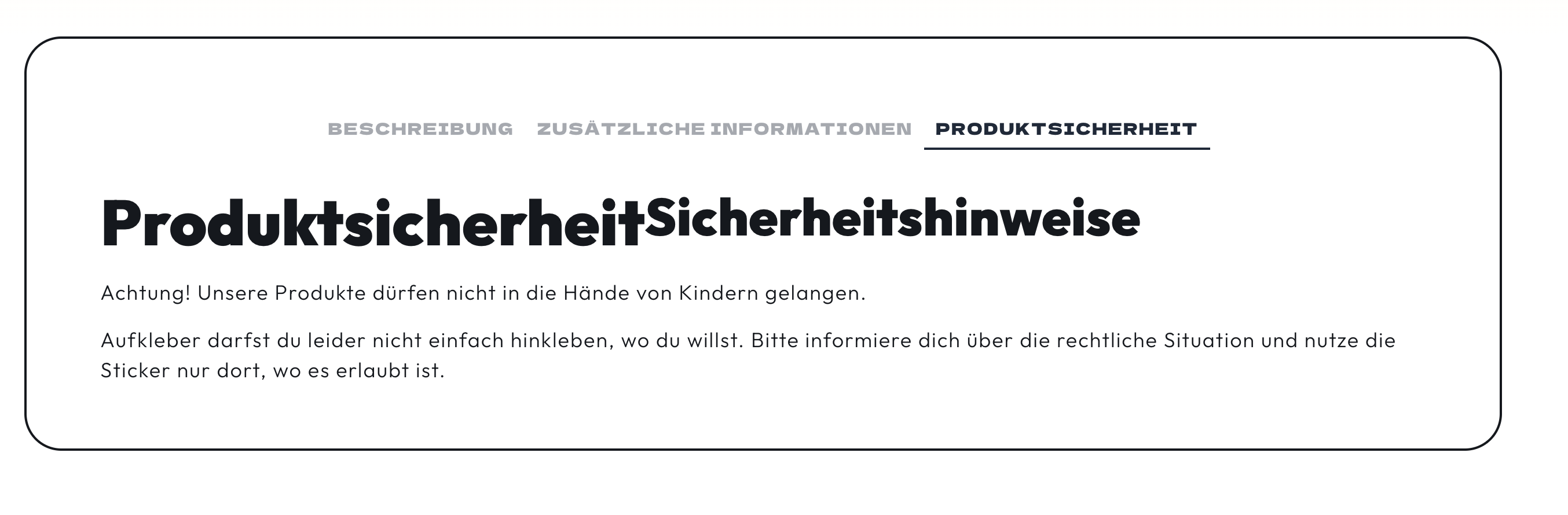
You can see that the text runs into the other text. How can we fix this?
4.
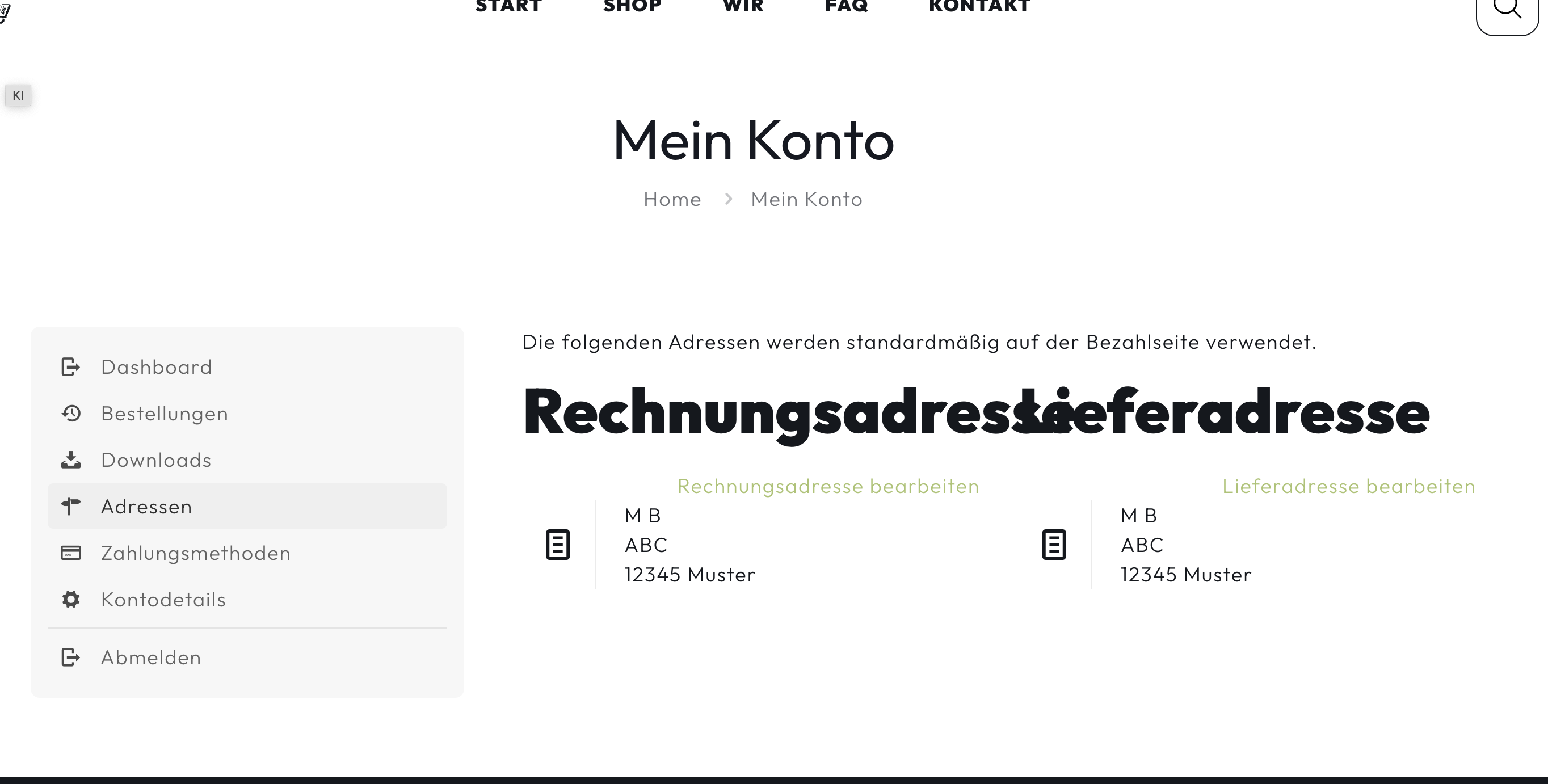
We have the same issues with the text on the page My Account
https://gehstickern.de/mein-konto/edit-address/
How can we fix this?
5.
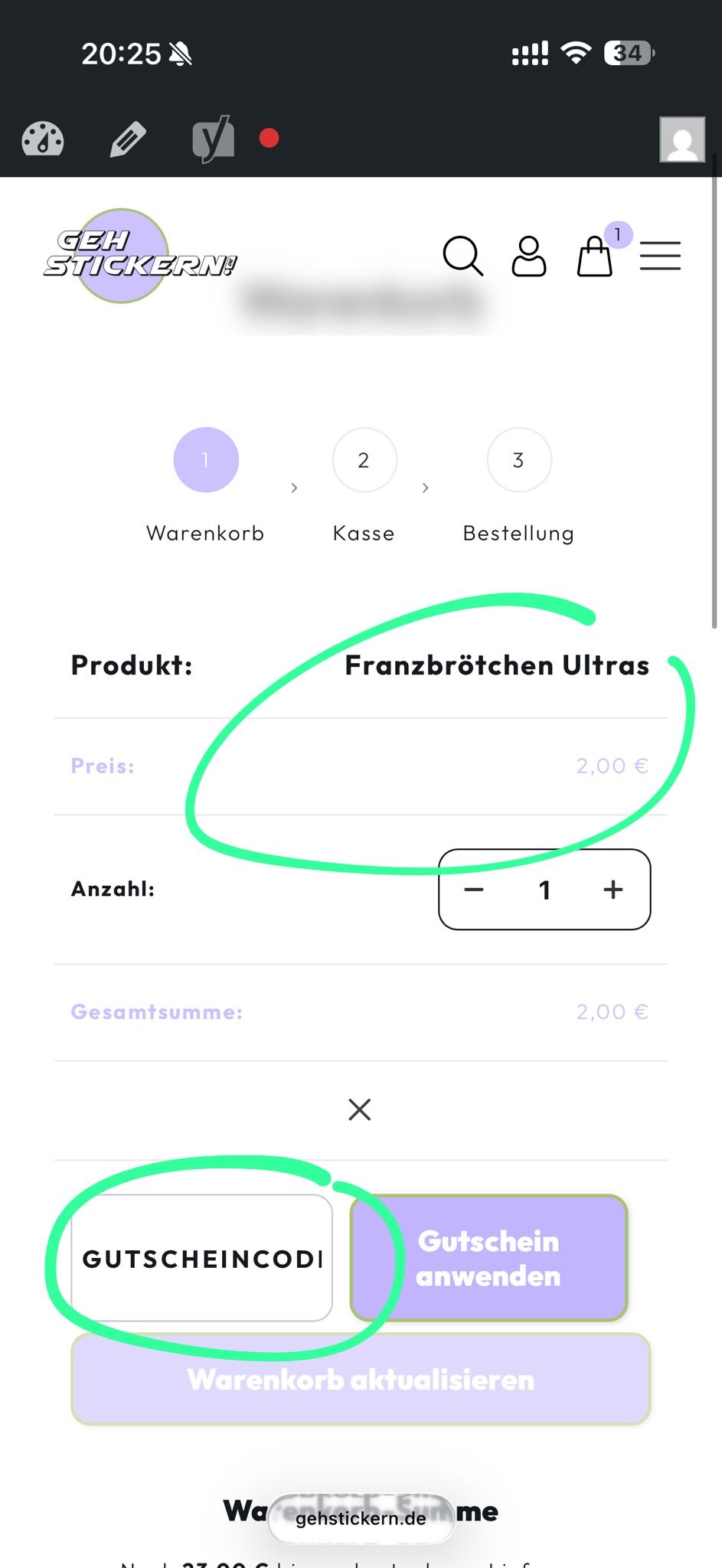
How can I change the font-size of the price and the font size of the coupon code on the cart page?
6.
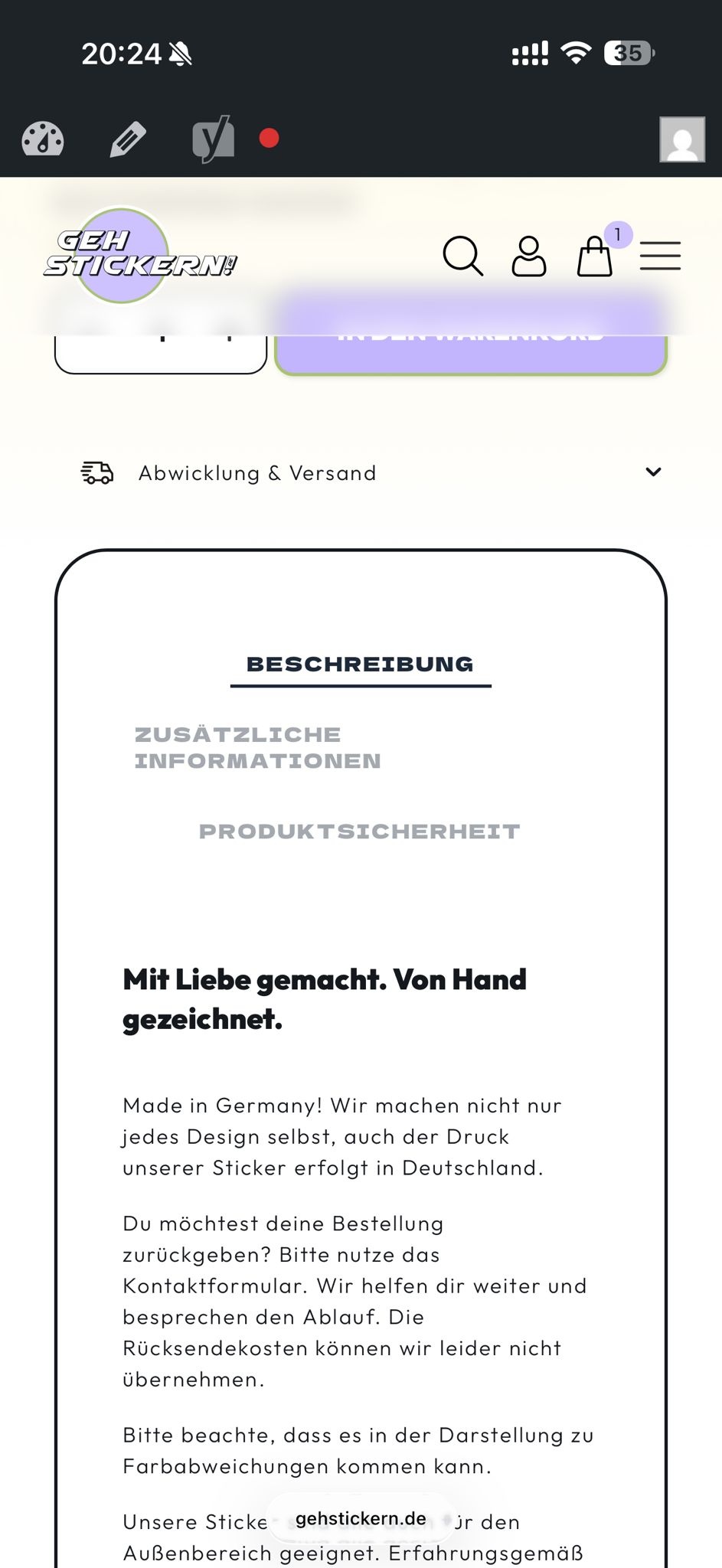
On the single product page the heading "zusätzliche Informationen" needs to be centered. How can I do this?
Comments
Hello,
1) Please contact the PayPal payment plugin authors regarding that, as it does not relay on the theme.
2) Please use the following CSS code:
.wc-block-product-categories-list--has-images .wc-block-product-categories-list-item__image{
 border:none!important;
}
Put it in Betheme -> Theme options -> Custom CSS & JS -> CSS.
3) How did you add this tab? Did you use some external plugin for that?
4) Please send us the WordPress dashboard access privately through the contact form, which is on the right side at https://themeforest.net/user/muffingroup#contact and we will check that.
Notice!
Please attach a link to this forum discussion.
Sending incorrect or incomplete data will result in a longer response time.
Therefore, please ensure that the data you send are complete and correct.
Thanks
Hey! I send you the login data.
1) It is PayPal ... So I dont know what to do there
2) The code did not work
3) I think it is the plugin Germanized but maybe you can say how we can find another solution for it? Maybe make another tab?
Did you see nr. 5 & 6 ? I edited my first inquiry
1) Please contact the plugin authors.
2) What do you mean? I can see that the border around categories are gone:
3) In that case you should contact the plugin author regarding this, as this is not related to the theme.
4) Please use this CSS code:
.woocommerce-account .woocommerce-Address-title h2{
 font-size: 150%;
 line-height: 1.3;
}
5) Sorry, I did not see that you edited your message. Please note that it is better to send another message than edit exisitng one, because I have no notification when a message is edited.
Please use the following CSS code:
.woocommerce table.shop_table td.actions .coupon .input-text{
 font-size: 14px!important;
}
.woocommerce table.shop_table td.product-name > a{
  font-size: 15px!important;
}
6) Try this CSS code:
.mfn-woocommerce-tabs .mfn-woocommerce-tabs-nav li a{
 text-align: center;
}
Best regards