
BeBuilder Filter Form > Custom Postmeta > _price

I am trying to add a filter menu to my shop page and am having an issue.
I need to setup the filter menu similar to the one here: https://njswingsets.com/collections/all
The problem i am facing currently is the radio option for pricing (i.e the last options on the example page), i can't seem to get the pricing to use a min - max value check for a value such as "Under $50"
You can test my current setup here: https://jn7.687.mywebsitetransfer.com/shop/
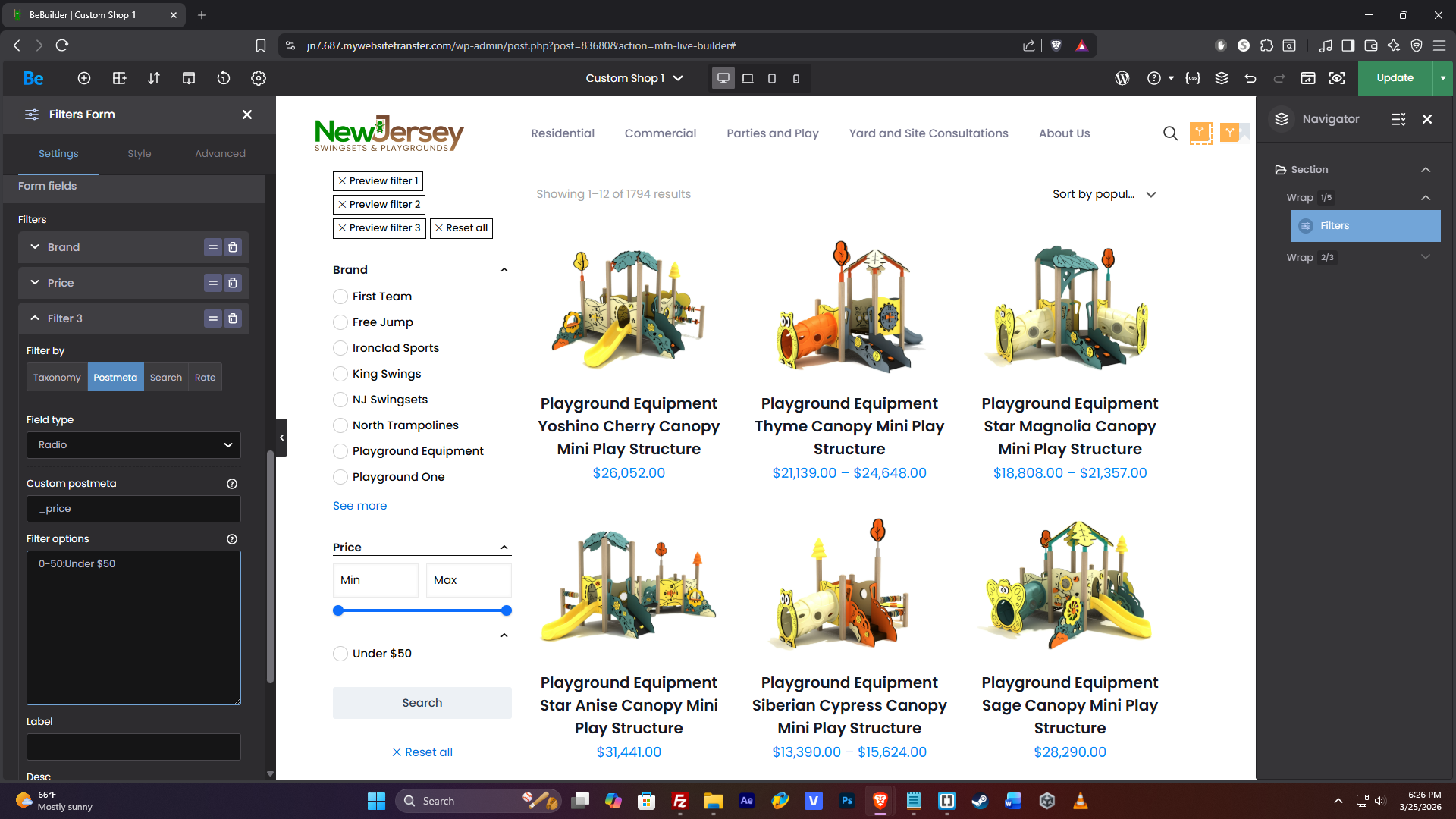
The URL i get when attempting this format is this:
From what i can tell, min / max is not being assigned and instead it's using 0-50 as a price, which returns back nothing.
I've also tried using custom PHP in the functions file, for the child theme but no luck with that either.
Can you please assist with this? Am i using the wrong format or is this a feature i simply can't do with this filter menu?
Thanks!
Comments
Hi,
Radio buttons do not support "between" logic, which is necessary for defining numerical ranges (e.g., $10 – $50).
In BeBuilder, the radio button filter is designed to handle exact values or arrays only.
For all numerical data—including price—the Slider is the only element that supports range logic. If you need to filter by price intervals, the Slider is the designated component to use, as it can process the minimum and maximum values correctly.
Hope this helps clarify the current functionality!
Best regards
The slider is useful for overall price but for actual displays of "collections" or "between" values, it does not suit my needs.
As we moved from Shopify over to wordpress, we need to replicate similar displays of "collections" (i.e shopify - collections) which help sort the products better.
With over 2,000 products, a simple min / max slider will not work, especially for pricing that can range from $50 - $500,000+
Should i go for FiboFilters instead?
We do not support this plugin, and we have not tested it, but you can try it out. But, please note that if you encounter problems with this plugin, we will not be able to help, and you will have to contact the plugin authors with all configurations and struggles.
Best regards
BeTheme integration:
https://fibofilters.com/documentation/theme-integrations/betheme-theme/
Good to know that the plugin authors offers that.
Still note that it is not listed as a plugin supported by us:
https://support.muffingroup.com/documentation/bundled-plugins/#compatibility
So remember that regarding all questions related to this plugin and integration with Betheme should be directed to the plugin author.
Best regards