
Font color and size to text logo

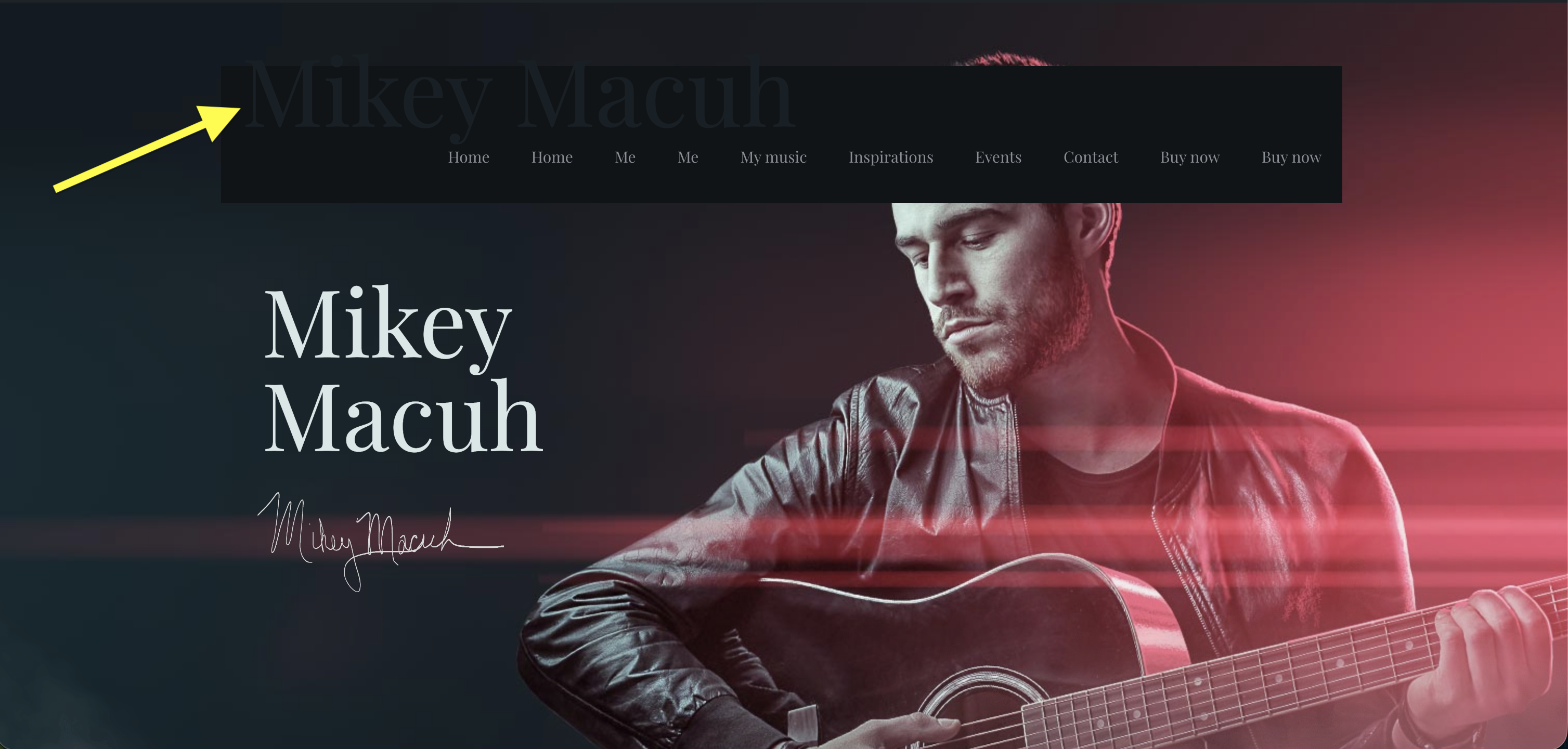
On this page [Links visible only for registered users], I need to adjust the color and size of the text Mikey Macuh that's on the top of the page. I need to use Text logo instead of the an image because when the image is that small - 304 px x 44 px - it's pixelating.
Thanks, JL
Comments
Hi,
Text logo takes its size from the H1 heading, so you can change it in Betheme -> Theme options -> Fonts -> Size & Style:
Best regards
I can’t change the H1 size and color just for the text logo because that’ll change the H1 on the whole website on every page. What’s the CSS so I can change it that way?
Thanks, JL
Update: I retrieved the CSS using AI, but is this the accurate CSS? It's working, but I need to make sure it's accurate so it doesn't mess anything up.
#Top_bar #logo {
font-family: 'Times New Roman', sans-serif;
font-weight: 800;
font-size: 33px;
text-transform: uppercase;
(continued...)
}
The CSS you used looks alright, so you can use it.
Best regards