
Unable to load CSS files in BeTheme

I have developed a website www.rapidev.com using BeTheme latest version. Initially all plugins and theme was working fine. But now i am facing multiple issues.
Issues 01: While updating any page in beBuilder i encounter this error "Error 403: Please check your code, server configuration or contact your hosting provider"

Issue 02: Failed to load CSS files. "(index):28 GET https://rapidev.com/wp-includes/css/admin-bar.min.css?ver=6.9.4 net::ERR_ABORTED 403 (Forbidden)"
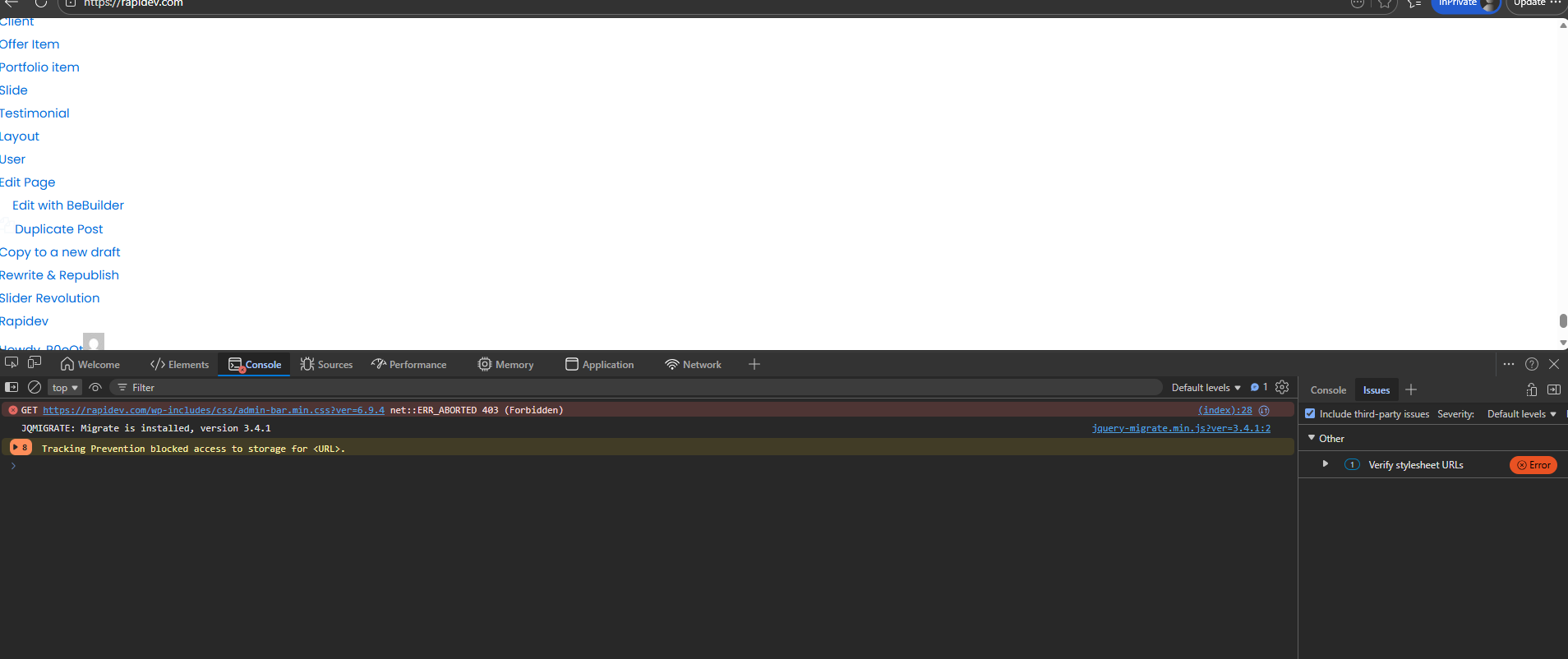
Can anyone advise the solution
Comments
Hello,
Please, turn off all of the plugins, refresh your cache, and check if the problems persist.
Moreover, if you use a child theme, switch to the parent and recheck it.
Thanks
Thanks you for the prompt response. issues 01 has been resolved but the Issue 02 still there. In addition when i edit any page using "EDIT" option not Edit with BeTheme the blank page appears and it goes for all post, portfolio etc.
Please try to reinstall WordPress through Dashboard -> Updates:
Also, please check if the same thing happens with another theme like Twenty Twenty-Five.
Thanks
I have reinstalled WordPress, but the issue still persists.
I also activated the Twenty Twenty-Five theme as recommended; however, the same error continues to occur.
If the same thing happens with another theme, it means that this issue is not related to Betheme. Also if disabling plugins did not help for that, I can only suggest contacting your hosting provider regarding this.
Best regards