
Very disappointing

Hi,
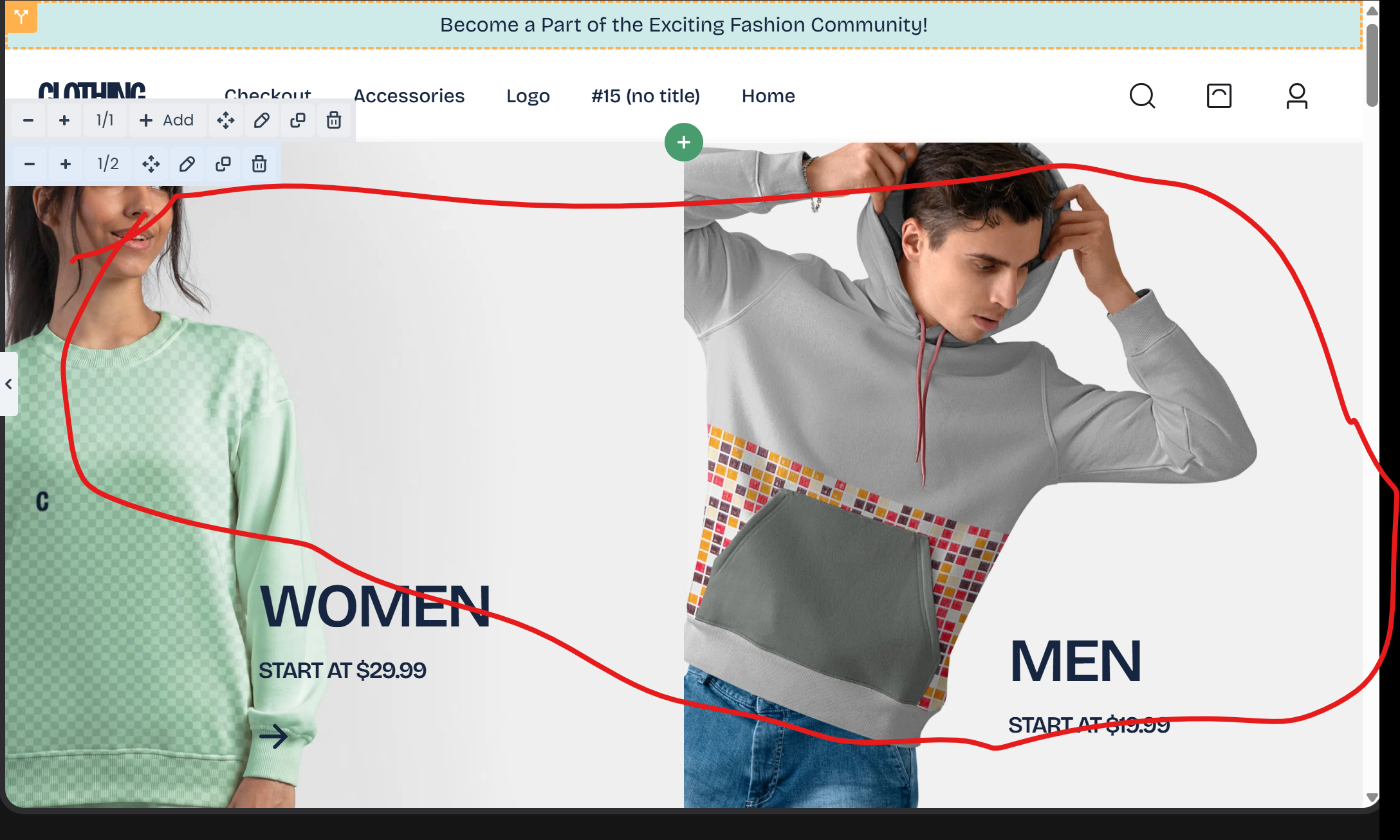
I am very disappointed that your BEBUILDER editing option is NOT USER FRIENDLY AT ALL. I am unable adjust the picture. I would like to keep one picture as attached not two.
Please share step by step guideline, DO NOT share any link.
Please help.
Thanks

Comments
Hello,
To help the community address your issue more effectively, I would suggest using a descriptive title that reflects the specific technical challenge you're facing, rather than your personal feelings. Regarding the builder, it is widely considered one of the most intuitive tools on the market, backed by thousands of satisfied users. It seems the issue might stem from a lack of familiarity with the workflow rather than the software itself, so I am sure that the more you will work with it, the more you will get used to it.
Regarding your question, remove one of the banner box elements:
Increase the other to full-width (1/1):
And then replace the image in the element settings:
That is it.
Best regards
PS. Please do not create duplicate discussions about the same topic. Thanks
Thanks, but I have a technical background and experience with multiple website builders (WPBakery, Elementor etc), and BeBuilder does not perform well in comparison.
When I change the layout to full-width (1/1), the image breaks and the top of the model gets cut off, which indicates a layout/responsiveness issue.
Additionally, after modifying the top green border and publishing, the changes do not reflect on the live site, even after clearing the cache (“Purge All”). The update only appears in the editor, not on the front end.
Overall, the tool feels unintuitive and unreliable. I’m also not satisfied with the support system, as it lacks proper ticket tracking with ticket# and does not provide email updates.
So since I just bought this theme a day ago, to avoid my dissatsifaction please cancel my purchasee and issue a full refund.
I feel like your theme is not going to help rather it will waste my time.
In that demo, banner boxes here have a custom height set, and that is why it might be cut. To correct that, go to the Style tab of this element, and change Height to auto:
By green border, do you mean the area in the header? Did you change the background in the header template?
Regarding refund, please contact us privately through the contact form, which is on the right side at http://themeforest.net/user/muffingroup#contact.
Thanks