
Header size

Hi,
Can you help me reduce the size of the header that says "download?"
You guys helped me before with other headers in the WooCommerce shop, cart, account, etc. Unfortunately, I do not remember how or waht.
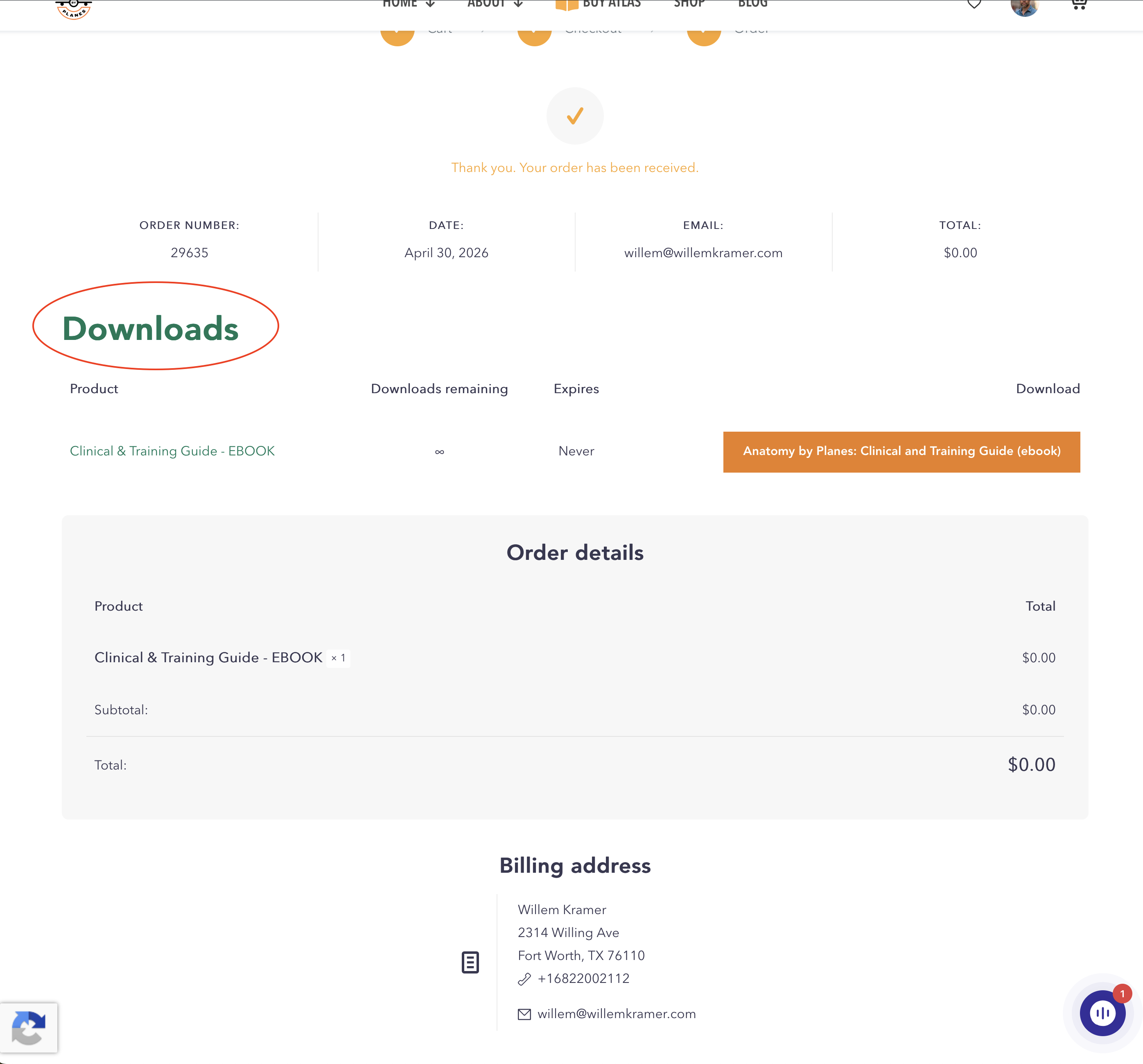
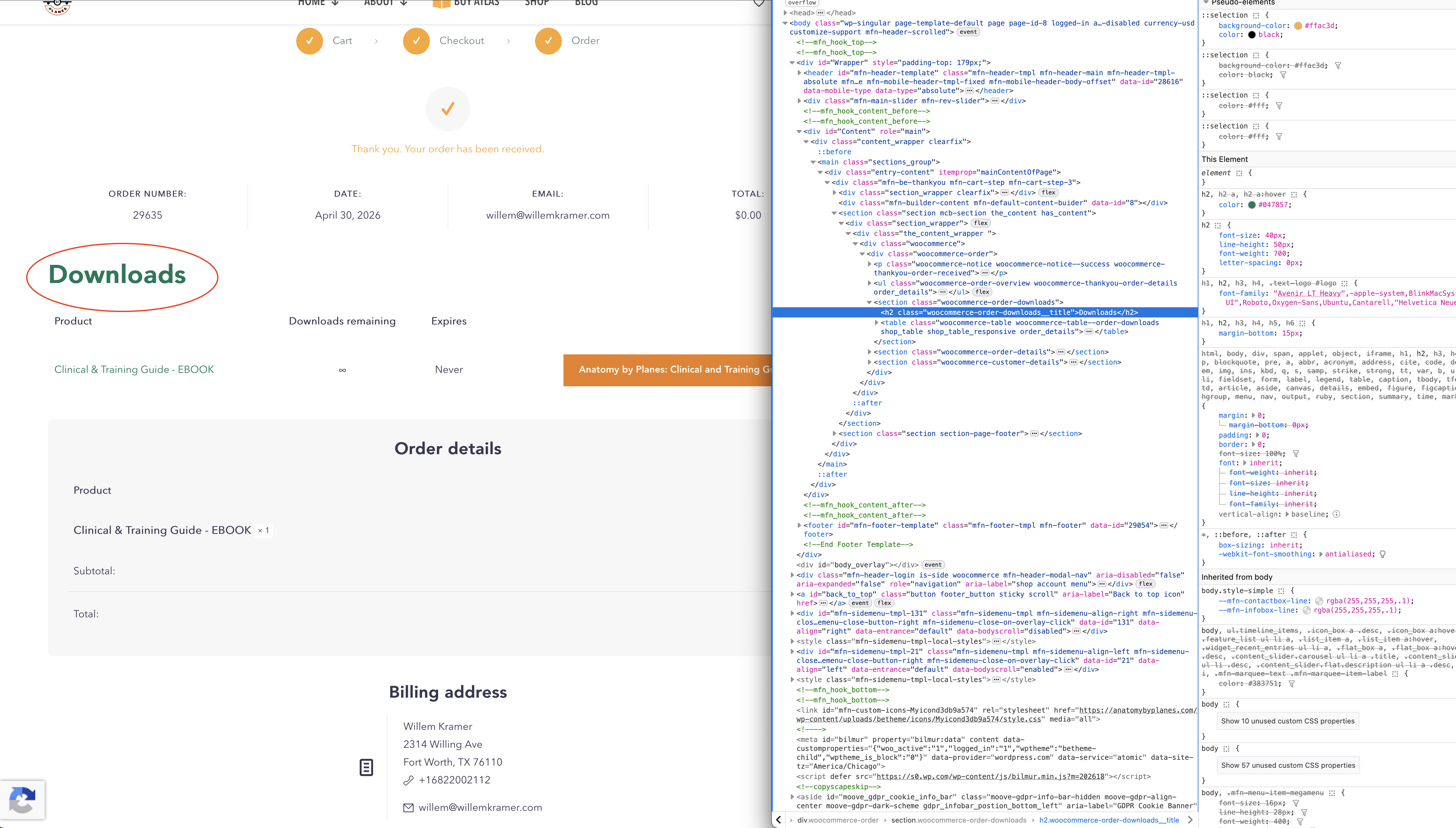
The title looks out of proportion, too big. See attached screen shots.
Thanks
Comments
Hi,
Please always attach a link to your website so we can check it out. If the page is offline(localhost), then our help will be limited. You will have to contact us when the page is online. Also, please make sure that the page is not under maintenance before you provide us with the link.
Thanks
The header I mentioned above pops-up when customers "purchase" a free ebook.
====
On a different note, when using an image gallery, is it possible to hide the text under the full screen image? I am not sure why it's visible.
See attached screenshot.
Just to make sure we're on the same page, the header does not seem to be a part of the "account," but instead of what comes directly after a purchase. I am not sure what it's called. Order details maybe?
Thanks
Please send us the WordPress dashboard access privately through the contact form, which is on the right side at https://themeforest.net/user/muffingroup#contact, and we will take a closer look at this.
Notice!
Please attach a link to this forum discussion.
Sending incorrect or incomplete data will result in a longer response time.
Therefore, please ensure that the data you send are complete and correct.
Thanks
Shared temp login. Thanks.
Please use the following CSS code:
.woocommerce-order-received .woocommerce-order-downloads__title{
 font-size: 35px!important;
 line-height: 1.2em!important;
}
Put it in Betheme -> Theme options -> Custom CSS & JS -> CSS.
Best regards