
Mobile menu

Hello,
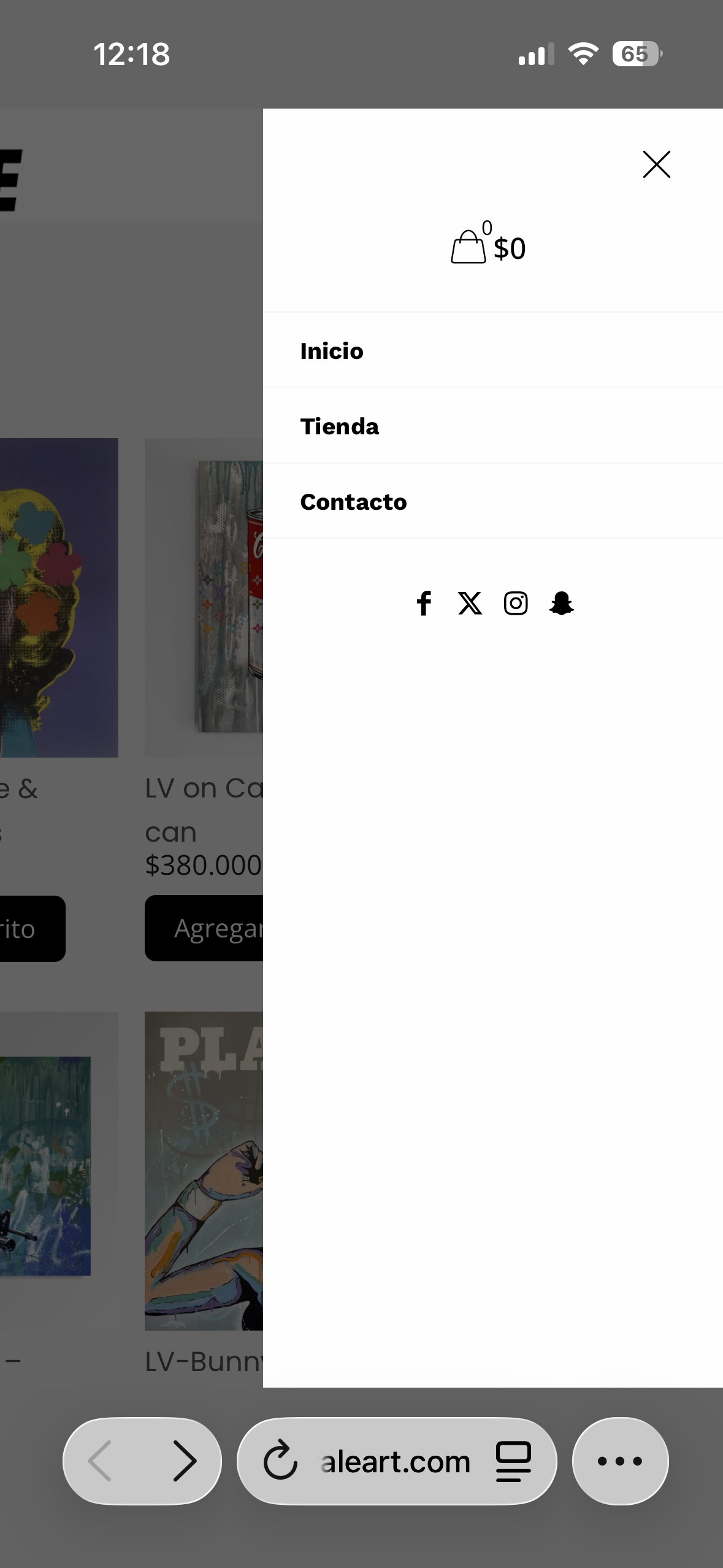
Please how can i edit the mobile menu? control the colors, background, text and take out some of the socials icons ?
As well how can i add the logo to be on this menu at the bottom or top?
Thank you
Hello,
Please how can i edit the mobile menu? control the colors, background, text and take out some of the socials icons ?
As well how can i add the logo to be on this menu at the bottom or top?
Thank you
Comments
Hi,
Colors can be adjusted in Betheme -> Theme options -> Colors -> Menu:
Font size is based on the Main Menu from Betheme -> Theme options -> Fonts -> Size & Style:
The rest of the things you mentioned are predefined and cannot be rearranged. If you would like to have higher control over that, I suggest using the Sidebar Menu builder. Note that it works only with the header template.
https://support.muffingroup.com/video-tutorials/sidebar-menu-vertical-header-builder/
https://support.muffingroup.com/video-tutorials/header-builder-2-0/
Best regards
Hello,
These videos do not show or detail how to build a menu for a the mobile phone.
how to add logo, shop icon, X to close the menu....
How can i achieve this things ?
Thank you
All you have to do is to drag and drop elements. If you need logo in your sidebar, drag and drop logo element in the sidebar template:
If you need shop icon, drag and drop icon element, and choose its type:
The close icon can be activated in the Sidebar options:
To style it, scroll down to the Close button settings:
If you want to make it full width, set 100% width:
Best regards
PS. Please do not create duplicate discussions about the same topic