
Change header spacing in Be Builder

Hi,
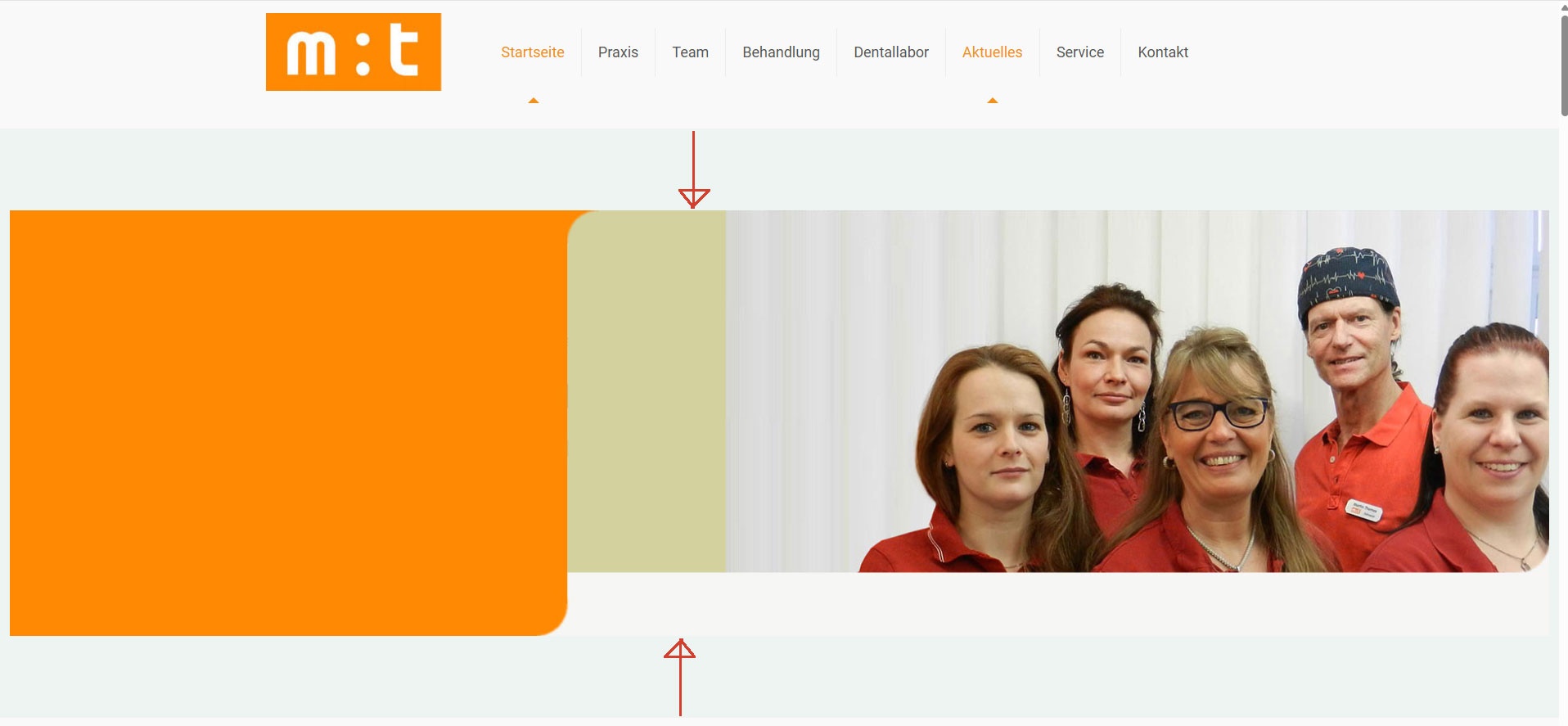
How can I adjust the spacing in my header? (See screenshot.) The header needs to be closer to the menu, and the gray background beneath the header should be removed.
https://www.pixelway.de/projekt-zahnarzt/
Thanks
Comments
Hi,
There is top and bottom padding set for that section.
Go to the Advanced tab, and adjust the paddings.
Best regards
Thanks.
If I want to adapt this website for smartphones, which approach is easier? Copying the content (text/photos) and adjusting it for mobile, or are there options within Be Builder to adjust the content specifically for smartphone or tablet sections—which would certainly require less effort? https://www.pixelway.de/projekt-zahnarzt/
Thanks.