
Position of variations/product add ons

Hi!
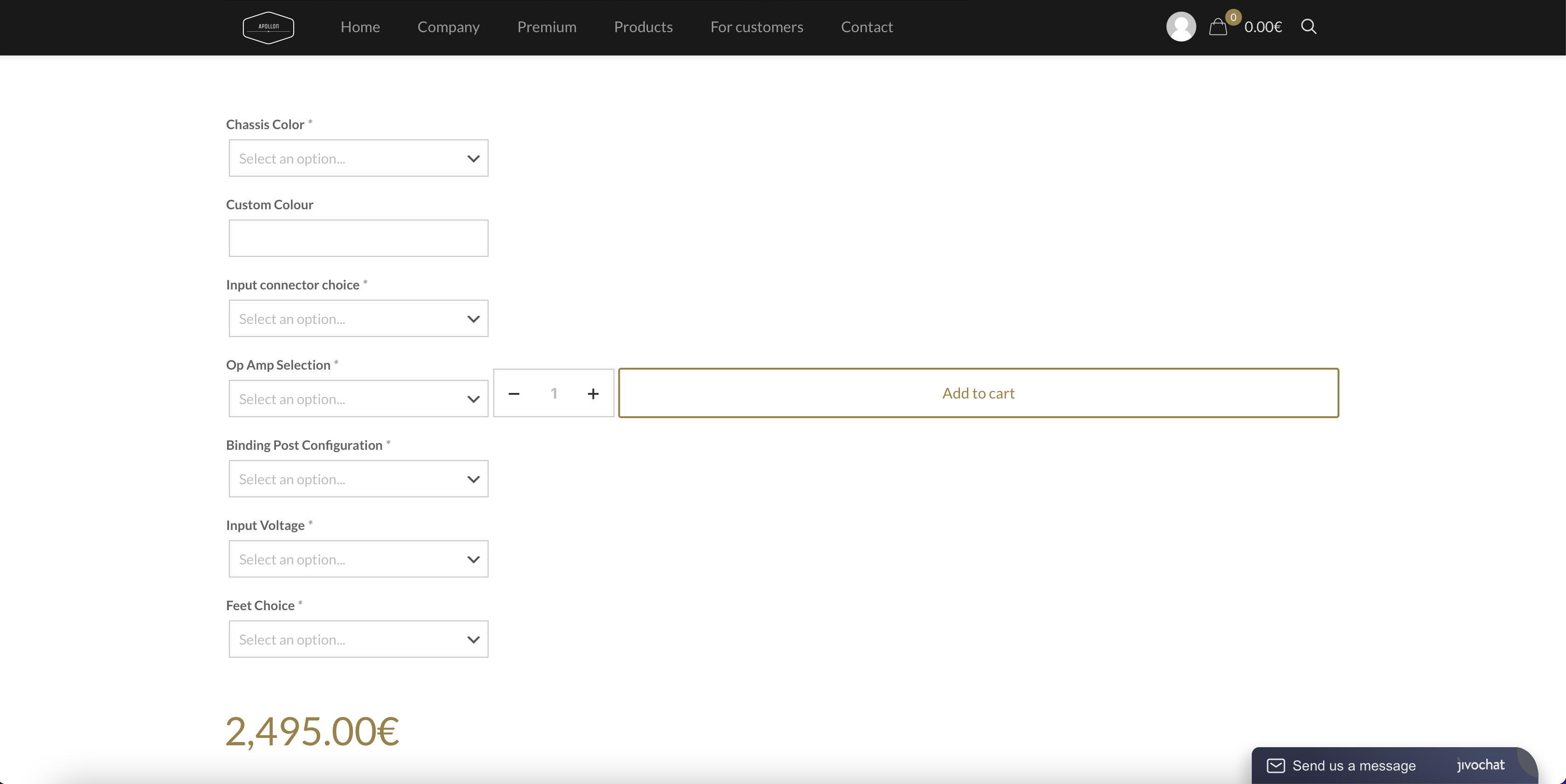
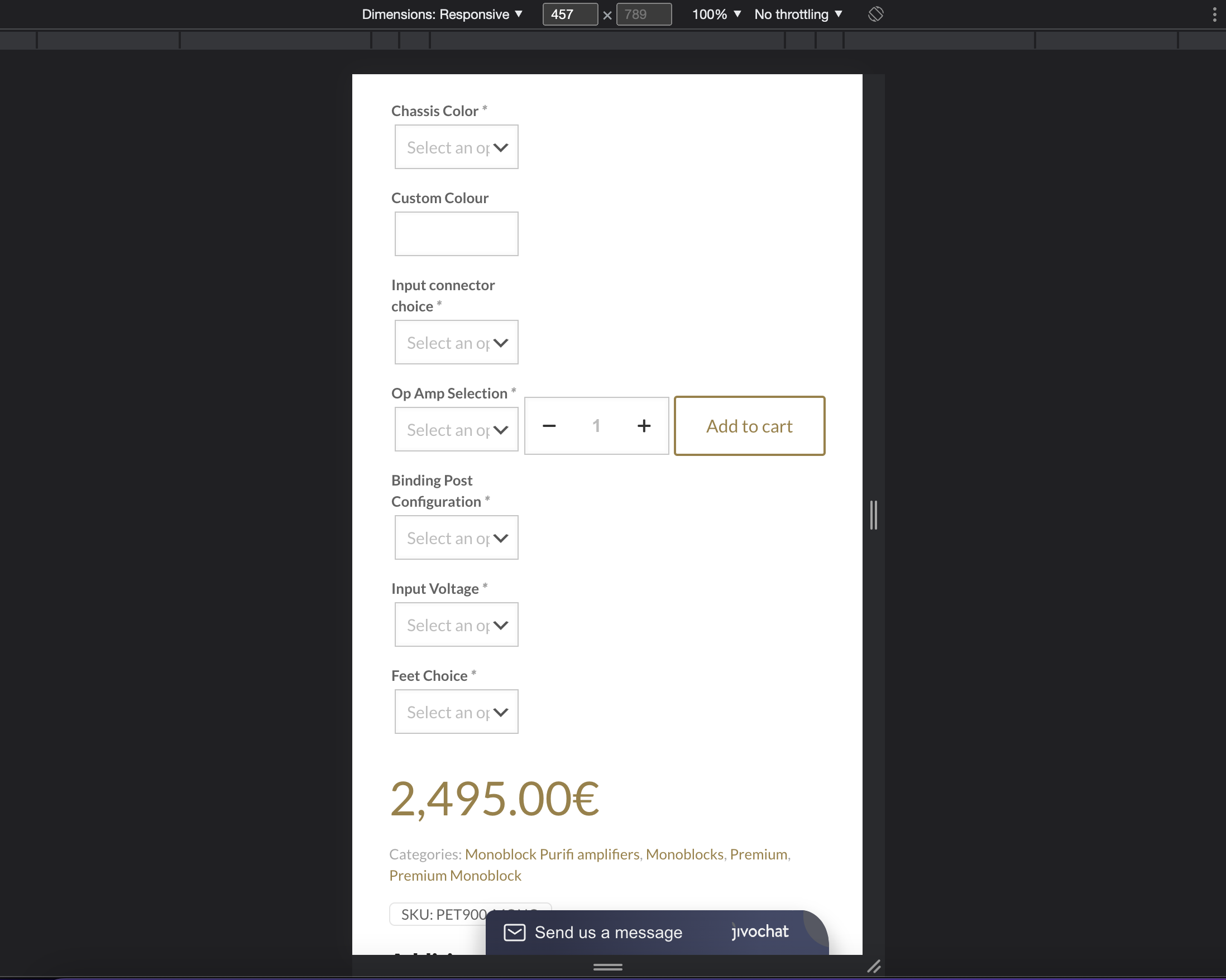
We just bought your theme and we want to set up a woocommerce shop. But when we add "product add ons" from woocommerce it shows them left of the add to cart button... we want to show product add ons/variations above or below the add to cart button. Can you please help?
Screenshots below.
Thanks!
Comments
Hi,
Please always attach a link to your website so we can check it out. If the page is offline(localhost), then our help will be limited. You will have to contact us when the page is online. Also, please make sure that the page is not under maintenance before you provide us with the link.
Thanks
Hi,
this is a link to one of our products (website is still in the making): [Links visible only for registered users]
It only moves the add to cart button on "simple products" not on "variable product" where we have some extra options in variables. Example: [Links visible only for registered users]
Thanks
Somewhere on google i found this:
The theme appeared to be unmodified, but the theme author had defined .summary .cart {display: flex; } which was causing “woocommerce_before_add_to_cart_button” and “woocommerce_after_add_to_cart_button” to be positioned on the side of the button.
Maybe this is related to my problem? But I don't know the solution or how to solve it.
Please, put the following CSS code in Betheme -> Theme options -> Custom CSS & JS -> CSS, and check if it is what you wanted to achieve.
.single-product .cart{
 flex-direction: column;
}
.single-product .cart .quantity{
  margin-bottom: 15px!important;
}
Thanks
Thank you, it works! But now it is positioned center. I want it positioned left or more importantly that everything is the same width. .Also could the "quantity" and "add to cart" be on the same line, not quantity above the add to cart?
Big thanks!
So from this:
To this:
Please, try the following CSS code instead:
.single-product .cart{
 flex-wrap: wrap;
}
.single-product .cart > *:not(.quantity):not(.single_add_to_cart_button){
 flex-basis: 100%;
}
.single-product .cart .single_add_to_cart_button{
   width: 50%!important;
}
The button cannot be 100% wide because then it will go to the next row.
Best regards
Thanks! That's it!