
Grids in Tabs

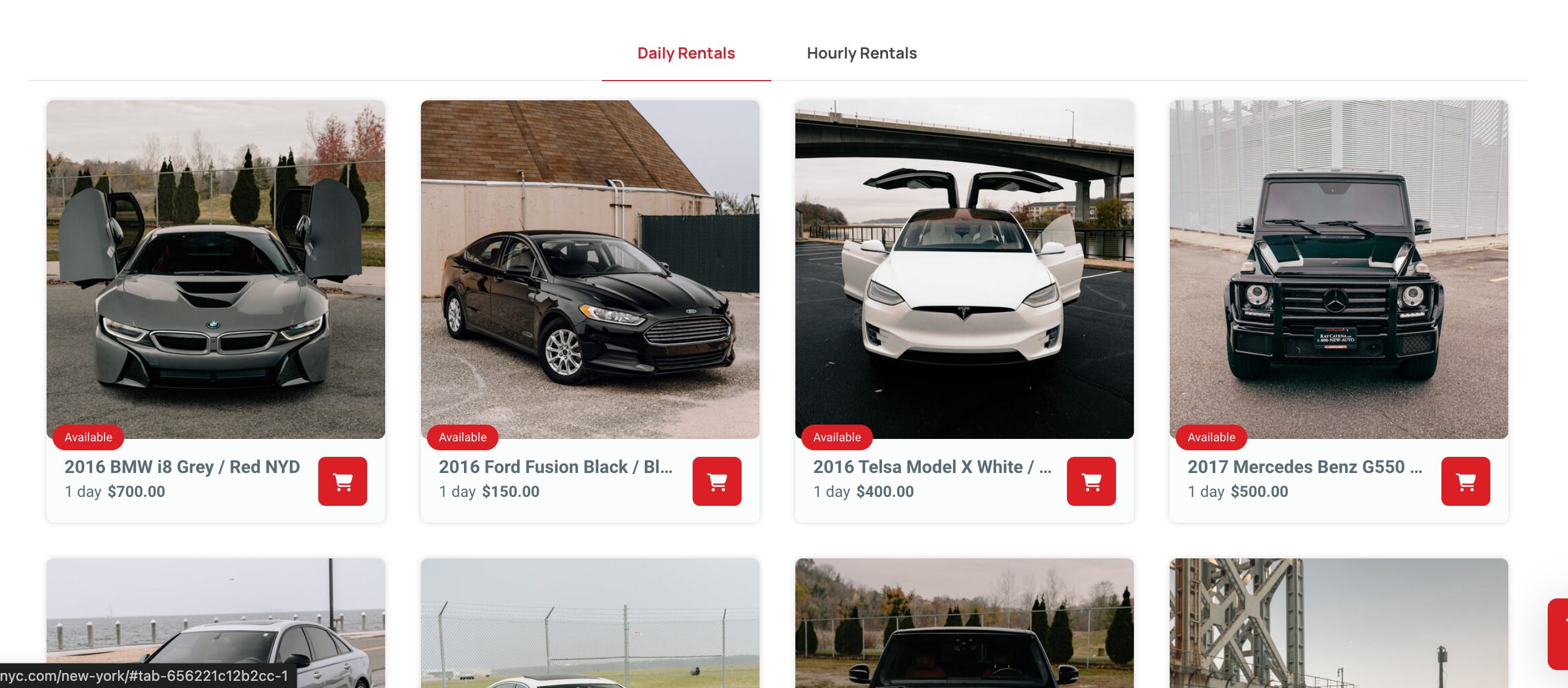
On my website page:
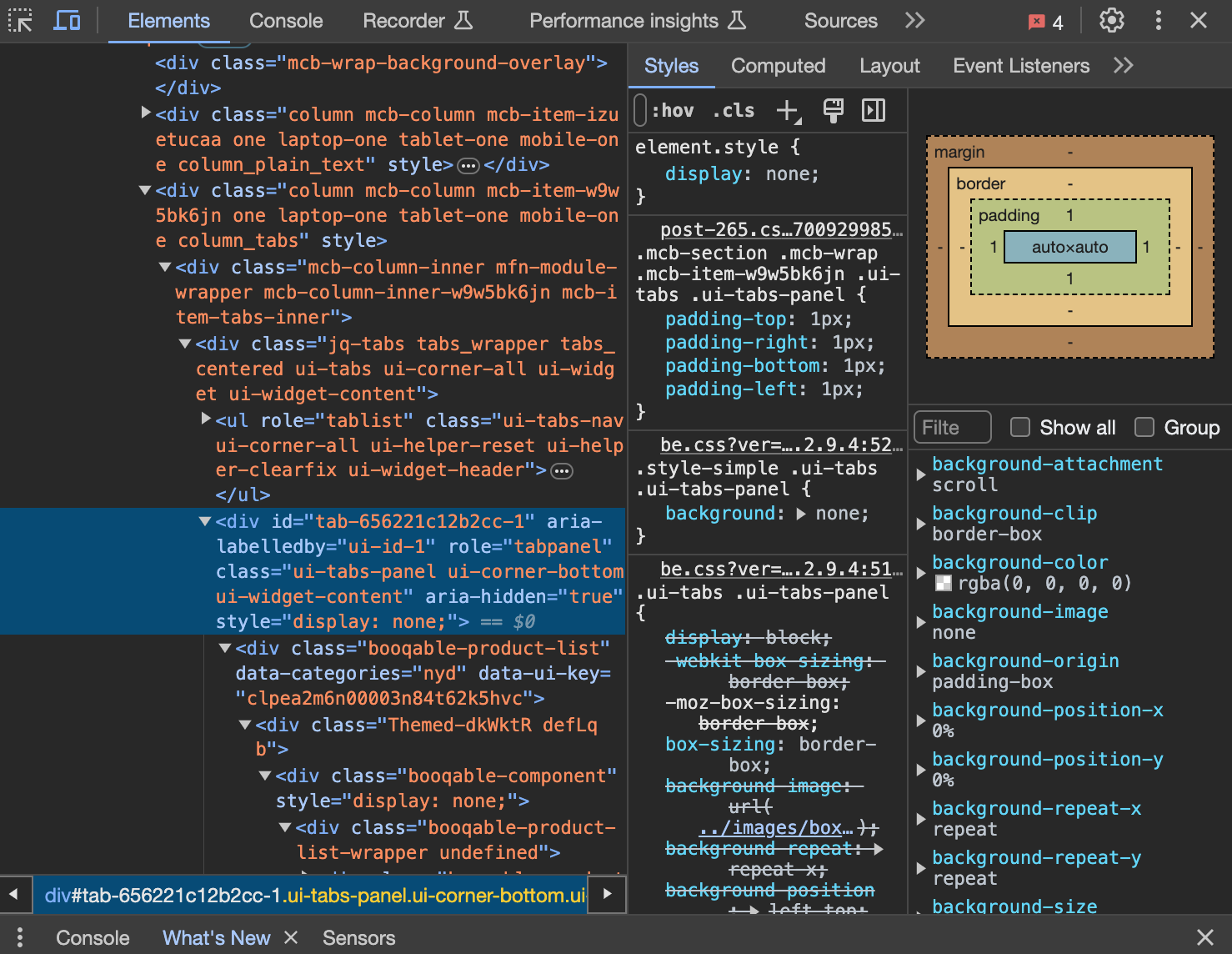
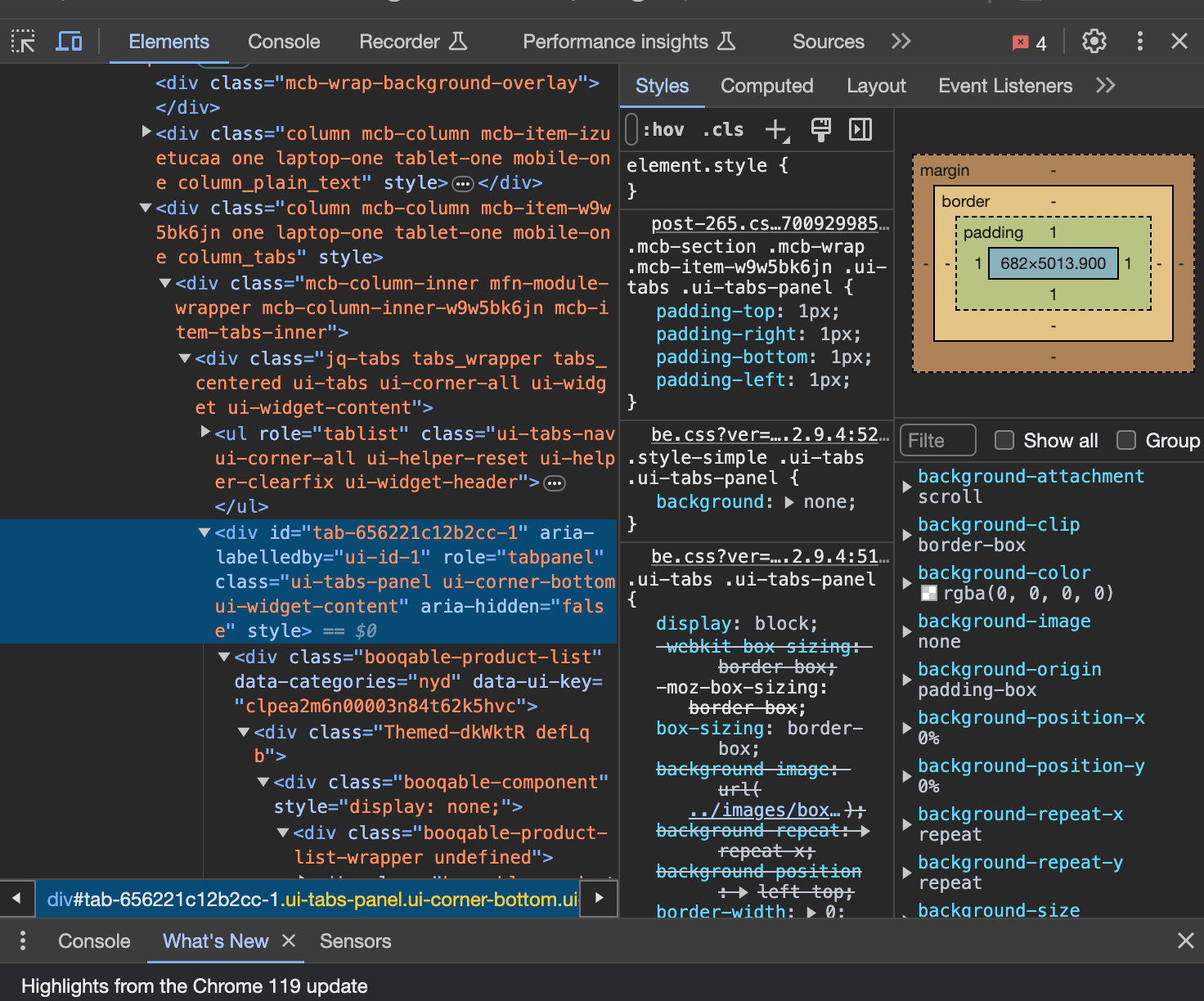
I have two tabs "Daily Rentals" & "Hourly Rentals". Each tab is showing a grid of products. The first tab shows the products perfectly fine, but when I click on the second tab, instead fo showing a grid, it starts showing a center aligned vertical list. I used "Inspect Elements" to see what was going on, and turns out when I switch from Tab 1 to Tab 2, the width*height of the element goes from (auto*auto) to (Random Fixed Value * Random Fixed Value). I am 100% sure that this is happening because of the theme itself, because I have checked the code thoroughly. I am just not sure how to fix it. I just renewed my support subscription to specifically ask this one question, so please try to give a detailed and to-the-point answer that can help me resolve this issue.
Down here, I have attached the screenshots.

Comments
Hi,
Did you use some shortcode from an external plugin in the tabs?
Can you tell me the name of this plugin?
Does this plugin use a JS for displaying content?
In the tabs element, there is information that it does not support JS content so that it might be causing this issue:
Best regards
Yes, I am using a shortcode from an external plugin. The name of the plugin is "Booqable".
No, the plugin doesn't use JS to display data.
If you want, I can share credentials to my WP so you can check.
PS: I have also tried different 3rd party plugins for Tabbed layouts, but for some reason, all of them replicate the same behaviour as your internal tab layouts. I have a feeling that it has something to do with the baseline-theme code. Perhaps there is a setting or a stylesheet that is messing up the layouts.
Scenario 2: Let's assume the data is JS content coming from a shortcode, is there a third party plugin you suggest for Tabbed Layouts that won't be affected by the theme and will allow me to show these tabs properly?
Sorry, but we did not test this plugin with the theme. Our policy states that we do not support third-party plugins or custom code, so, unfortunately, we cannot help you.
Also, we cannot recommend any plugins other than the ones we support. You can find the list on this page:
[Links visible only for registered users]
Thanks
Can you support a plugin to show tabs properly or not?
No, there is no option for that.
If you would like to see such a feature in future updates, please let us know in the following topic:
https://forum.muffingroup.com/betheme/discussion/113/your-suggestions-for-future-updates#latest
Best regards