
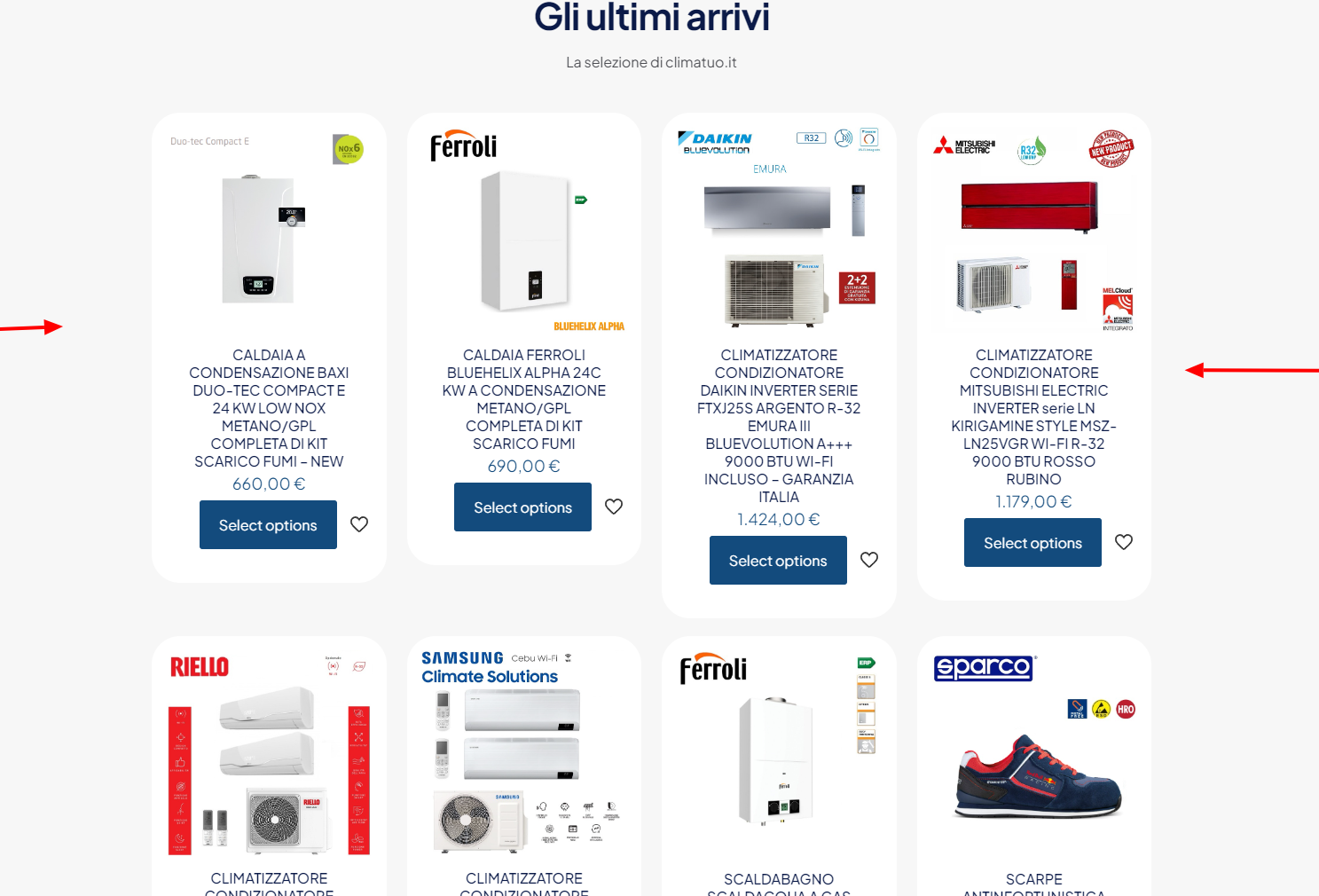
showcase in home latest arrivals

Hi, is it possible to view the photos of the shop window horizontally? Like carousel? Thank you
demo.climatuo.it/

Hi, is it possible to view the photos of the shop window horizontally? Like carousel? Thank you
demo.climatuo.it/
Comments
Hi,
You can use the Shop Slider element for that or create a Query Loop with products.
https://muffingroup.com/betheme/elements/shop-slider/
[Links visible only for registered users]
Best regards
Ok except that now there are no rounded edges of the frame inside the products on the "latest arrivals" slide, the prices are not centered and the "add to cart" button has disappeared again.
There is a setting to show the add to cart button:
You can center the content in the Style tab:
Only adding border-radius requires a custom CSS code:
.shop_slider .product .item_wrapper .image_frame img{
 border-radius: 32px 32px 0 0!important;
}
.shop_slider .product .item_wrapper .desc{
   border-radius: 0 0 32px 32px;
}
Best regards
I'm sorry but I can't find the sections to edit add the "add to cart" button and align to the center. Also I pasted the css in appearance > additional css but it doesn't work
1) I rechecked your website, and I can see that you are using Elementor. Elementor in contrast to BeBuilder, does not have these options.
2) The CSS does not work because it is translated.
Best regards
1) at this point I should import a home again and modify it with bebuilder, I just don't know how to do it, can you help me?
If you want to have access to these features, demo reinstallation is required.
Best regards