
FAILED - Deregister BeTheme prevents registering new license on our client's website.

Hi Muffin Group Support,
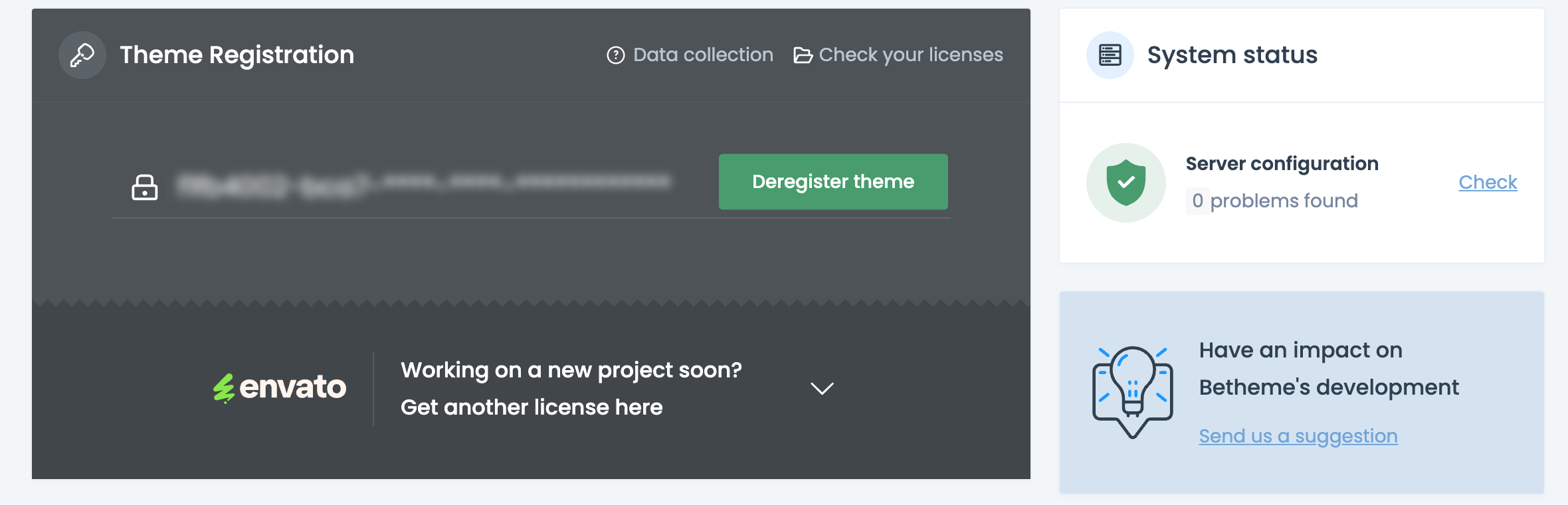
We are helping a client of ours who has a WordPress site that shows BeTheme as "registered" but:
- The license is not working (theme won't update)
- The deregister button does not function
- We don't have access to the original license details (purchase code/username)
Here's a screenshot showing this. Partial Purchase code has been blurred for security.
- If required, Please advise the secure area where we can share our client's website address and the deblurred screenshot with you.
We have purchased last week a NEW valid BeTheme license to use on their site:
- If required, Please advise the secure area where we can share this with you.
Could you please clear/reset the registration for this domain so we can apply our new valid license?
Thank you!
Comments
Hi,
If the theme update does not work, and you cannot deregister the license key through Betheme -> Dashboard, it could mean that this website uses a pirated version of our theme.
Please download a fresh betheme package from ThemeForest, replace the currently installed one, and try to proceed the registration then.
Thanks