
Maintanance not working.

Hello,
I just purchased this theme to speed up my workflow. I installed it on a clean, empty WordPress site but I'm already facing issues with one of the most basic settings: the maintenance page.
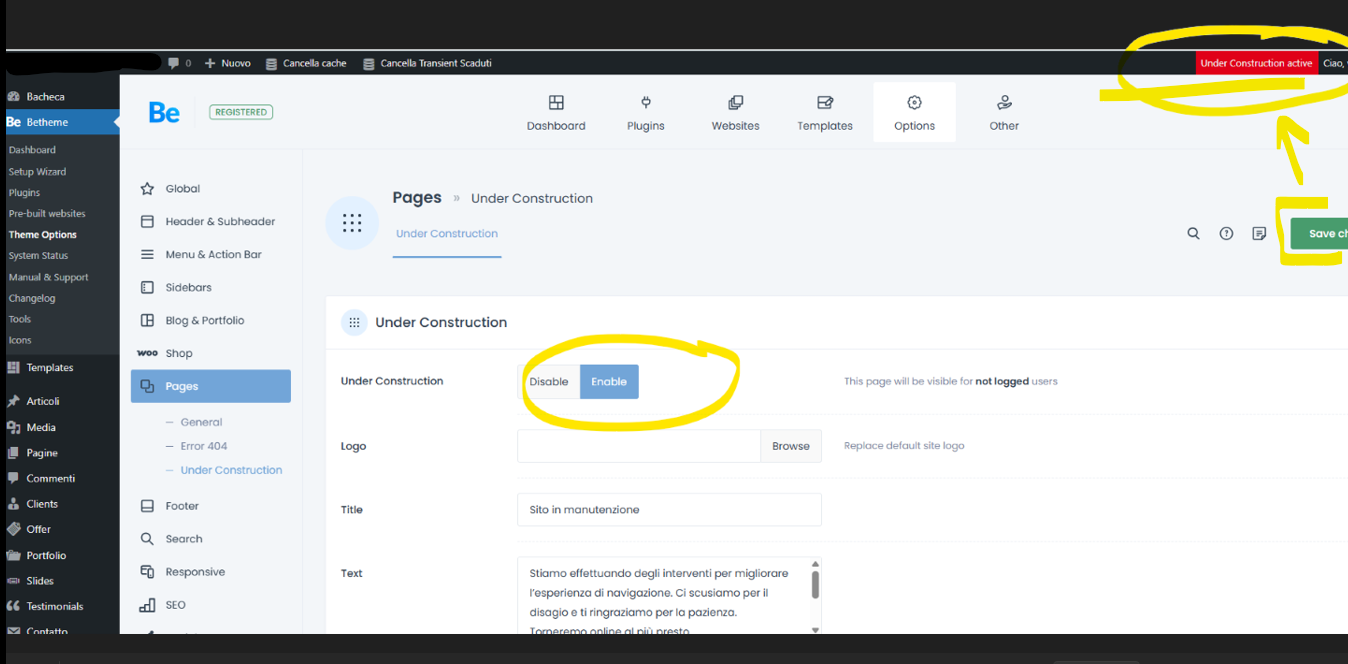
I activated the maintenance page in Theme Options > Pages > Under Construction.
However, it isn’t visible on either desktop or mobile. I’ve cleared the cache and cookies and tried a different browser, but the page still doesn’t appear.
I have sent you WordPress dashboard access privately through the contact form.
Comments
Quick update for other users.
Support said the issue is caused by a very aggressive (“hard”) cache on my hosting. They tried to clear it, but asked me to contact my hosting provider.
I did so, and the hosting support cleared the cache and temporarily disabled it. However, the website is now displaying the About Us page from the theme (not even the homepage which was set as main page)..
The maintenance page still does not appear and also, just to be clear, I have also set all my pages to "Draft". And it still randomly displays the About Us page.
At this point, I’m very disappointed, as no effective solution or concrete fix has been provided so far.
There is no chat support for this creator, so expect slow support service.
Hi,
First, please understand that our Support Forum and Contact Form are handled separately. As a forum moderator, I do not have access to your private correspondence from the contact form. If you have been discussing specific details there, I unfortunately have no visibility into those conversations.
Moreover, please be aware that caching mechanisms are entirely external to the theme. Betheme sends the correct signal to display the maintenance page, but if your server or a plugin is serving a "frozen" static version of your site, the theme cannot override that behavior. This is an environment configuration matter, not a theme bug.
Now, if the cache is disabled, please check in Betheme -> Theme options -> Pages -> Under Construction, if a custom page is not selected there:
If so, remove it, save changes, and check it then. There is a possibility that our team, whom you reached through the contact form, set it up for a test, and the cache held that.
Best regards
Hi, I completely understand how the cache works, but we have PURGED everything. Clear all cache from browser and hosting side and disable them...so how can it keep " serving a frozen static version of your site"?
Also, regarding your question, the field is blank.
The issue was related to a plugin from the hosting provider. I cancelled it and the maintanance page now its visible and works well.
Support was fast, even via email :) can't complain.
I am happy to see that our team helped you to manage this problem.
For the future, please choose one method of contacting us (here on the forum or the contact form). It will prevent duplicate conversations 😉.
I hope that from now on, everything will go smoothly for you.
Thanks