
How to Change Default Customer Processing Order Email Text

Hello BeTheme Support Team,
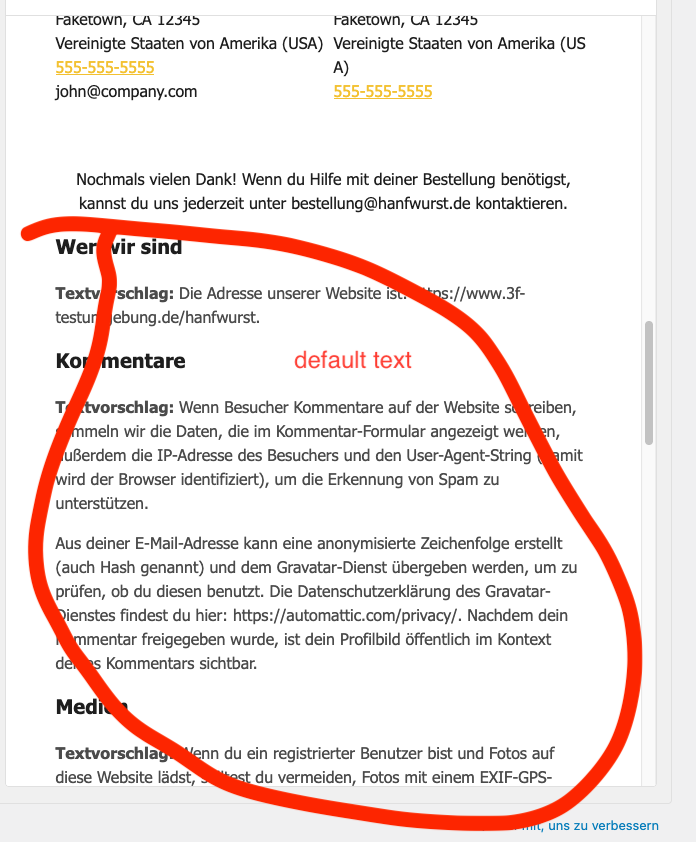
I am using BeTheme with WooCommerce and I need to customize the text that appears in the customer processing order email (the confirmation email sent to customers after they place an order).
I have tried overriding the customer-processing-order.php template in my child theme and also adding custom hooks/snippets, but the default text is still displayed. It seems that BeTheme is overriding the standard WooCommerce templates or using its own email system.
Could you please clarify:
- How can I safely change the default text that appears in the customer processing order email?
- Is this done via the BeTheme email editor, or is there a filter/hook I can use in a child theme or code snippet?
- Will changes be preserved after theme updates?
Thank you very much for your guidance!
Best regards,
Melanie
Comments
Hi,
There is no such file as
customer-processing-order.phpin Betheme. Moreover, we do not interfere with Woo emails anyhow.You should reach out to WooCommerce support regarding this, as this is their functionality.
Best regards