
popup template contact form 7 missing

Hello,
I have an issue with Popup Template in BeTheme / BeBuilder.
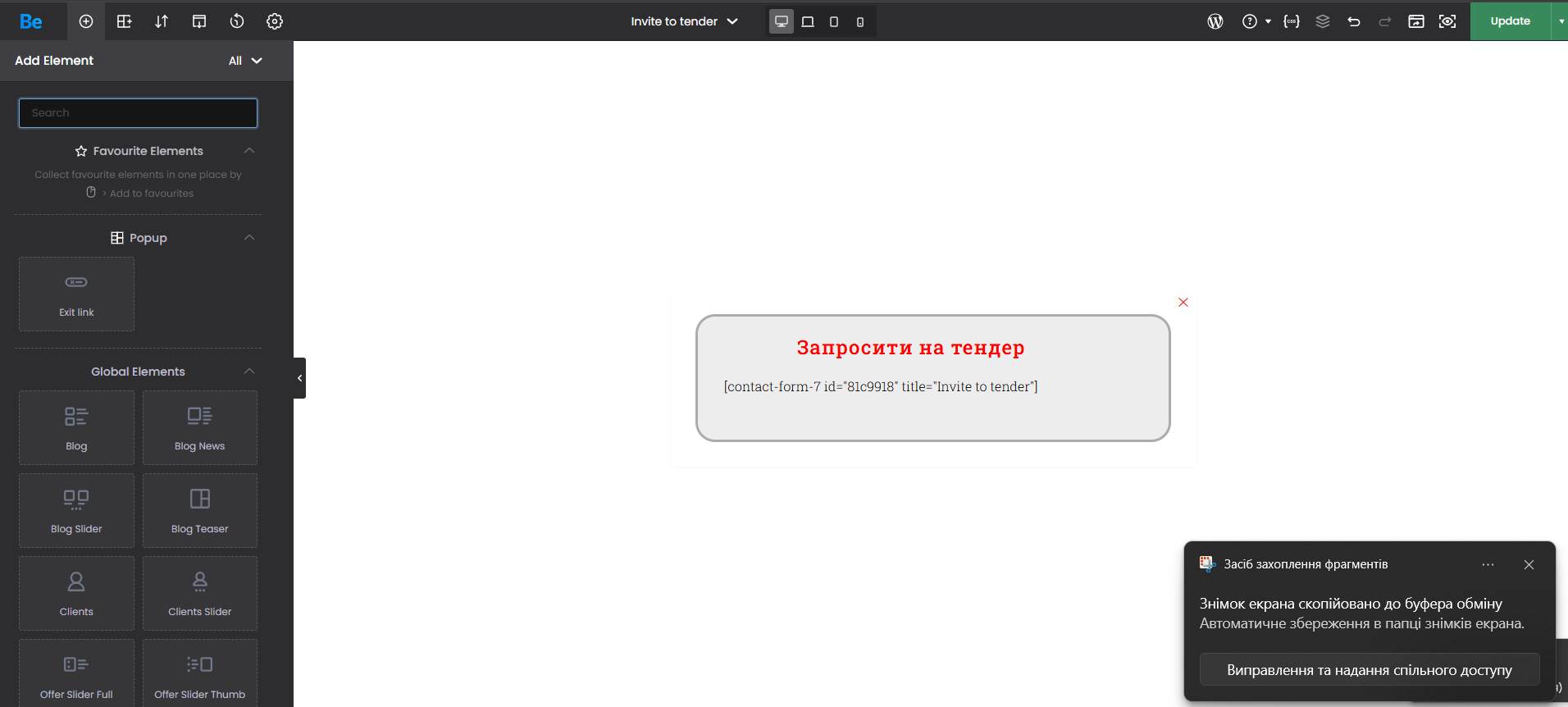
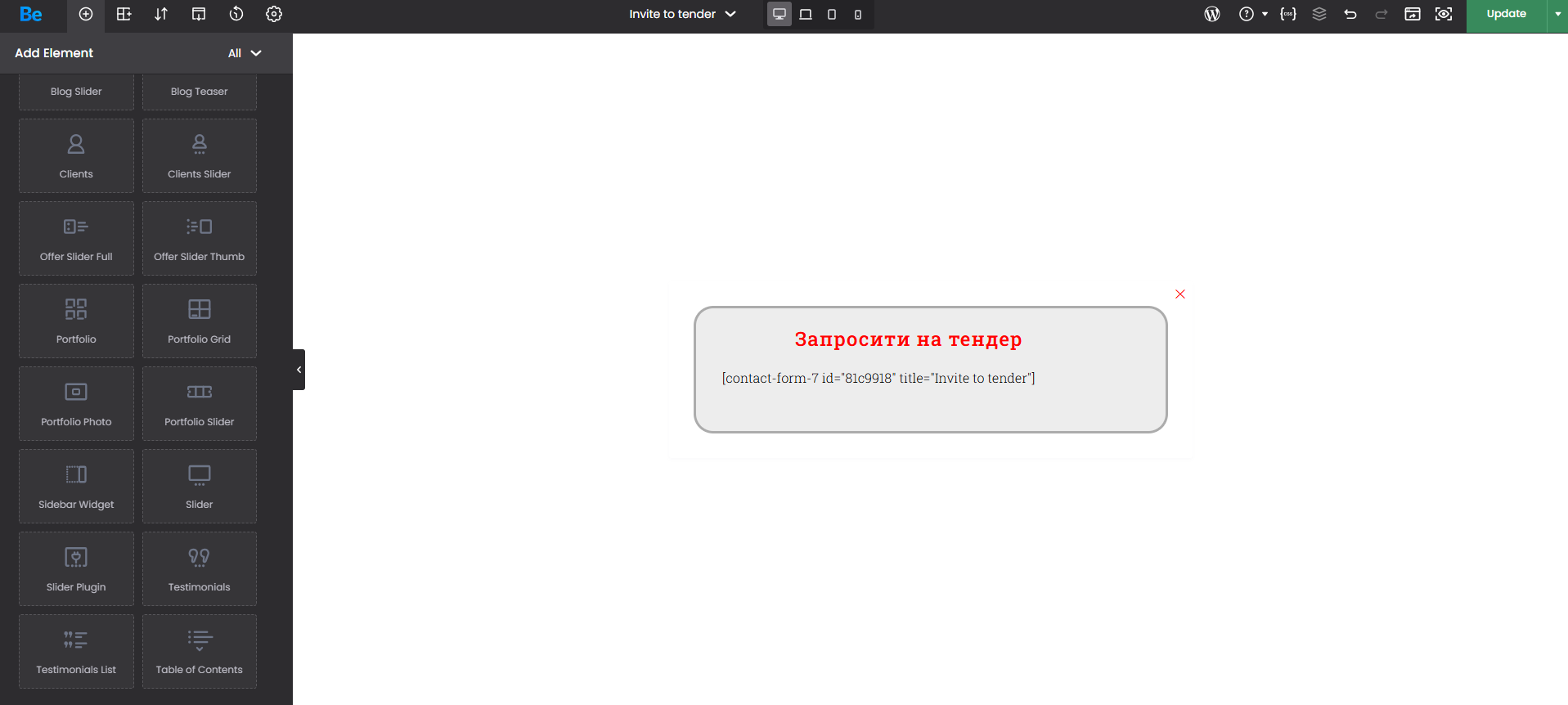
About a month ago everything worked normally, and I could use elements like Contact Form 7 and Column Text inside the popup template. Now these elements are no longer available in the builder.
What I checked:
The popup itself is working.
The form is inserted via shortcode and displays on the frontend.
If I edit the form in Contact Form 7, the text/content changes on the frontend correctly.
So CF7 itself is active and working.
The problem is specifically that in Template → Popup the builder no longer shows the Contact Form 7 and Column Text elements.
This does not look like a normal workflow change, because these elements were available before on the same site.
My questions:
Were these elements removed from Popup Templates in recent updates?
Is this a known bug/regression in the current version?
Is there any setting, mode, or builder option that could hide these elements only in Templates/Popup Templates?
I already attached a screenshot of the builder element list for the popup template.
Please clarify whether this is expected behavior or a bug.
BeTheme version: [28.3.1]
WordPress version: [6.9.4. [Links visible only for registered users]]
Contact Form 7 version: [6.1.5]
Comments
Hey,
Please send us the WordPress dashboard and FTP access privately through the contact form, which is on the right side at [Links visible only for registered users] and we will check what might be the reason.
Notice!
Please attach a link to this forum discussion.
Sending incorrect or incomplete data will result in a longer response time.
Therefore, please ensure that the data you send are complete and correct.
Thanks
Thank you.
I have now sent the WordPress dashboard access and FTP access privately through the contact form, exactly as requested.
I also included the link to this forum discussion.
Please check when possible and let me know what is causing the issue with the missing elements in the Popup Template.
Best regards.
Sorry, but we didn't get any message from you yet.
Please check your mail inbox for our response. Look also inside the spam folder.
If you don't have any message from us, please send your login credentials again.
Be sure that you sent all of the required information mentioned in the previous message.
Thanks