
Updating the theme

I just purchased a new license.
On the my site I have to update my BeTheme from version 26.7.3.1 to 28.4.11
I purchased a new license and I have a new Item Purchase Code.
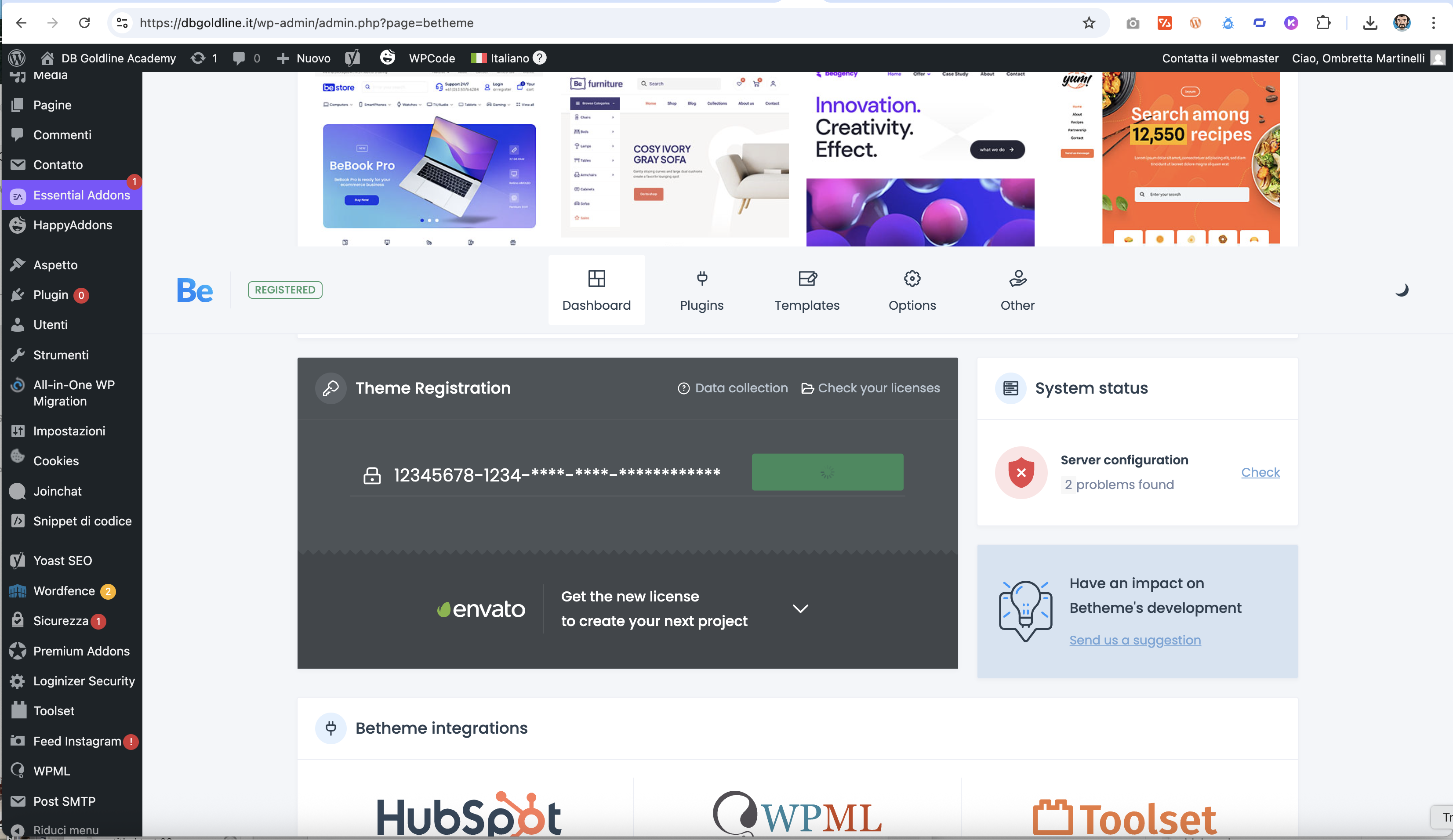
On my site [Links visible only for registered users] when I click on "deregister theme" so that I can insert the new purchase code, nothing happens! It just sits there and I cannot insert the new purchase code (screen shot is attached).
If I click on update, it will attempt to do an update but then fails because it doesn't have a valid purchase code.
I also tried to rename the theme's folder and upload an updated version of BeTheme but I get a critical error.
What can I do?
Please let me know.
Regards;
-L.
Comments
I managed to tdo the following:
- changed theme to Twenty twenty-five
- renameed via "file manager" the old theme into "betheme_old"
- uploaded the new theme via "file manager"
- activated the new theme via WP
It now seems I'm running "26.7.3.1" but i see the following message:
BeBuilder Data Updater
Click the button to start the update.
Important! Create a backup of database before starting.
--> Whn I click on the "start the update" nothing heappens.
Hello,
Please, turn off all of the plugins, refresh your cache, and check if the problem persists.
Moreover, if you use a child theme, switch to the parent, and recheck it.
Thanks
Hello,
I had already tried switching off all plugins.
I solved it in the following way:
1. renamed the theme in "betheme_old"
2. uploaded the latest version of betheme
3. I was then able to insert the "Item Purchase Code"
4. I opened the home page with bebuilder and was finally able to update the database.
5. reopened the page with Elementor (so it would regain its original style).
I am happy to see that you handled it.
If you have any other questions or problems, feel free to ask.
Best regards