
Slow loading and white screen issues with Muffin Builder (Back-end editor)

Description:
I am experiencing severe performance issues when trying to edit pages using the standard WordPress back-end editor with BeTheme and Muffin Builder.
The issue:
When I access the edit page screen (/wp-admin/post.php?post=XXX&action=edit), the page takes an excessive amount of time to load, sometimes up to 3 minutes. During this time, the screen remains completely white. Once it finally loads, any interaction or clicking on builder options causes the screen to go white again or respond extremely slowly.
Key observations:
Live Builder works fine: This issue does not occur when using the "Live Builder" option; it only happens in the back-end administrative editor.
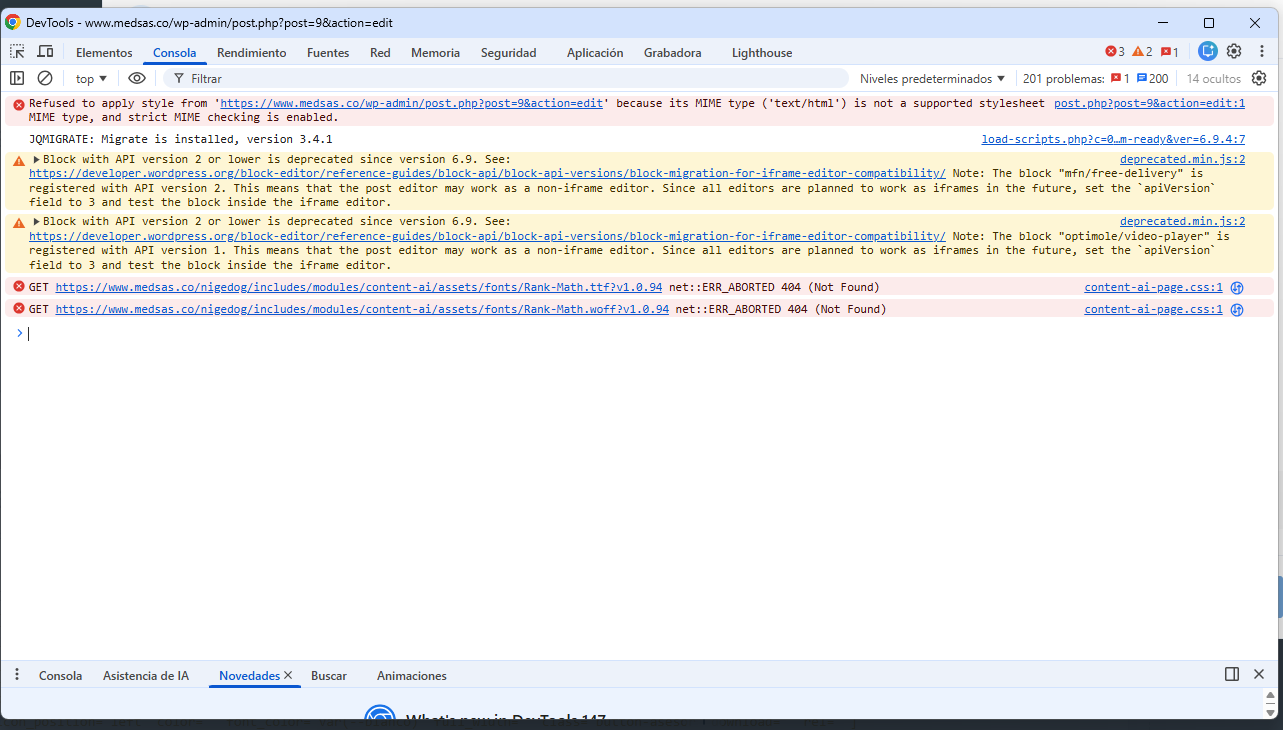
Console Errors: I am seeing a MIME type error in the browser console:
Refused to apply style from '.../wp-admin/post.php?post=9&action=edit' because its MIME type ('text/html') is not a supported stylesheet MIME type, and strict MIME checking is enabled.
Steps taken:
I have attached a screenshot of the browser console errors for your reference.
Could you please help me identify why the back-end editor is failing to load correctly while the Live Builder works as expected?
Video:
Comments
Hi,
We currently maintain BeBuilder Blocks Classic as a Legacy Module primarily to ensure continuity for our long-term users who are deeply accustomed to this specific workflow. Now, to ensure the smoothest and fastest editing experience, we are focusing our development efforts on BeBuilder (Visual Editor).
If you need to access other options in the backend editor you can disable BeBuilder Blocks Classic in the Theme options -> Global -> Advanced:
Best regards