
Text box defaults to BOLD even with no formatting

I have not modified this website since August. Now I am experiencing a very frustrating problem. Plain, unformatted text displays as bold. At first I thought it was a problem using TABS but then I tried testing with just a plain Text Column and experienced the same issue. This is only happening when I make changes, existing pages are fine -- so far.
Page on website with the problem: [Links visible only for registered users]
(for some reason, tab Option A works fine, the other tabs do not)(if you use the main menu to Select a Province and pick another province page, you'll see how those Tabs are supposed to work)
Attached screenshots are of examples of tests using a plain Text Column.
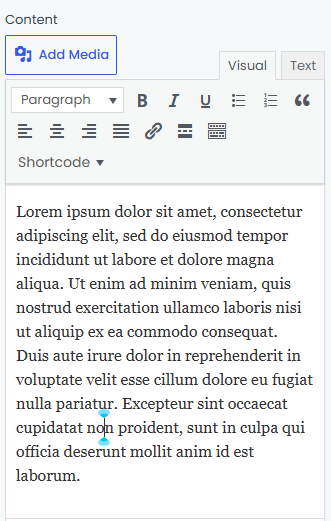
Filename: Visual.png -- this is the text in visual mode after adding a text column element. Only text setting is Paragraph
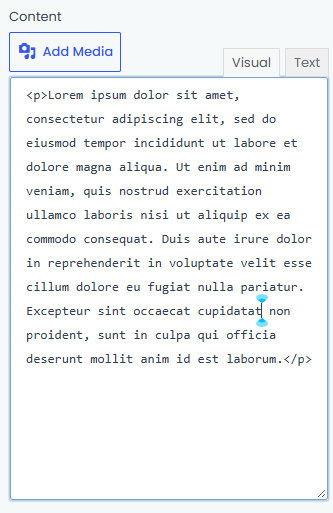
Filename: Text.png -- this is how it looks in text mode, to show that there is no formatting
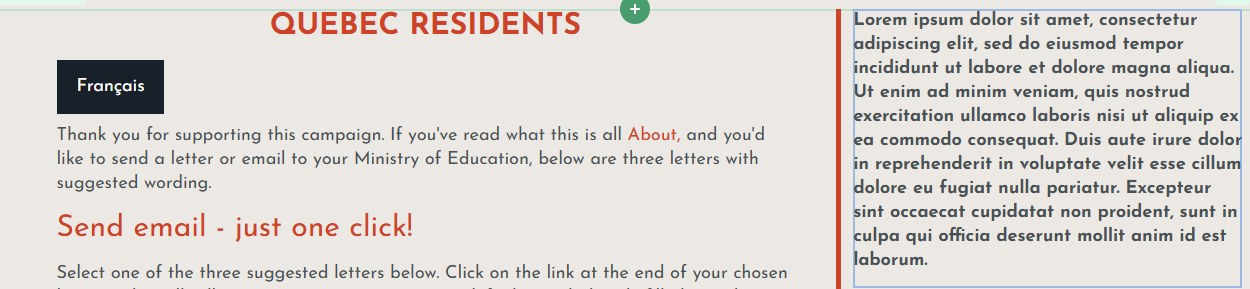
Filename: Text in bold.png -- cross section of a page to show default text and compare to the test column at the right, which displays bold
Filename: Preformat.png -- now using Preformat instead of Paragraph
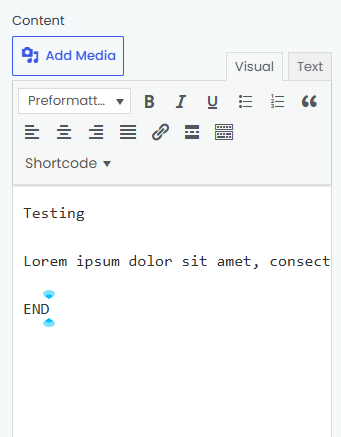
Filename: Preformat also displays as bold
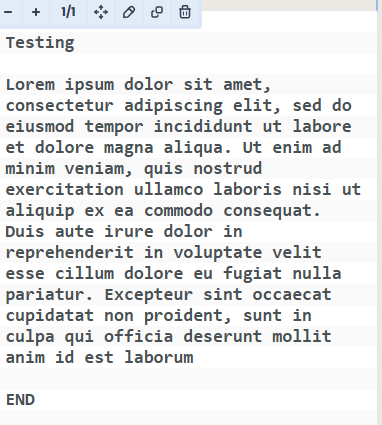
This is Betheme version 29.0.5, WordPress 7.1.4 , Windows 11, version 26H2
What else do you need & what else should I try to do?

While waiting for a response from one of our team members, we recommend to check Support Center where it is highly likely that you will find the answer to your question in no time.
FAQ | Video Tutorials | How to