
Bebuilder background image can not change

Hi,
In [Links visible only for registered users] homepage, there are 2 pictures near to each other. When I upload for those pictures, you can see in below image, the link is https://www.hilevel....
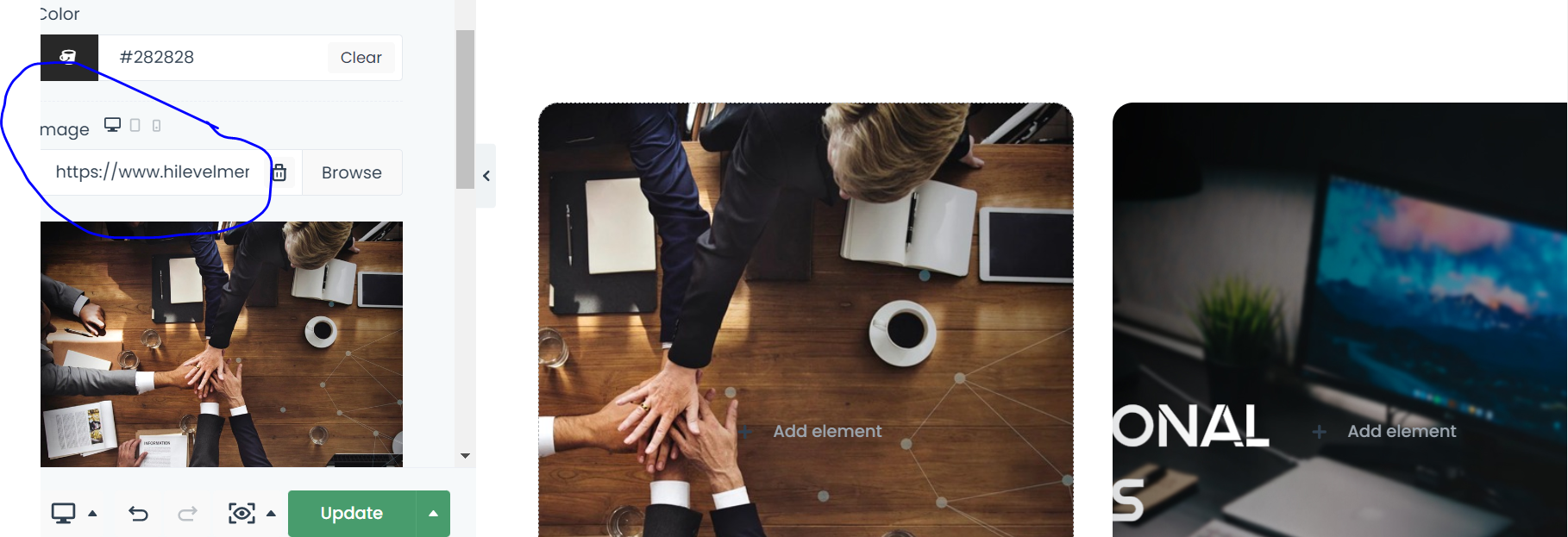
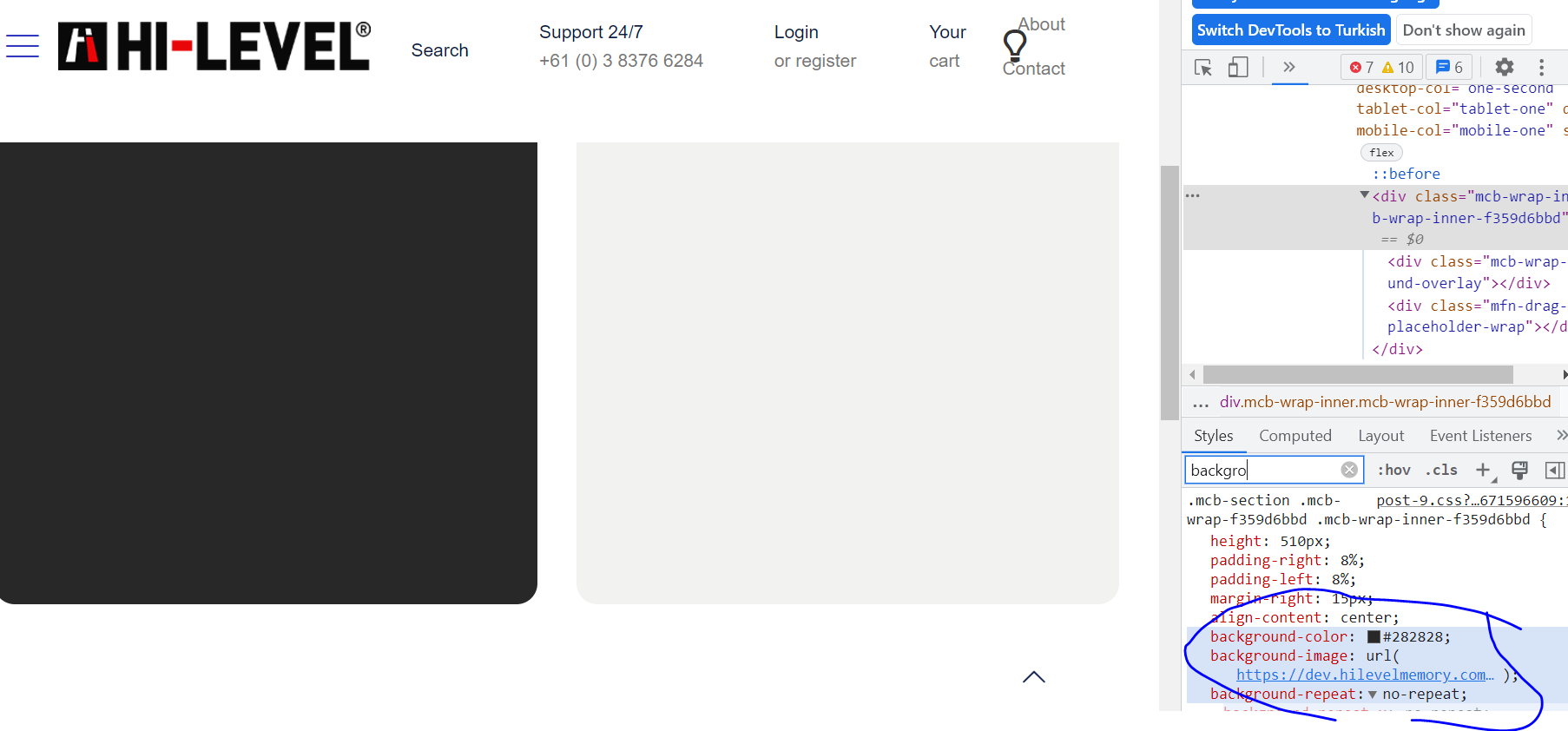
But in reality, pictures are not showing and it refers from my development links (old one) which is https://dev.hilevel... (Below image)
No matter happens I can not change them, purged all caches, regenarated CSS files, ctrl f5 million times.
Whats causes that problem? What kind of cache is that? It took my 4 hours. Please tell me the problem because it is not the only section I can not handle. Many images looking like that after moving my works from dev to main.
Thanks.
Comments
Hey,
You have sent your dashboard access, but we will also need your FTP and database access.
Please, send them as you did with the WP dashboard.
Remember to attach a link to this forum discussion.
Thanks
Hi,
I have sent you the access. For now, I can't even upload images to Media folder.
Please help.
You did not attach a link to your PHPMyAdmin, so we could not connect to your database.
However, we noticed that you have a problem with paths. In WP, you have the wrong path defined for the uploads catalog, and local files are stored in the wrong place /wp-content/uploads/betheme/css, but they should go to /public_html/wp-content/uploads/betheme/css.
You have it overwritten in the file wp-config.php.
We did not want to modify it because we do not know if you are not using this for something else, but it causes this problem.
Best regards
Hi,
Sent you Cpanel access. You can change the config file. The Path references are wrong mostly and file uploading not working. It all happened after changing domain
It is more of a server-related issue. We have tested it with the Twenty Twenty-One theme, and the media upload is not working either.
In that case, you should contact your server administrator, as it is not Betheme related problem.
There could also go something wrong when you transfer your website from the staging domain.
If you still have access to the staging domain, you can try to migrate it again with the Duplicator plugin, as we never had problems with this tool.
[Links visible only for registered users]
Best regards
Hi,
duplicator doesnt allow to copy all files it gives error. Anyway even i solve the upload problem, most images still referencing the old domain which is dev one. Where is that settings?
consider my first comment on this discussion. Background image is looking for dev Path but in editor it is normal. Why?
Sorry, but we do not handle website migration.
It would be best if you contact your web developer.
Best regards
im already web developer. It is not about migration, It is all about the template structure, which i explained in images in first comment. The editor is not working properly. Normally when I change all domain in database from dev to main, it Must work. But there are several dev references which the template css is referencing wrongly. It is the issue of yours.
When you fixed the upload, you also fixed the background images.
Best regards
This issue is deeper, the pages builded with bebuilder don't load some css parts if you have https (especially background and padding/margin parts) - the only way to force some stuff is by custom css panel in advanced ... we just rebuilded all page in VS as it works perfectly and no issues with background images all other settings at all. If this issue won't be fixed SOON this is last time I bought it. To reproduce: build page with some areas with backgrounds in bebuilder by htttp (so "http://.../wp-admin/post.php?post=XXX&action=mfn-live-builder" - display it in https ...
I did additional test and created new page in https:
Please compare - it is same page - 1 have background image under "Lorem ipsum..." text the other doesn't. This is not linkage problem. Whole css section: ".mcb-section-wx767r6ej" (filename: post-196.css?ver=1680369301) is not loaded for https. You can check by yourself by analysis of content.
Strangly file: [Links visible only for registered users] exist.
But the template gives error:
"Mixed Content: The page at '[Links visible only for registered users] was loaded over HTTPS, but requested an insecure stylesheet '[Links visible only for registered users] This request has been blocked; the content must be served over HTTPS."
Template is trying to get this css via http not https:
"<link rel='stylesheet' id='mfn-post-local-styles-1961680369747-css' href='[Links visible only for registered users]' type='text/css' media='all' />"
Therefore it is not loaded ... fix that!
If you want to recreate this from scratch or want me to do that please ping me and provide me the test product code - I can build webpage from scratch with this error and give you full access.
Hi @mrkaczor,
Please see the following link:
https://support.muffingroup.com/faq/bebuilder-content-different-from-frontend-missing-styles/
This problem is described there, and you can find out how to resolve it.
Best regards