
Checkoutpage

Hey,
i used a shortcode for my checkout page and want to edit some stuff.
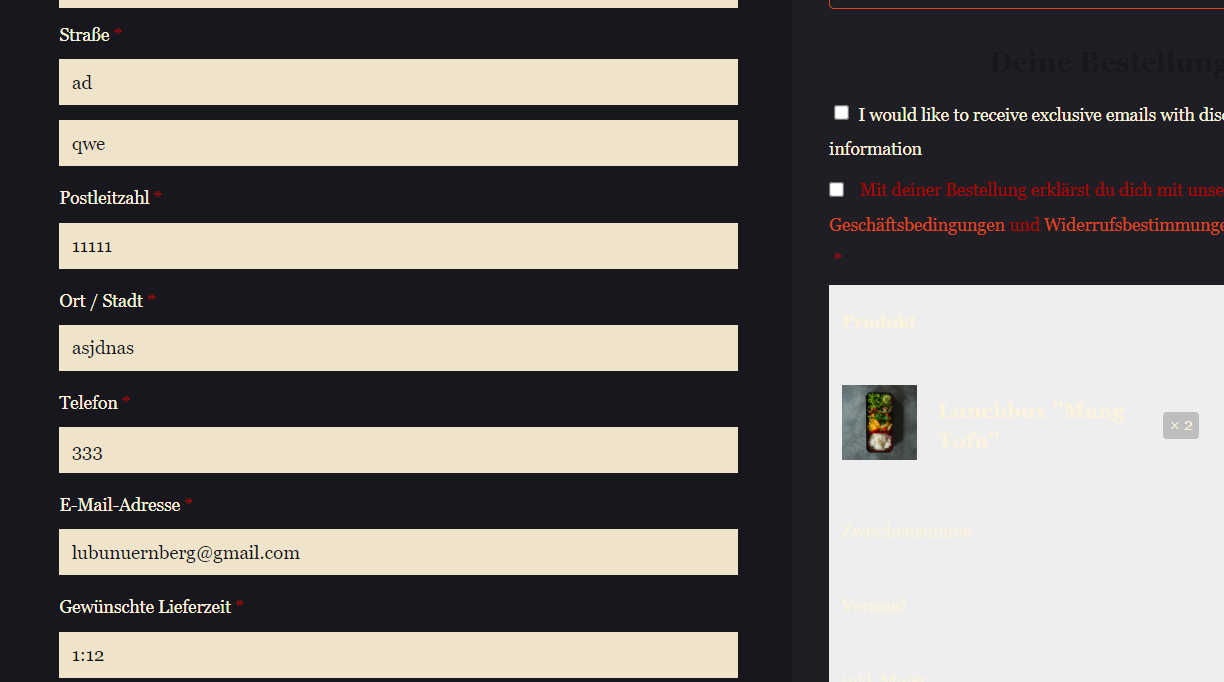
I'd like to change some of the text and also on the right you i want to change the background colour.
[Links visible only for registered users] thats the link
Comments
Hi,
1) I do not know what text and where you want to add it, but you will have to use some plugin for that.
2) Try the following CSS code:
.woocommerce-checkout .wp-block-woocommerce-checkout-order-summary-block .wp-block-woocommerce-checkout-order-summary-cart-items-block .wc-block-components-order-summary{
 background-color: #17171d!important;
}
Please put it in Betheme -> Theme options -> Custom CSS & JS -> CSS.
Best regards
Hey, I added the CSS snippet but it didn't work.
I wanted to change the part " I would like to receive....". What plugin can i use for that?
Thanks
1) Please see the following link:
[Links visible only for registered users]
2) Try this instead:
.wc-gzd-checkout .wc-block-components-order-summary{
background-color: #17171d!important;
}
Best regards
Hey,
sadly it still did not work.
2) I'd also want to change the Title " Deine Bestellung" to a better font color.
3) Can i also rearrange the order and put the summary on top?
Thanks
Please send us the WordPress dashboard access privately through the contact form, which is on the right side at [Links visible only for registered users].
Notice!
Please attach a link to this forum discussion.
Sending incorrect or incomplete data will result in a longer response time.
Therefore, please ensure that the data you send are complete and correct.
3) This is a WooCommerce configuration on which we do not have influence.
Best regards
I made the adjustments. Please check it now.
Thanks
Thanks a lot. Its working. After checking out there's a similar problem with the thank you page.
How can I change the font color?
Kind regards
Use this code:
.woocommerce-order-received .wc-bacs-bank-details-heading,
.woocommerce-order-received .woocommerce-order-details__title{
 color: #f1e9d4!important;
}
Thanks
Hey,
sadly it did not work again. Do I have to put the code somewhere else (except BeTheme Custom CSS).
Betheme Custom CSS is the place where you should place it.
I logged into your WP dashboard, placed this CSS there (it was not there when I logged in), and it worked.
Best regards
Thanks a lot