
How can remove basic slider area?

Hi,
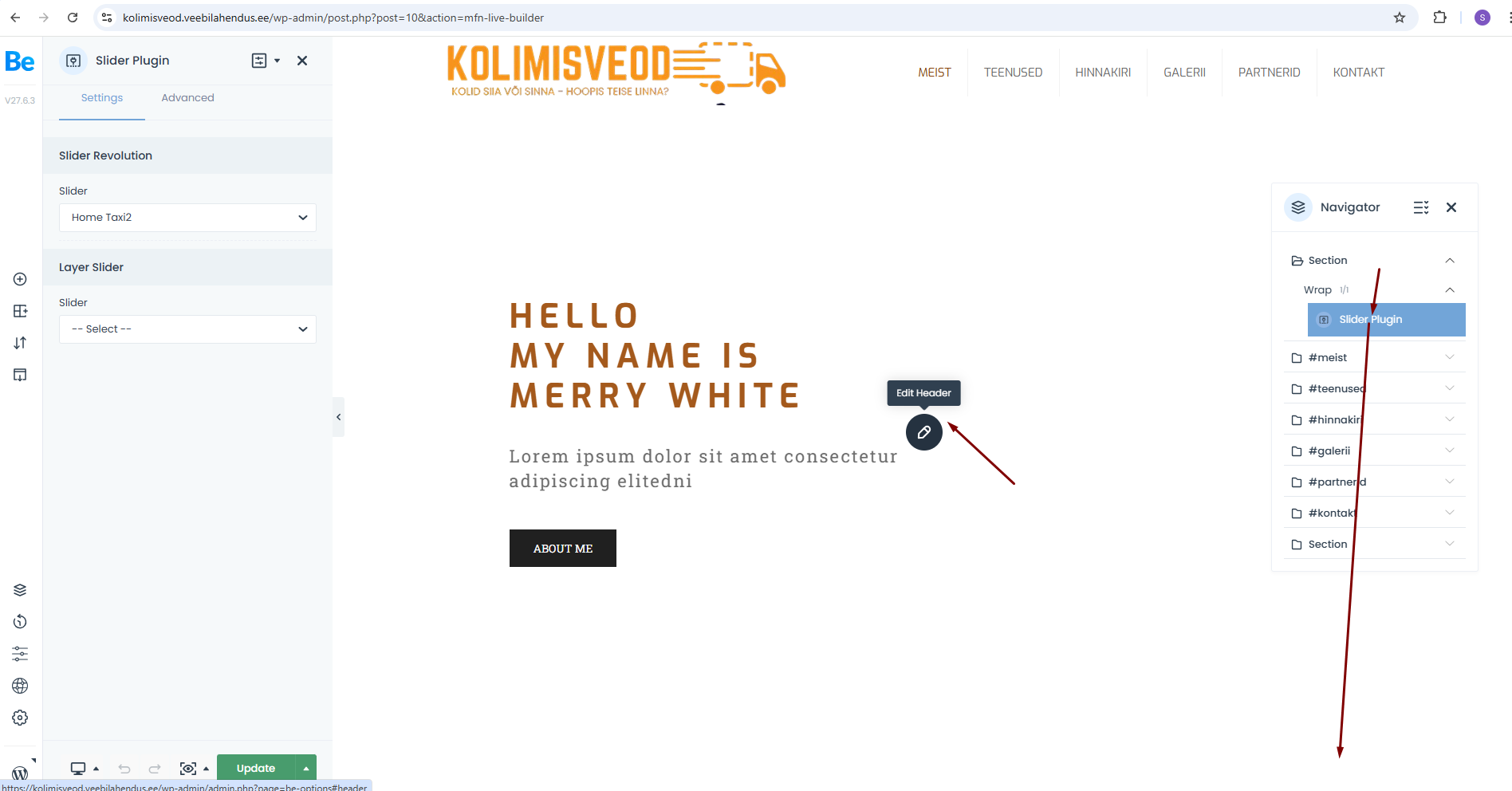
i imported 2nd slider, but don´t understand how can basic slider element. Then I open homepage with BeBuilder, I see on this area Slider Revolution icon, but then I click on it, can change the basic slider. I added new section, but how can delete the 1st slider? On this area directs to change the header and Naviagtor 1st section is my added slider area.
[Links visible only for registered users] pw: 12345
Comments
Hi,
Right-click on this element and click to delete this element.
Best regards
Hi,
Can´t do it, this are is also not under sections, quick video: [Links visible only for registered users]
Can you check? Credentials:
[Links visible only for registered users]
betheme
bethemehardpassword12345
Sorry, your first screenshot confused me.
Please open page options, and change Slider Revolution to --Select--.
Best regards
Thx!