
Mobile menu

Hello,
Please how can i edit the mobile menu? control the colors, background, text and take out some of the socials icons ?
As well how can i add the logo to be on this menu at the bottom or top?
Thank you
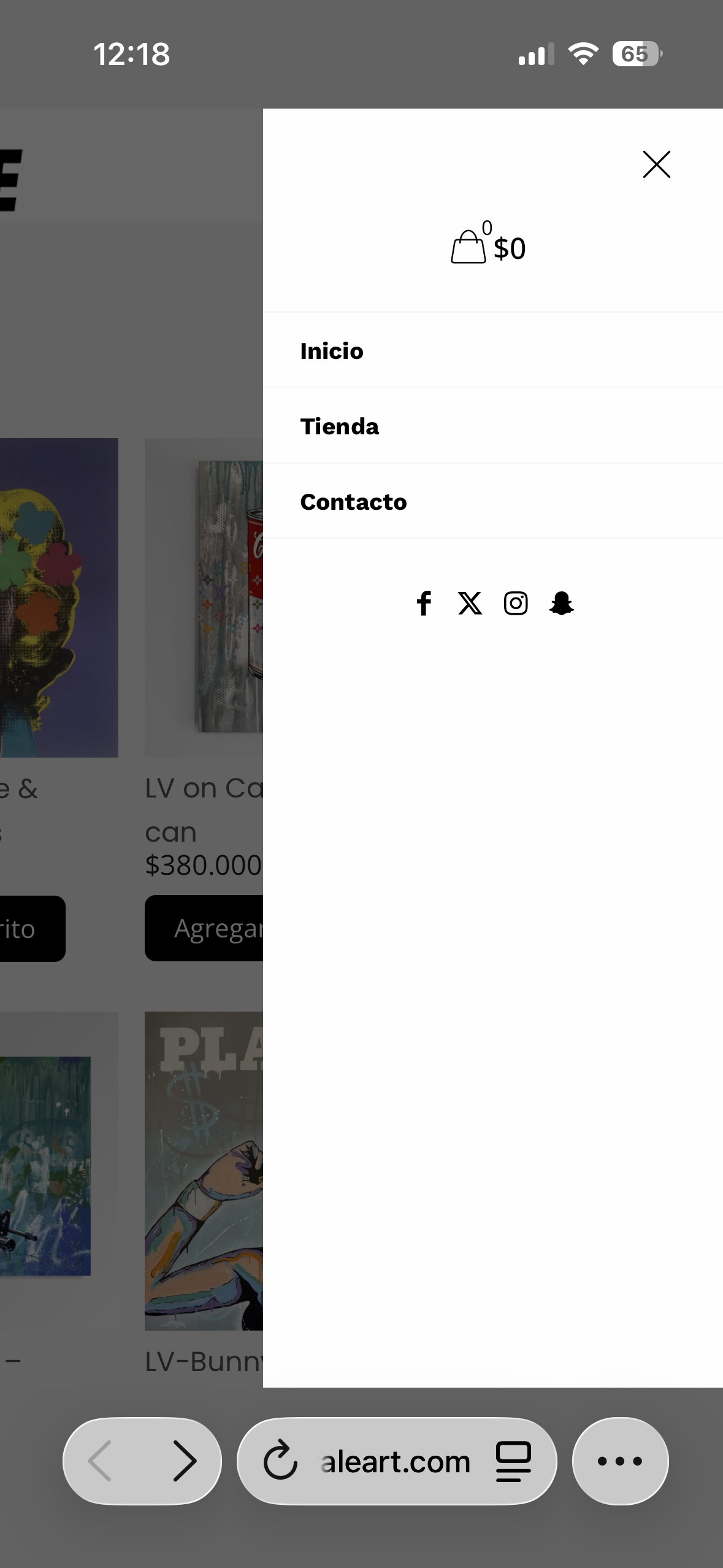
Hello,
Please how can i edit the mobile menu? control the colors, background, text and take out some of the socials icons ?
As well how can i add the logo to be on this menu at the bottom or top?
Thank you
Comments
Hi,
Colors can be adjusted in Betheme -> Theme options -> Colors -> Menu:
Font size is based on the Main Menu from Betheme -> Theme options -> Fonts -> Size & Style:
The rest of the things you mentioned are predefined and cannot be rearranged. If you would like to have higher control over that, I suggest using the Sidebar Menu builder. Note that it works only with the header template.
https://support.muffingroup.com/video-tutorials/sidebar-menu-vertical-header-builder/
https://support.muffingroup.com/video-tutorials/header-builder-2-0/
Best regards
Hello,
These videos do not show or detail how to build a menu for a the mobile phone.
how to add logo, shop icon, X to close the menu....
How can i achieve this things ?
Thank you
All you have to do is to drag and drop elements. If you need logo in your sidebar, drag and drop logo element in the sidebar template:
If you need shop icon, drag and drop icon element, and choose its type:
The close icon can be activated in the Sidebar options:
To style it, scroll down to the Close button settings:
If you want to make it full width, set 100% width:
Best regards
PS. Please do not create duplicate discussions about the same topic
Thank you,
i will check this out and try
Hi,
please i'm on this menu mobile bar
How do i publish this menu bar for the mobile?
will it be the same on desktop or there is option to choose where will it publish?
Thank you
Can this menu be full wide on mobile?
On updating i wont show me the condition window so i can publish it
Please
Did you assign your Sidebar menu template to the header template as explained in the video tutorial I sent you earlier?
Best regards
Hi Phil,
i'm sorry if it was not clear i'm using the builder for this sidebar menu.
I solved a feu from those issues, thanks
I'm searching now how to add footer to this sidebar menu with some socials icons, do i need to add section and have the space to the buttom it is not that precise or there is other method to do that?
Thank you
Hi ,
Please in the menu builder i canot find where this blue text color come from?
Sorry for the misunderstanding. Yes, you should create a separate section with icons elements inside it. In the sidebar template settings you can adjust the content position. The Space between option should do the job for you:
The blue color is probably either the Hover color or the Active color for the menu item. You can change that in the style tab of the Menu element:
Best regards
Hi, thanks
The Space between option can be control ?
how can i add more space between the menu text?
Space between cannot be controled. It is a flexbox setting.
Best regards
Hi,
Thank you, but it was not so clear how to do that
I'm using the wrap as Flaxbox but what then ?
Thank you
Please open template settings:
and set this option:
Best regards
Hi,
yes i did this. but there is no padding for this?
It just the button no padding to control more space between ?
Please
Please send us the WordPress dashboard access privately through the contact form, which is on the right side at https://themeforest.net/user/muffingroup#contact, and we will check that out.
Notice!
Please attach a link to this forum discussion.
Sending incorrect or incomplete data will result in a longer response time.
Therefore, please ensure that the data you send are complete and correct.
Thanks
I have entered your website, and I can see that the space between options works properly for you. Also, I can see that you figured out that you can move sections aside by using top and bottom margins.
Do you need further assistance with that?
Best regards